
Sweet Camera Selfie
Screenshots
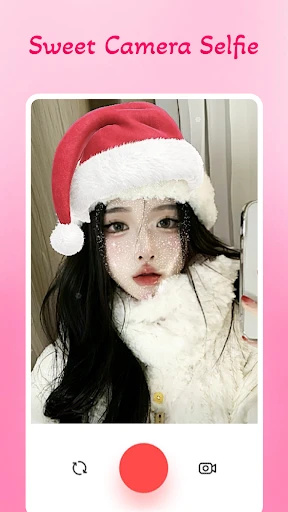


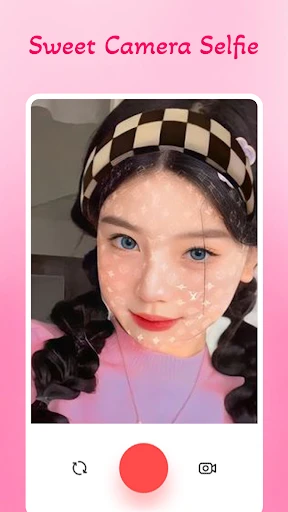
Description
About Sweet Camera Selfie Feature – Your Pocket-Sized Portrait Studio
Sweet Camera Selfie is a dedicated mobile photography application designed to enhance self-portraits and everyday snapshots. It moves beyond basic camera functionality by integrating a comprehensive suite of real-time beautification tools, creative filters, and playful stickers. The app prioritizes user-friendly operation, allowing individuals of all skill levels to capture, edit, and share polished photos instantly. By combining powerful AI-driven enhancement with a fun and intuitive interface, Sweet Camera Selfie transforms the simple act of taking a selfie into a creative and enjoyable experience, making it a popular choice for social media enthusiasts and casual photographers alike.
Chapter 1: Function
Sweet Camera Selfie operates as a multifaceted tool centered on real-time image capture and enhancement. Its core function begins with a camera interface equipped with live previews of beauty effects. Users can activate features like skin smoothing, blemish removal, face slimming, and eye enlarging before taking the photo. The app offers a vast library of artistic filters ranging from vintage tones to vibrant modern looks, alongside an extensive collection of dynamic stickers and AR effects for added personality. Beyond capture, it includes a robust photo editor for post-processing adjustments such as brightness, contrast, and saturation. Key functionalities also encompass collage making, allowing users to combine multiple images into themed layouts, and direct sharing integration to major social platforms, streamlining the workflow from capture to publication.
Chapter 2: Value
The primary value of Sweet Camera Selfie lies in its ability to deliver professional-looking portrait enhancements with effortless simplicity. It democratizes photo editing by packaging advanced beautification algorithms—typically found in complex desktop software—into a one-tap mobile solution. This saves significant time and eliminates the learning curve associated with manual editing. A key advantage is its real-time processing capability, which provides immediate visual feedback and fosters a more interactive, confident shooting experience. The app’s constantly updated library of filters and stickers offers sustained creative value, keeping content fresh and aligned with current trends. Furthermore, its lightweight design ensures smooth performance on a wide range of devices without excessive battery drain or storage burden. By consolidating capture, editing, and sharing into a single, cohesive environment, Sweet Camera Selfie adds tangible value for users seeking to elevate their digital presence, boost self-expression, and create share-worthy content efficiently. It stands out by focusing specifically on the nuances of portrait photography, making it a more tailored and effective tool than generic camera apps.
Chapter 3: Scenarios
Sweet Camera Selfie primarily targets younger demographics, including teenagers, young adults, and social media influencers who regularly create content for platforms like Instagram, TikTok, and Snapchat. It is equally appealing to casual users who wish to improve their personal photos for social sharing without intricate editing. Everyday use cases are abundant. Before a social gathering, a user might employ the app's skin-smoothing and makeup effects for a flawless group selfie. Travelers can apply location-themed filters and stickers to document their journeys with artistic flair. Friends spending time together can use the playful AR masks and stickers for entertaining, memorable photos. Additionally, individuals building a personal brand online rely on the app to maintain a consistent, aesthetically pleasing visual style across their posts. In scenarios requiring quick content creation, such as documenting a daily outfit or a spontaneous moment, Sweet Camera Selfie provides the tools to instantly produce polished, engaging images ready for public sharing.
Uninstall Instructions
For step-by-step guidance on how to safely remove this application from your device, please refer to our 《Uninstall Instructions》 document.
Pros
- real-time skin smoothing mimics natural makeup textures
- one-tap background replacement using portrait matting
- presets replicate specific film stock color profiles
- offline processing for all core editing functions
- adaptive beauty adjusts intensity based on facial distance
Cons
- advanced matting struggles with complex hair details
- film presets can oversaturate skin tones in daylight
- no cloud sync for customized preset collections
- real-time preview lags on older mid-range devices
- manual controls limited to sliders without numeric input
Frequently Asked Questions
What is Sweet Camera Selfie and what does it do?
Sweet Camera Selfie is a photo and video editing application focused on selfie enhancement. Its core functions include applying beauty filters, AR stickers, makeup effects, and portrait retouching tools to improve self-portraits. It is positioned as an all-in-one tool for creating stylized selfies for social media.
Is Sweet Camera Selfie free to use or are there in-app purchases?
Sweet Camera Selfie is free to download and use. However, it offers in-app purchases for premium content. These purchases typically unlock advanced filters, exclusive stickers, ad-free experience, and additional editing tools. The basic features remain accessible without payment.
What devices and iOS versions are compatible with Sweet Camera Selfie?
Sweet Camera Selfie is designed for iOS devices. It generally requires iOS 13.0 or later for optimal performance. It is compatible with iPhone, iPad, and iPod touch. The app is tailored for general users, particularly those interested in self-photography and social media content creation.
How can I remove the app's watermark from my photos?
The free version of Sweet Camera Selfie may apply a watermark to exported photos. To remove it, you typically need to access the watermark settings within the app's export or save menu, where removal is often a feature locked behind a premium subscription or a one-time in-app purchase.
Does Sweet Camera Selfie require special permissions to function?
Yes, Sweet Camera Selfie requires access to your device's camera and photo library to capture images and save/load your work. These permissions are standard for camera apps. The app does not require additional external hardware to function. All processing is done on your device.
App Info
Technical Info
Recommended For You

TeslaMirror
Auto & Vehicles

AI Art Generator: AI Picture
Art & Design

Holafly eSIM Prepaid Card
Communication

WoAD
Communication

The Language of Letting Go
Books & Reference

Manobook - Los Besos de Jacob
Books & Reference

Adobe Capture: Illustrator,Ps
Art & Design

AI Drawing : Trace & Sketch
Art & Design

Keys simulator and cars sounds
Auto & Vehicles

GoTo
Business

SMS Auto Reply - Autoresponder
Communication

Sketch Pro: Draw & Create Art
Art & Design

Uber - Driver: Drive & Deliver
Business

Selfie Camera - Photo Effects
Beauty

My Mitsubishi Connect
Auto & Vehicles

Thrift Savings Plan
Business

Novellair-Your Book Nook
Books & Reference

Dual App - Web Scanner App
Communication

Pango Comics: cartoon for kids
Comics

LINE: Calls & Messages
Communication