
BeautifyX - AI Makeover Studio
Screenshots
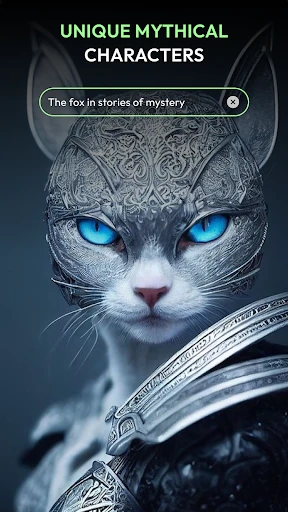
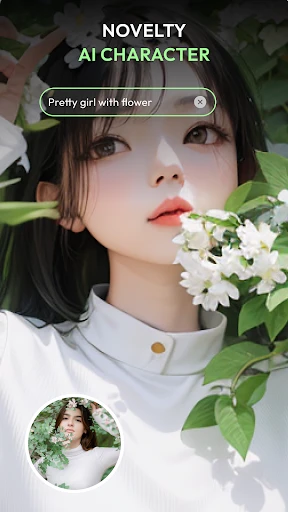
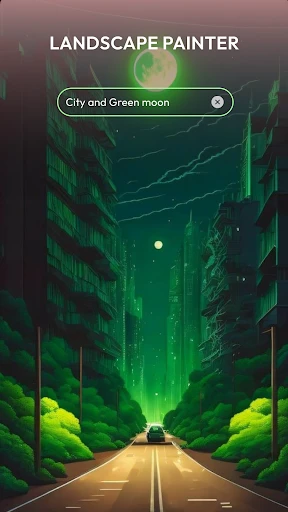

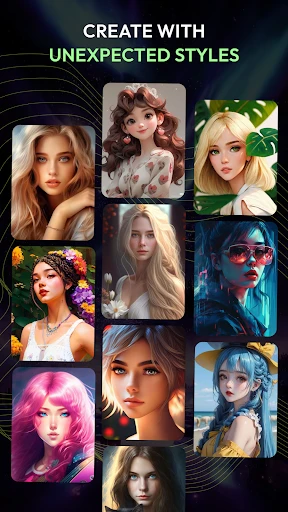
Description
About BeautifyX - AI Makeover Studio Feature
BeautifyX - AI Makeover Studio is a cutting-edge mobile application that leverages advanced artificial intelligence to provide users with sophisticated and highly personalized photo enhancement and virtual makeover services. It transcends basic photo editing by offering intelligent, one-touch beautification, realistic virtual try-ons for makeup and hairstyles, and professional-grade portrait retouching tools. Designed for simplicity and power, it empowers users of all skill levels to transform their selfies and portraits into stunning, magazine-quality images effortlessly, making professional digital beauty accessible to everyone.
Chapter 1: Function
BeautifyX operates on a core set of AI-driven functions designed for comprehensive image enhancement. Its primary feature is the one-touch AI Beautify, which automatically analyzes facial features to smooth skin, brighten eyes, enhance facial contours, and apply subtle lighting adjustments for a natural, polished look. The app boasts a robust virtual makeup studio, allowing users to try on a vast library of lipstick shades, eyeshadows, blushes, and foundations with realistic texture and blending. Furthermore, it includes innovative hair color and style changers, enabling virtual experimentation with different cuts and colors. Advanced tools for precise blemish removal, teeth whitening, and eye enlarging offer granular control. Finally, its AI portrait studio can generate artistic avatars or apply themed photographic styles to portraits, expanding creative possibilities beyond traditional editing.
Chapter 2: Value
The core value of BeautifyX lies in its democratization of high-end photo retouching through intuitive AI. Its key advantage is the seamless balance between automation and customization; while the AI delivers impressive results instantly, users retain full control to fine-tune every detail, ensuring outcomes match personal taste rather than a generic filter. The technology ensures enhancements remain realistic, preserving the subject's unique identity while elevating their best features—a significant edge over apps that often produce overly processed, artificial results. The virtual try-on functionality provides immense practical value, serving as a risk-free, cost-effective tool for testing new beauty looks before committing in real life, which is invaluable for consumers and beauty enthusiasts. The app saves considerable time and effort compared to complex desktop software, packaging professional techniques into a mobile-friendly interface. Continual updates with new makeup trends, hairstyles, and AI models keep the experience fresh and aligned with current beauty standards, fostering long-term user engagement and satisfaction.
Chapter 3: Scenarios
BeautifyX primarily targets a broad spectrum of users interested in personal image enhancement and digital creativity. Key user groups include social media enthusiasts and content creators who require consistently high-quality, engaging profile pictures and feed content to maintain their online presence. It is equally valuable for everyday individuals seeking to look their best in personal photos for dating profiles, professional networking sites, or family albums. Makeup and fashion aficionados form another core demographic, using the app as a virtual playground to experiment with bold new styles, plan looks for special events, or seek inspiration. Professionals in beauty, such as makeup artists and hairstylists, can utilize it as a client consultation tool to visualize potential transformations. Common use cases involve quickly polishing a selfie before sharing, trying on a dramatic evening makeup look for an upcoming party, visualizing a potential haircut, or creating a unified, aesthetically pleasing set of portraits for a personal blog or portfolio.
Uninstall Instructions
For step-by-step guidance on how to safely remove this application from your device, please refer to our 《Uninstall Instructions》 document.
Pros
- real-time AI makeup simulation with high skin detail retention
- one-tap removal of specific blemishes like acne and dark circles
- offers virtual try-on for niche indie cosmetic brands
- low-latency processing on mid-range smartphone GPUs
- maintains original facial structure without distortion
Cons
- requires consistent lighting for accurate color matching
- limited to portrait mode
- no full-body styling features
- virtual lipstick shades vary under warm/cool lighting
- high-resolution exports require subscription
- struggles with makeup simulation on bearded faces
Frequently Asked Questions
What is BeautifyX - AI Makeover Studio?
BeautifyX is a photo editing application in the beauty & self-care category. Its core function is to provide AI-powered makeovers and portrait enhancements. It uses artificial intelligence to automatically retouch skin, adjust facial features, apply virtual makeup, and offer various style transformations, allowing users to quickly create idealized portrait photos.
Is BeautifyX free to use or does it have in-app purchases?
BeautifyX is free to download and use for basic editing features. However, it operates on a freemium model. Advanced AI filters, high-resolution exports, exclusive style packs, and the removal of watermarks typically require a subscription or one-time in-app purchases. Specific pricing details are available within the app's store page.
What devices and systems is BeautifyX compatible with?
BeautifyX is primarily designed for modern smartphones. It is available for both iOS and Android platforms. For optimal performance of its AI features, it generally requires a relatively recent device version and operating system. You can find the specific minimum version requirements on the official App Store or Google Play Store listing.
How does the AI makeover feature work in BeautifyX?
The AI makeover analyzes key facial points in your uploaded photo. It then applies non-destructive edits based on selected styles, such as smoothing skin, reshaping contours, enhancing eyes, and simulating cosmetics. The process is automated but usually allows for manual adjustment sliders to control the intensity of each effect for a more natural or dramatic result.
Can edited photos be saved without a watermark?
Photos edited using the free version of BeautifyX are typically saved with a visible app watermark. To export or save images without this watermark, a premium subscription or a one-time purchase is usually required. This information is clearly stated within the app's export interface. For specific terms, please refer to the in-app purchase descriptions.
App Info
Technical Info
Recommended For You

Beauty Makeup Editor & Camera
Beauty

RSA Authenticator (SecurID)
Communication

HiPaint -Sketch Draw Paint it!
Art & Design

Sketchbook
Art & Design

DMV Practice Test Permit Genie
Auto & Vehicles

EAGLE Security UNLIMITED
Communication

PixAI: AI Anime Art Generator
Art & Design

Talkatone: Texting & Calling
Communication

myAudi
Auto & Vehicles

League of Comic Geeks
Comics

PERFUMIST Perfumes Advisor
Beauty

ReadAnywhere
Books & Reference

Learn to Draw Anime by Steps
Art & Design

Zebra Comics: Webtoons & Manga
Comics

Public Storage
Business

pixivコミック - みんなのマンガアプリ
Comics

Gruveo - Video Conferencing
Communication

Staples - Deals & Shopping
Business

Comic Book Reader (cbz/cbr)
Comics

Android Auto
Auto & Vehicles