Trace Drawing-Sketch and Paint
Screenshots
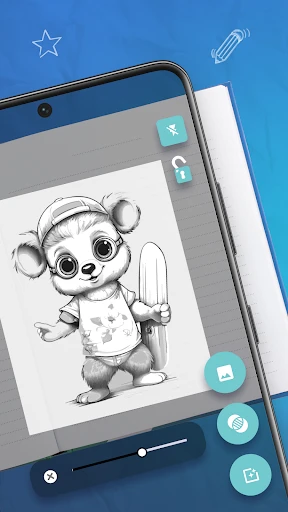
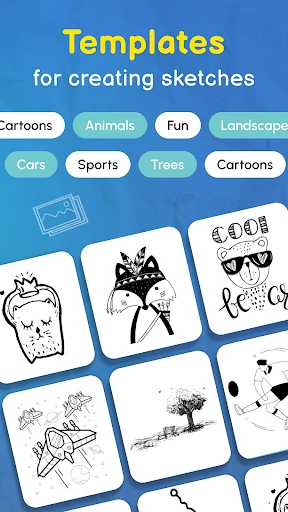
Description
About Trace Drawing-Sketch and Paint Features
Trace Drawing-Sketch and Paint is a mobile application designed to assist users in learning drawing and sketching through tracing techniques. It serves as a digital canvas and a practical learning tool, enabling both beginners and hobbyists to improve their artistic skills. The app provides a library of reference images and a straightforward tracing mechanism, lowering the barrier to creating artwork. By overlaying a semi-transparent drawing layer on top of chosen images, users can follow outlines and shapes with ease. It emphasizes simplicity and accessibility, making the process of drawing less intimidating and more enjoyable. The core idea is to build muscle memory and understanding of form through guided practice, bridging the gap between novice interest and tangible artistic creation.
Chapter 1: Function
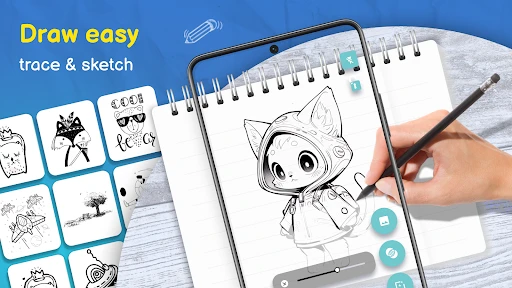
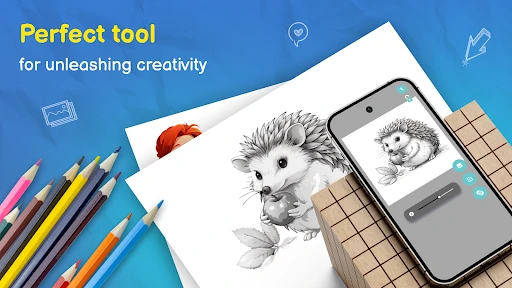
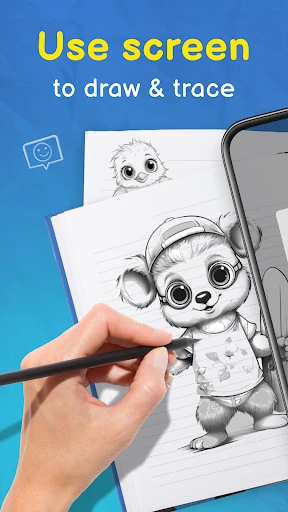
The core function of Trace Drawing-Sketch and Paint centers on its tracing capability. Users can import any photo from their device's gallery or select an image from the app's built-in collection, which spans various categories like animals, portraits, and landscapes. This image becomes the reference layer. The app then provides a transparent drawing sheet on top, where users can sketch using a range of digital tools, including pencils, brushes, and pens with adjustable size and opacity. A key feature is the ability to adjust the transparency of the reference image, allowing for clear visibility of the tracing lines. The app also includes basic editing functions such as undo/redo, layer management, and color palette selection. Once a drawing is complete, it can be saved to the device or shared directly to social platforms. Essentially, it transforms the device screen into a modern-day lightbox, facilitating step-by-step drawing practice.
Chapter 2: Value
The primary value proposition of Trace Drawing-Sketch and Paint lies in its effectiveness as an educational and confidence-building tool for aspiring artists. Its key advantage is demystifying the initial stages of drawing. For many, a blank canvas is daunting; this app provides structured guidance, helping users understand proportions, contours, and composition without the initial fear of failure. By tracing, users develop hand-eye coordination and gradually internalize the shapes that constitute complex drawings. Compared to freehand drawing apps, it offers a lower-stress entry point, making art creation accessible to a wider audience, including children and absolute beginners. Furthermore, the app is lightweight, user-friendly, and often available for free or at a low cost, removing financial barriers to art education. It encourages regular practice, which is fundamental to skill development. The value extends beyond mere tracing; it fosters a sense of accomplishment as users produce aesthetically pleasing artwork early in their learning journey. This positive reinforcement motivates continued exploration of art. In a market filled with complex professional software, Trace Drawing carves its niche by focusing on simplicity and learning progression, providing immediate, tangible results that inspire users to further their artistic pursuits.
Chapter 3: Scenarios
The primary target users for Trace Drawing-Sketch and Paint are art beginners, hobbyists seeking a relaxing creative outlet, and children under parental guidance. It is also useful for individuals who wish to sketch ideas or designs quickly without needing advanced drafting skills. In everyday use, a beginner might use the app daily for short practice sessions, tracing simple objects to build fundamental skills. A parent might download it to engage a child in a creative activity during travel, using the app's simple interface to keep them entertained while developing fine motor skills. Hobbyists may use it to recreate favorite photographs or characters, enjoying the meditative process of tracing and coloring. Another common scenario is for quick idea visualization; for instance, someone planning a craft project might trace and annotate a reference image to clarify their concept. The app serves well in informal educational settings, such as in introductory art workshops, where it can be used as a supportive tool. Its portability means it can be used anywhere, turning idle moments into productive practice time, making it a convenient companion for gradual skill enhancement in the realm of digital drawing and sketching.
Uninstall Instructions
For step-by-step guidance on how to safely remove this application from your device, please refer to our 《Uninstall Instructions》 document.
Pros
- offers guided tracing over photos for skill building
- layered drawing mimics professional digital art workflow
- includes diverse brush presets for varied artistic textures
- lightweight app functions smoothly on mid-range devices
- serves as a practical bridge between sketching and painting
Cons
- guided tracing may limit development of freehand skills
- advanced layer features lack non-destructive editing options
- brush customization depth is less than dedicated painting apps
- export formats are limited compared to full studio software
- core tracing function requires clear source images to work well
Frequently Asked Questions
What is Trace Drawing and what are its core functions?
Trace Drawing is a digital art and sketching app designed to assist users in drawing and painting. Its core function is to provide a tracing feature, allowing users to overlay a reference image and sketch on a transparent layer above it. The app includes basic painting tools like brushes, pens, and color palettes, positioning itself as a helpful tool for beginners learning drawing techniques or for artists seeking a quick sketching aid.
Is Trace Drawing free to use or does it have in-app purchases?
Trace Drawing is free to download and use with basic features. However, the app offers in-app purchases. These purchases typically unlock premium features, such as a wider selection of brushes, advanced tools, removal of advertisements, or access to higher-resolution canvases. The specific details and pricing of these premium tiers are available within the app's store listing or settings menu.
What devices and operating systems does this app support?
Trace Drawing is primarily available for Android devices. You can download it from the Google Play Store. The app is designed for smartphones and tablets. For specific system version requirements (like minimum Android OS version), please check the technical details section on its official Google Play Store page, as these specifications can be updated by the developer.
How does the image tracing feature actually work?
The tracing feature works by allowing you to import a photo from your gallery or take a new picture. This image is set as a semi-transparent background on your canvas. You then create a new transparent layer on top of it. Using drawing tools on this top layer, you can trace the outlines and details of the underlying image, helping you replicate its form accurately as a digital sketch.
Can I save and export my artwork created in the app?
Yes, Trace Drawing allows you to save your artwork locally to your device's gallery. The app typically supports exporting your finished sketches in common image file formats, such as PNG or JPEG. This enables you to share your creations on social media, use them in other editing software, or simply keep a personal portfolio. The exact export options are found within the app's menu.
App Info
Technical Info
Recommended For You

CLZ Comics comic book database
Comics

5 Calls: Contact Your Congress
Books & Reference

Arch - AI Home Design
Art & Design

Barnes & Noble NOOK
Books & Reference

Weargram
Communication

Car Key: Smart Car Remote Lock
Auto & Vehicles

AI Video - AI Video Generator
Art & Design

Hwahae(Korea’s Beauty APP)
Beauty

Cars Mod for Minecraft PE 2025
Auto & Vehicles

E-PASS Toll App
Business

Smartsheet: Projects & Teams
Business

La Biblia en Español
Books & Reference

MobiOffice: Word, Sheets, PDF
Business

Animagic: Anime Art Generator
Art & Design

Thumbnail Maker - Channel art
Art & Design
Mahjong Dots Elimination
Comics

Gmail
Communication

Auto Sync for Android/Car Play
Auto & Vehicles

TrustDial: Caller, SMS & Block
Communication

Skype
Communication