
Adobe Scan AI PDF Scanner, OCR
Screenshots
Description
About Adobe Scan AI PDF Scanner, OCR Feature
Adobe Scan is a powerful mobile application that transforms your smartphone into a versatile portable scanner. Leveraging advanced AI and optical character recognition (OCR) technology, it allows users to effortlessly digitize paper documents, receipts, notes, whiteboards, and more into high-quality, searchable PDF files. As part of the Adobe ecosystem, it offers seamless integration with Adobe Document Cloud and other creative tools, positioning itself as a comprehensive solution for personal and professional document management. The app is free to download and use, providing robust core functionality that simplifies the transition from physical to digital, enhancing productivity and organization for users on the go.
Chapter 1: Function
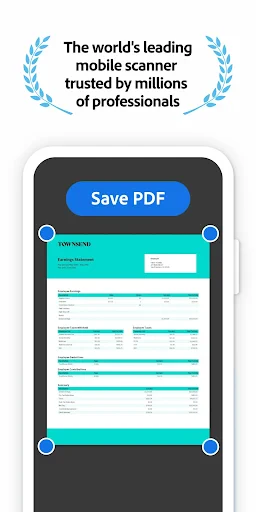
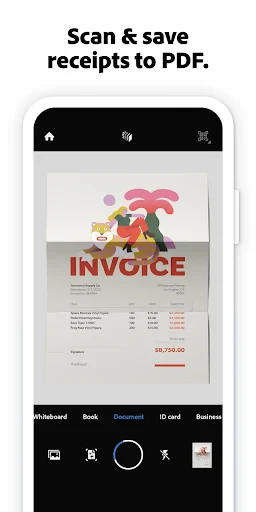
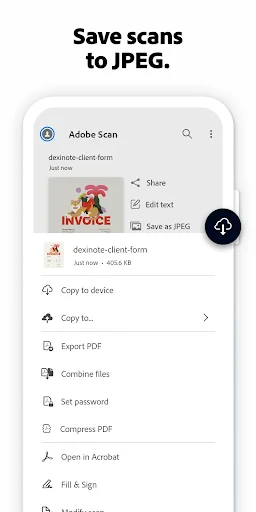
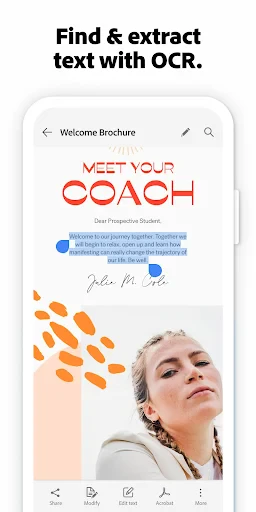
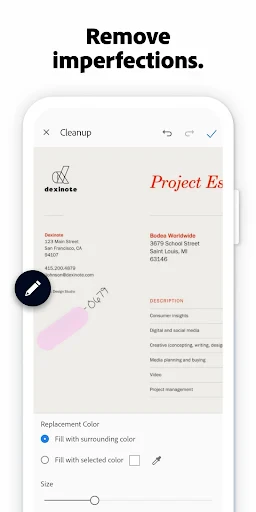
Adobe Scan's core functionality centers on capturing, enhancing, and converting physical documents into digital formats. Using the device's camera, the app automatically detects document edges, captures an image, and applies intelligent image processing to correct perspective, remove shadows, and sharpen text, resulting in a clean, scanned-like image. The integrated OCR engine is a pivotal feature, as it accurately recognizes text within the captured image, enabling users to create searchable and selectable PDFs. Users can scan multi-page documents, reorder pages, and choose from various output formats like PDF or JPEG. The app also facilitates easy sharing via email, messaging apps, or direct saving to cloud storage services such as Adobe Document Cloud, Dropbox, or Google Drive, consolidating essential scanning tasks into a single, efficient workflow.
Chapter 2: Value
The primary value proposition of Adobe Scan lies in its combination of powerful, automated technology and exceptional ease of use, delivered under the trusted Adobe brand. Its key advantage is the sophisticated AI that automates the tedious aspects of scanning—edge detection, perspective correction, and image enhancement—producing superior quality scans without requiring manual adjustments. The accurate OCR capability adds significant long-term value by transforming static images into dynamic, searchable documents, saving users countless hours of manual data re-entry or frustrating searches through unsearchable files. Furthermore, its deep integration with the Adobe ecosystem, particularly Adobe Acrobat and Document Cloud, allows for a seamless workflow where scanned documents can be easily edited, signed, combined, or annotated across devices. This interoperability creates a cohesive document management environment. Unlike many standalone scanner apps, Adobe Scan is free without intrusive ads, offering professional-grade results that bolster productivity, reduce paper clutter, and support environmental sustainability. Its reliability and consistent output quality for diverse materials—from fragile receipts to textured business cards—establish it as a dependable tool for serious use.
Chapter 3: Scenarios
Adobe Scan primarily targets students, professionals, and anyone needing efficient document digitization in daily life. Students utilize it to digitize lecture notes from whiteboards, archive research articles from library books, and create neat digital portfolios of their work. Office professionals and freelancers rely on the app to quickly scan contracts, invoices, business cards, and meeting notes while on the move, ensuring important documents are instantly archived and shareable with colleagues or clients. It is equally valuable for personal organization; individuals can manage household paperwork by scanning warranties, receipts for expense tracking, tax documents, and personal letters, creating a searchable digital filing cabinet. In educational or business meetings, participants can capture and distribute whiteboard diagrams or brainstorm sessions instantly. The app is indispensable for travelers needing to digitize boarding passes, passports, or travel receipts for safe backup. Essentially, any scenario requiring a quick, reliable transition from a physical paper to an organized, accessible, and high-quality digital document falls within the ideal use case for Adobe Scan.
Uninstall Instructions
For step-by-step guidance on how to safely remove this application from your device, please refer to our 《Uninstall Instructions》 document.
Pros
- converts camera scans into crisp
- searchable PDFs instantly
- AI-powered OCR accurately extracts text from complex documents
- automatically detects document edges and corrects perspective
- creates compact
- high-quality PDFs suitable for professional archiving
- seamless cloud sync with Adobe ecosystem for cross-device workflow
Cons
- advanced AI features require a continuous subscription plan
- full OCR accuracy depends heavily on original document quality
- cloud-centric design limits functionality in offline-only environments
- processing speed varies significantly with document complexity and length
- deep integration with Adobe services adds friction for non-Adobe users
Frequently Asked Questions
What is Adobe Scan AI PDF Scanner, OCR?
Adobe Scan is a free mobile app that functions as a smart document scanner. It uses AI and OCR (Optical Character Recognition) technology to turn photos of documents, whiteboards, receipts, and forms into high-quality, editable PDFs or text files. Its core positioning is a portable scanner replacement that organizes and digitizes paper documents directly from your smartphone.
Is Adobe Scan completely free to use?
Yes, the core scanning, OCR, and PDF creation features are free. The app may include optional in-app purchases or prompts to subscribe to Adobe's premium services (like Adobe Acrobat Pro) for advanced features such as editing scanned PDFs beyond basic corrections, advanced cloud storage, or advanced export formats. No additional hardware is required beyond your phone's camera.
What devices and systems does Adobe Scan support?
Adobe Scan is primarily designed for iOS and Android smartphones and tablets. It is available for download from the Apple App Store and Google Play Store. The app leverages the device's camera and processing power, so performance may vary based on hardware age and specifications. It is widely adapted for general consumer and business use.
How accurate is the OCR and text editing feature?
The OCR engine is generally accurate for clear, well-lit images of printed text in supported languages. It can recognize text from scans and convert it into selectable and searchable content within the PDF or export it as plain text. Accuracy can decrease with poor lighting, handwriting, complex layouts, or low-resolution source images. Edits are applied to the recognized text layer.
Can I edit a PDF after scanning with Adobe Scan?
Within the free Adobe Scan app, you can perform basic edits like reordering, rotating, or deleting pages, and applying color filters to optimize the scan. However, for advanced editing of the actual content (like modifying recognized text or graphics), you typically need to export the file to and use Adobe Acrobat Reader or a premium Adobe Acrobat subscription service.
App Info
Technical Info
Recommended For You

Amazon A to Z
Business

eBay Motors: Parts, Cars, more
Auto & Vehicles

Tinker DIY
Auto & Vehicles

AI Art Generator: Photo, Draw
Art & Design

King James Bible Study KJV
Books & Reference

Plus Messenger
Communication

Castle - Make and Play
Art & Design

King James Bible - Verse+Audio
Books & Reference

Readink - Read Good Web Novel
Books & Reference

AMarkets: Trade & Invest
Business

Magic Doodle: Glow Art Drawing
Art & Design

Sky Map
Books & Reference

Buenos días tardes y noches
Comics

When I Work Team Scheduling
Business

Hallow: Prayer & Meditation
Books & Reference

Beauty Camera -AI Photo Editor
Beauty

Trace Drawing-Sketch and Paint
Art & Design

Nail Art Design Ideas
Beauty

Enphase Enlighten
Business

BambooHR
Business