
Learn Drawing
Screenshots


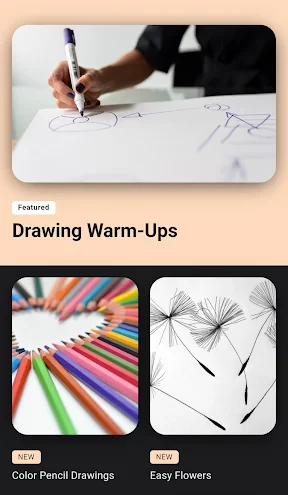
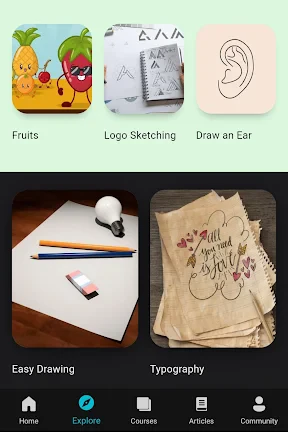
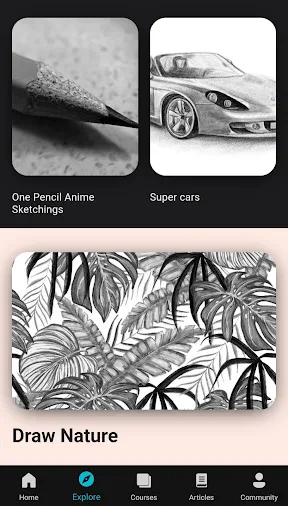
Description
About Learn Drawing Feature – A Comprehensive Guide to Digital Art Mastery
Learn Drawing is a dedicated mobile application designed to guide users from fundamental sketching to advanced illustration techniques. It serves as a personal digital art tutor, offering structured courses, interactive tools, and a supportive community. The app democratizes art education by making it accessible, affordable, and flexible for anyone with a smartphone or tablet, transforming the complex journey of learning to draw into a manageable and enjoyable step-by-step process.
Chapter 1: Function
The core function of Learn Drawing is to provide a structured, progressive curriculum for artistic skill development. It features a vast library of step-by-step tutorials covering diverse subjects like still life, portraits, landscapes, and character design. The app includes interactive drawing tools with adjustable brushes, layers, and color palettes, allowing practice directly within the app. Key functionalities also encompass daily drawing challenges to maintain consistency, video demonstrations from professional artists, and a personal gallery to track progress. Users can receive automated feedback on line work and proportions, and access a reference image library for practice. These integrated tools create a seamless all-in-one environment for learning, practicing, and creating art.
Chapter 2: Value
The primary value proposition of Learn Drawing lies in its ability to lower the barriers to entry for art education while providing substantial, professional-grade content. Its key advantage is the structured learning path that prevents beginners from feeling overwhelmed, systematically building skills from basic shapes to complex compositions. Unlike fragmented online videos, the app offers a curated curriculum with clear milestones. The integrated drawing tools eliminate the need for immediate, expensive purchases of physical materials, allowing users to start practicing instantly with a wide range of digital brushes and canvases. Furthermore, the app provides exceptional flexibility, enabling users to learn at their own pace anytime, anywhere, turning idle moments into productive practice sessions. The inclusion of community features fosters motivation through peer sharing and inspiration. For a modest subscription or one-time fee, it offers continuous value that surpasses costly in-person classes, making high-quality art education both affordable and perpetually accessible. This combination of guided structure, comprehensive tools, and community support empowers users to build confidence and tangible skills consistently.
Chapter 3: Scenarios
Learn Drawing primarily targets aspiring artists with little to no formal training, including teenagers exploring their creative interests, adults seeking a fulfilling hobby, and students supplementing their formal art education. It is equally valuable for busy professionals looking for a relaxing, off-screen creative outlet during breaks or commutes. Parents may use it with children to foster creativity in a guided manner. Everyday use cases involve a user following a 15-minute daily tutorial to gradually complete a portrait, participating in a weekly challenge to draw a themed object, or using the reference tool to sketch during a lunch break. Another common scenario is a user preparing for a specific project, like designing a character for a personal game, by accessing specialized advanced courses. The app serves as a constant companion for turning inspiration into practice, whether during travel, in waiting rooms, or as a dedicated daily creative ritual at home.
Uninstall Instructions
For step-by-step guidance on how to safely remove this application from your device, please refer to our 《Uninstall Instructions》 document.
Pros
- offers structured courses from basic shapes to complex figures
- includes a unique finger gesture shortcut for quick undo/redo
- provides frame-by-frame animation replay for technique study
- lightweight app functions fully offline after initial download
- daily 5-minute challenge targets specific skill improvement
Cons
- advanced human anatomy lessons locked behind subscription
- finger gesture sensitivity may cause accidental commands
- limited to grayscale practice without color theory modules
- animation replay lacks adjustable playback speed control
- community gallery lacks filtering by drawing medium type
Frequently Asked Questions
What is Learn Drawing and what does it do?
Learn Drawing is a mobile application designed to teach users fundamental and advanced drawing skills. It provides structured lessons, step-by-step tutorials, and interactive practice tools. The app covers various styles from sketching and shading to character design and perspective. Its core function is to guide beginners and intermediate artists through the learning process with practical exercises and reference materials, positioning itself as a comprehensive digital art tutor.
Is Learn Drawing free to use or does it have in-app purchases?
Learn Drawing operates on a freemium model. The app can be downloaded and used for free, offering access to a basic set of lessons and tools. However, to unlock the full library of advanced tutorials, specialized brushes, and premium features like offline mode or personalized feedback, users need to subscribe to a premium plan or make one-time purchases within the app. Specific pricing details are available on the app's official store page.
What devices and systems is Learn Drawing compatible with?
Learn Drawing is primarily available for iOS and Android mobile devices. It is optimized for smartphones and tablets, with support for stylus input (like Apple Pencil or S-Pen) on compatible models for a better drawing experience. The app requires a recent version of the operating system (e.g., iOS 14+/Android 8.0+). It is designed for individual learners of all age groups interested in developing drawing skills. There is no information about a dedicated desktop version at this time.
How does Learn Drawing's step-by-step guidance work?
The app breaks down complex drawings into manageable sequential steps. Users follow along with interactive tutorials where each step is displayed visually. Features may include drawing on layers, adjustable reference images, and the ability to replay demonstrations. Some lessons use AI-assisted line correction or provide feedback on proportion and shape. This guided approach is designed to build muscle memory and understanding of form progressively, catering to self-paced learning.
Can I use the app without an internet connection?
Basic functionality and pre-downloaded lessons can typically be used offline. However, to access new lessons, download tutorial content, or use certain cloud-based features, an active internet connection is required. The availability of offline mode is often a feature included in the premium subscription. For the most accurate and current information regarding offline capabilities, please refer to the app's description in your device's application store or the developer's official support page.
App Info
Technical Info
Recommended For You

ArtCanvas: Learn how to draw
Art & Design

CLZ Comics comic book database
Comics

SelfComic: Super Saiyan Photo
Comics

Soul EV Spy
Auto & Vehicles

Logo Master - Design & Maker
Art & Design

MyNISSAN®
Auto & Vehicles

Thumbnail Maker - Channel art
Art & Design

Vivaldi Browser - Fast & Safe
Communication

Men's Hair Cuts & Hairstyles
Beauty

Nail Art Design : Nails Polish
Beauty

CloudLibrary
Books & Reference

Beauty Camera - Selfie Camera
Beauty

StyleKorean
Beauty

Chat Cloner Secretly View Chat
Communication

iScanner - PDF Scanner App
Business

Blinq: Digital Business Card
Business

CastChat - Match & Voice Chat
Communication

BUBBLE Comics. Russian heroes.
Comics

WebComics - Webtoon & Manga
Comics

Mirror App - Makeup Mirror
Beauty