
ArtCanvas: Learn how to draw
Screenshots
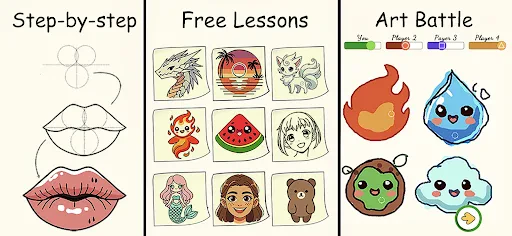

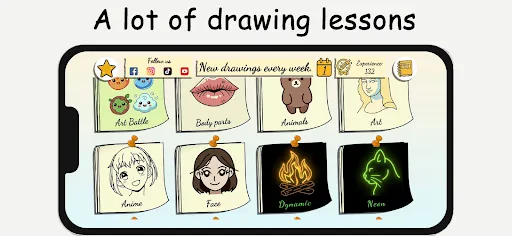
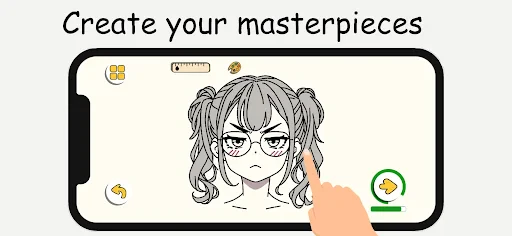

Description
About ArtCanvas: Learn how to draw Feature
ArtCanvas: Learn how to draw is a comprehensive mobile application designed for aspiring artists and hobbyists seeking to develop their drawing skills. It serves as a digital tutor and sketchbook, combining structured lessons with practical tools. The app demystifies the art learning process, making it accessible, engaging, and progressive for users of various skill levels, from complete beginners to those looking to refine their techniques. By integrating guided tutorials with a hands-on drawing interface, ArtCanvas creates a seamless loop of learning and practice, all within a single, user-friendly platform.
Chapter 1: Function
ArtCanvas: Learn how to draw centers its functionality on two interconnected pillars: guided learning and active creation. The core function is its extensive library of step-by-step drawing tutorials. These lessons are categorized by difficulty, theme, and technique, such as sketching basics, shading, perspective, and drawing specific subjects like animals, portraits, or landscapes. Each tutorial breaks down complex images into simple, manageable steps, often with interactive guidance. The second core function is the built-in digital canvas. This feature provides users with a suite of virtual drawing tools, including pencils, brushes, erasers, and layers, mimicking a real sketchbook. Users can follow along with tutorials directly on this canvas or use it for freehand practice. Additionally, the app may include progress tracking, allowing users to monitor their improvement through completed lessons and personal artwork saved in their digital portfolio.
Chapter 2: Value
The primary value proposition of ArtCanvas lies in its ability to lower the barrier to entry for learning art while providing substantive educational content. Its key advantage is convenience; it consolidates a drawing course and studio into a portable device, enabling practice anytime, anywhere without the need for physical materials. The structured, progressive curriculum ensures learners build skills logically, preventing the overwhelm that can come from self-directed study. The interactive, hands-on approach reinforces learning more effectively than passive video watching. For the cost of the app or its subscription, users gain access to what equates to a vast collection of mini-art classes, offering exceptional value compared to traditional courses or books. Furthermore, the digital canvas eliminates the fear of making permanent mistakes, encouraging experimentation and creativity. The app's design often focuses on positive reinforcement through achievements and portfolio building, which boosts motivation and commitment. By providing clear milestones and a tangible record of progress, ArtCanvas transforms the often-intimidating journey of learning to draw into an achievable and rewarding daily habit, fostering both skill development and artistic confidence.
Chapter 3: Scenarios
ArtCanvas: Learn how to draw primarily targets three user groups. The first and largest group is absolute beginners with a curiosity about art but no formal training. They use the app to overcome the initial hurdle of where to start, following basic tutorials to draw their first recognizable objects. The second group consists of hobbyists and students seeking to improve specific skills, such as a comic enthusiast practicing figure drawing or a student supplementing their art class studies with extra perspective exercises. For them, the app serves as a focused practice tool. The third group includes individuals seeking a relaxing, creative outlet; they might use the app during commutes, breaks, or in the evening as a form of digital mindfulness and stress relief. Common use cases involve a user spending 15-20 minutes daily completing a guided lesson on drawing a flower, a teenager using the app to sketch character designs for a personal project, or a parent and child collaboratively following a simple cartoon tutorial. The app fits seamlessly into碎片时间, turning idle moments into productive and enjoyable creative sessions.
Uninstall Instructions
For step-by-step guidance on how to safely remove this application from your device, please refer to our 《Uninstall Instructions》 document.
Pros
- interactive tutorials adapt to your drawing speed
- real-time stroke correction using ai analysis
- offline access to all core lessons and tools
- layered canvas mimics professional desktop software
- community challenges based on your skill tier
Cons
- advanced ai feedback requires a subscription
- large project files need considerable device storage
- some pro brushes lag on older tablet models
- initial setup for stylus pressure is complex
- offline mode disables community feature access
Frequently Asked Questions
What is ArtCanvas: Learn how to draw?
ArtCanvas: Learn how to draw is a mobile application in the Education/Art & Design category. Its core function is to provide step-by-step interactive drawing tutorials for beginners and hobbyists. The app positions itself as a personal digital art tutor, offering guided lessons on various subjects like animals, objects, and basic shapes to help users build foundational drawing skills directly on their device.
Is the app free to use or does it have in-app purchases?
The app's core feature provides interactive, step-by-step drawing guides. Users follow pre-set lines and shapes on a digital canvas, with the app giving real-time feedback or tracing assistance. This breaks down complex drawings into manageable stages. The feature is designed for self-paced learning, allowing users to pause, undo, and practice each step repeatedly until mastered.
What devices and systems is the app compatible with?
ArtCanvas: Learn how to draw is free to download and install. The app operates on a freemium model, offering a set of basic tutorials for free. Access to the full library of advanced lessons, specialized tools, or ad-free experience typically requires a subscription or one-time in-app purchases. No additional physical equipment is needed beyond a compatible touchscreen device.
How does the step-by-step interactive tutorial feature work?
The app is designed for mobile platforms. It is primarily available for iOS and Android devices. Specific version requirements, such as iOS 14.0 and above or Android 8.0 and above, apply. It is optimized for smartphones but may also be usable on tablets. The app is generally suitable for all age groups, with content focused on foundational drawing skills.
Can I save and export my drawings from the app?
Yes, the app typically includes functionality to save your artwork progress and completed drawings locally to your device's gallery. Export options often allow saving images in common formats like PNG or JPEG. Some advanced export features or cloud save synchronization may be part of the premium offering. For specific technical details on export resolutions or formats, please refer to the app's official documentation.
App Info
Technical Info
Recommended For You

Translateasy Lingual Assistant
Books & Reference

Picky - Beauty Community
Beauty

Perfect Viewer Donation
Comics

AR Draw Sketch & Paint
Art & Design

Cars.com: Buy and sell cars
Auto & Vehicles

Car Engine Sounds - Gas Pedal
Auto & Vehicles

Kling AI: AI Image&Video Maker
Art & Design

ATOM Store, Myanmar
Communication

MyNISSAN®
Auto & Vehicles

Color by Number for Adults
Art & Design

Manga UP!
Comics

AutoZone Auto Parts & Repair
Auto & Vehicles

Whitepages - Find People
Communication

Blinq: Digital Business Card
Business

Car Key: Smart Car Remote Lock
Auto & Vehicles

طاقچه؛ کتاب الکترونیکی و صوتی
Books & Reference

TeamSpeak 3 - Voice Chat
Communication

starryai - AI Art Generator
Art & Design

10-4 by WEX
Auto & Vehicles

Robokiller - Spam Call Blocker
Communication