
Doodle Master - Glow Art
Screenshots


Description
About Doodle Master - Glow Art Feature
Doodle Master - Glow Art is a creative and relaxing mobile drawing application that specializes in glow-in-the-dark digital art. It transforms the user's device into a vibrant canvas where they can create luminous sketches, intricate patterns, and glowing masterpieces with ease. The app stands out by simulating neon and phosphorescent effects, allowing art to pop against dark backgrounds. Designed for users of all ages and skill levels, it emphasizes intuitive touch controls, a rich palette of glowing colors, and a meditative, stress-relieving creative process. It serves not just as a drawing tool, but as a portable light art studio for expression and relaxation.
Chapter 1: Function
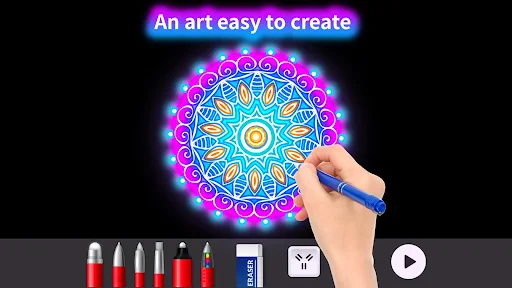
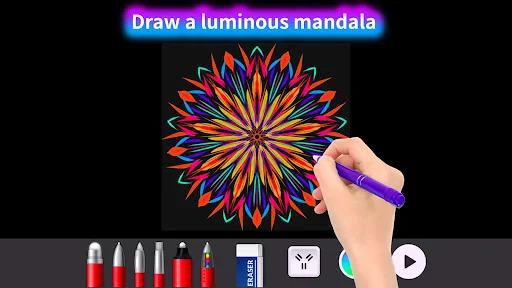
Doodle Master - Glow Art provides a suite of core functions centered on creating luminous digital art. The primary tool is a dynamic brush that paints in vibrant, glowing colors which appear especially vivid on dark canvas backgrounds. Users can adjust brush size, opacity, and choose from a wide spectrum of neon hues. The app features a symmetry tool, enabling the creation of intricate, mirrored patterns and mandalas with a single stroke. A fundamental function is the background choice, typically black or dark, which makes the glowing drawings stand out. It includes basic editing options like undo/redo and an eraser that works like a negative brush. The save and share function allows users to export their glowing creations to their device gallery or directly to social media platforms. The interface is minimalist, ensuring the focus remains on the fluid, seamless act of drawing without complex menus.
Chapter 2: Value
The value proposition of Doodle Master - Glow Art lies in its unique fusion of artistic expression, technological simplicity, and therapeutic benefits. Its key advantage is the immediate visual satisfaction derived from creating bright, glowing art on a dark screen, which is both novel and captivating. This distinct aesthetic sets it apart from standard drawing apps. The app offers significant mental wellness value by promoting mindfulness and stress relief; the act of drawing flowing, luminous lines can be a meditative and calming activity, helping users unwind. For creative individuals, it provides an accessible outlet for digital art without the steep learning curve of professional software. The symmetry tool adds educational and cognitive value, encouraging users to explore geometric patterns and designs, which can enhance focus and pattern recognition. Furthermore, its social sharing capability allows users to easily showcase their unique glowing artwork, fostering a sense of accomplishment and community. The app delivers high entertainment and relaxation value at a low barrier to entry, requiring no artistic training. Its performance is optimized for smooth, lag-free drawing, ensuring a immersive experience that prioritizes user engagement and creative flow over complex features.
Chapter 3: Scenarios
Doodle Master - Glow Art primarily targets a broad audience seeking casual creativity and relaxation. Key user groups include adults and teenagers looking for a stress-relieving hobby to decompress after work or study. The simple, engaging interface also makes it suitable for children, helping them develop fine motor skills and color recognition in a fun, digital format. Everyday use cases are varied. An individual might use the app during a commute or break to quickly sketch glowing patterns as a mindful distraction from daily stress. Artists or hobbyists may employ it for brainstorming ideas with light and color, or to create unique digital assets for personal projects. In social settings, friends might share devices to collaboratively create a glowing masterpiece. Parents and children can use it together for a creative bonding activity. The app is also ideal for creating custom, eye-catching graphics for social media posts or personalized digital wallpapers. Its core scenario remains as an accessible, portable art studio that turns moments of boredom or anxiety into opportunities for colorful, luminous creation and calm.
Uninstall Instructions
For step-by-step guidance on how to safely remove this application from your device, please refer to our 《Uninstall Instructions》 document.
Pros
- glow-doodle mode creates luminous art in dark settings
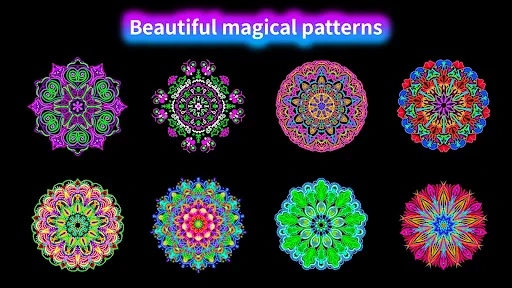
- one-tap symmetry tool for intricate kaleidoscope patterns
- real-time particle physics for flowing
- organic line effects
- minimalist UI with gesture controls maximizes canvas space
- export high-res timelapses of entire drawing process
Cons
- glow effects require near-dark rooms for full impact
- advanced symmetry modes lack custom axis adjustment
- particle brushes consume significant battery during use
- no layer system limits complex digital art projects
- free version restricts canvas resolution and brush packs
Frequently Asked Questions
What is Doodle Master - Glow Art?
Doodle Master - Glow Art is a digital art and creativity app in the entertainment category. Its core function is to provide a relaxing, glow-in-the-dark drawing experience where users can create luminous artwork on a dark canvas. It focuses on simple, stress-free doodling with neon and glowing color palettes, positioning itself as a tool for casual creativity and mindfulness rather than professional graphic design.
Is Doodle Master free to use, or does it have in-app purchases?
Within the app, you can save your artwork directly to your device's photo gallery. Sharing functions are typically integrated, allowing you to export your doodle and share it directly to various social media platforms or via messaging apps. The app uses standard device storage permissions for saving images.
Can I recover a drawing if I close the app by mistake?
Doodle Master - Glow Art is free to download and use with basic features. The app typically includes optional in-app purchases. These purchases may offer access to additional glowing brush styles, color packs, advanced tools, or an ad-free experience. No additional physical equipment is required to use the app.
What devices and systems is this drawing app compatible with?
The app is designed for mobile devices. It is generally available for both iOS and Android systems. Specific version requirements, such as needing iOS 11.0 or Android 5.0 and above, should be verified on the official app store listings. It is adapted for use by a general audience, including beginners and casual artists.
How do I save or share my glow art creations?
The app may have an auto-save feature for the current active drawing session, but this is not guaranteed. It is always recommended to manually save your work to your device gallery frequently. For specific after-sales or technical support regarding data recovery, please contact the developer directly through the support channels listed in the app's store description or within the app's settings menu.
App Info
Technical Info
Recommended For You
Mirror - Fullscreen Mirror App
Beauty

Etsy Seller: Manage Your Shop
Business

Skincare Routine: FeelinMySkin
Beauty

Email - Fast and Smart Mail
Communication

MyChoice Benefits
Business

English-Myanmar Dictionary
Books & Reference

YACReader Remote
Comics

漫画 ”Renta”マンガ レンタル漫画アプリ
Comics

Driving Instructor-Theory Test
Auto & Vehicles

MessengerX App
Books & Reference

Snapchat
Communication

JW Library
Books & Reference

Bazaart AI Photo Editor Design
Art & Design

Blue Yonder Workforce
Business
PayPal POS (ex Zettle)
Business

AI Video - AI Video Generator
Art & Design

MobiOffice: Word, Sheets, PDF
Business
AR Drawing : Trace Anything
Art & Design

TeslaMirror
Auto & Vehicles

Cloned Voices
Comics