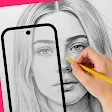
AR Drawing : Trace Anything
Screenshots


Description
About AR Drawing: Trace Anything Feature
AR Drawing: Trace Anything is an innovative mobile application that leverages augmented reality technology to transform the way users learn and practice drawing. By utilizing the device's camera, the app projects a virtual image overlay onto a physical surface, allowing users to trace the outlines with ease. It serves as a digital bridge between reference images and blank paper, simplifying the initial sketching process for artists of all skill levels. The core idea is to demystify drawing by providing a guided, traceable framework, thereby reducing the intimidation of a blank page and fostering creativity through assisted practice.
Chapter 1: Function
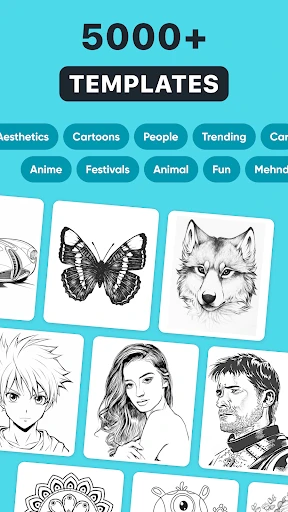
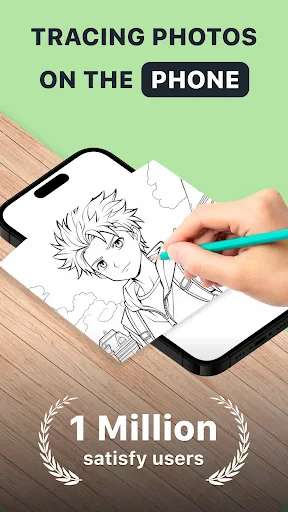
The core function of AR Drawing: Trace Anything is its augmented reality tracing capability. Users begin by selecting or importing any image from their device's gallery or the app's built-in library. The app then uses the smartphone or tablet's camera to display a live feed of the real-world surface, such as a sketchbook or canvas, with the chosen image superimposed as a semi-transparent overlay. Users can adjust the image's size, opacity, and orientation to perfectly align with their drawing surface. The primary action involves tracing the projected lines onto the physical paper with a pencil or pen, effectively transferring the digital image. Additional supportive functions include a library of traceable templates ranging from simple shapes to complex illustrations, the ability to lock the projection to prevent shifting, and basic drawing tools for on-screen annotation if used directly on the device. This turns the app into a versatile tracing projector, replacing traditional physical lightboxes or projectors.
Chapter 2: Value
The primary value proposition of AR Drawing: Trace Anything lies in its ability to lower the barrier to entry for drawing and accelerate skill development. For beginners, the app provides immediate, frustration-free success by enabling accurate outlines, which builds confidence and foundational muscle memory. It teaches proportion, line control, and form without the initial struggle of freehand construction. For more experienced artists, it offers immense practical value as a time-saving tool for transferring compositions, creating precise underpaintings, or replicating complex designs onto various surfaces, from paper to walls for murals. Its key advantages over traditional methods are portability, affordability, and accessibility. Unlike bulky lightboxes, the app turns any device into a portable tracing tool available anywhere. It is cost-effective, eliminating the need for additional physical equipment. The app also encourages practice by making the process engaging and straightforward, potentially sparking a lasting interest in art. By breaking down complex images into traceable steps, it educates users on deconstructing forms, serving as an interactive learning aid rather than just a copying tool. This blend of practical utility and educational support makes it a valuable asset in an artist's digital toolkit.
Chapter 3: Scenarios
AR Drawing: Trace Anything primarily targets amateur artists, hobbyists, and children who are taking their first steps in drawing. It is ideal for individuals who feel they lack innate talent but wish to create pleasing artwork, as it provides a guided starting point. Parents may use it as an educational and entertaining activity to develop their children's fine motor skills and creativity in a structured yet fun way. Furthermore, the app serves practical scenarios for craft enthusiasts, such as DIYers needing to trace patterns onto wood for carpentry, fabric for sewing, or cakes for intricate icing designs. Teachers can incorporate it into art classes to help students understand composition and form. Even professional illustrators or tattoo artists might use it for quickly transferring sketches onto final working surfaces. Everyday use cases include tracing favorite characters for personal artwork, creating custom greeting cards, designing home decor elements, practicing calligraphy strokes by tracing fonts, or simply relaxing with a meditative tracing session. It transforms any well-lit space into an instant art studio, making artistic practice more approachable and integrated into daily life.
Uninstall Instructions
For step-by-step guidance on how to safely remove this application from your device, please refer to our 《Uninstall Instructions》 document.
Pros
- projects any image onto surfaces for easy tracing
- adjusts reference image transparency and locks orientation
- works offline without requiring an account login
- minimalist interface avoids overwhelming beginners
- uses device camera only
- no complex AR markers needed
Cons
- requires a stable surface to project the image effectively
- camera must view hand and surface
- limiting drawing angles
- bright ambient light can wash out the projected guide
- lives as a tool
- lacks social or tutorial community features
- dependent on device camera quality for projection clarity
Frequently Asked Questions
What is AR Drawing: Trace Anything?
AR Drawing: Trace Anything is a mobile application that utilizes augmented reality (AR) technology to assist with drawing and sketching. Its core function is to allow users to trace images or real-world objects seen through their device's camera onto physical paper. It positions itself as a tool for artists, hobbyists, and learners to improve their drawing skills by providing a digital guide for accurate outlines and proportions.
Is the app free to use or does it have in-app purchases?
The app typically operates on a freemium model. It is free to download and use with basic tracing functionality. However, advanced features such as high-resolution tracing, additional AR filters, removal of watermarks, or access to premium image libraries usually require one-time purchases or subscriptions. Always check the current in-app purchase details within the app's store listing for the most accurate pricing.
What devices and systems are compatible with this app?
AR Drawing: Trace Anything requires a smartphone or tablet with a rear camera and support for ARCore (for Android devices) or ARKit (for iOS devices). It is generally available on the Google Play Store for Android and the App Store for iOS. Compatibility depends on your device's hardware and operating system version. Older devices may not support the necessary AR features.
How does the AR tracing feature work technically?
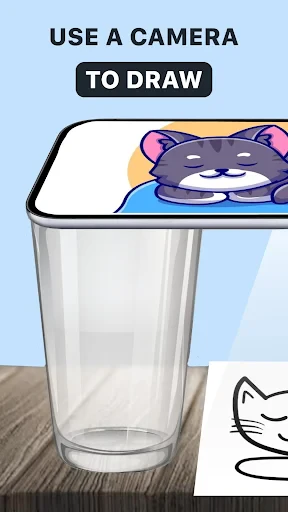
The app uses your device's camera to display a live view of your paper and the subject (either a physical object or an image on another screen). It then superimposes a semi-transparent outline or guide of the subject onto your camera feed. You adjust the phone's position using a stand or holder to align the virtual guide with your paper. You then physically trace the projected lines onto your paper while looking at your device's screen.
Can I trace images from my phone's gallery with this app?
Yes, a core feature of AR Drawing: Trace Anything is the ability to import and trace images from your device's gallery. You can select a photo, and the app will convert it into a traceable outline using its AR overlay. Some apps may also offer built-in image libraries or require specific file formats. Note that tracing copyrighted images may have legal restrictions for commercial use.
App Info
Technical Info
Recommended For You

CarGurus: Used & New Cars
Auto & Vehicles

AR Drawing: Sketch, Art, Paint
Art & Design

RSA Authenticator (SecurID)
Communication

One Block for Minecraft Maps
Books & Reference

Infinite Design
Art & Design

Pixel Studio PRO: editor
Art & Design

Duke Energy
Business

GigSmart Get Gigs
Business

Moon+ Reader Pro
Books & Reference

Daily Bible: Holy Bible KJV
Books & Reference

BambooHR
Business

Booksy Biz: For Businesses
Beauty

Christmas Photo Frames & Cards
Beauty

AI Home Design: Interior DecAI
Art & Design

My SafeLink
Communication

Flyers, Poster Maker, Design
Business

VINELink
Books & Reference

Wonder Beauties
Beauty

AR Art Projector: Da Vinci Eye
Art & Design

Phone Dialer - Call Recorder
Communication