Drawing Apps: Draw, Sketch Pad
Screenshots
Description
About Drawing Apps: Draw, Sketch Pad Feature
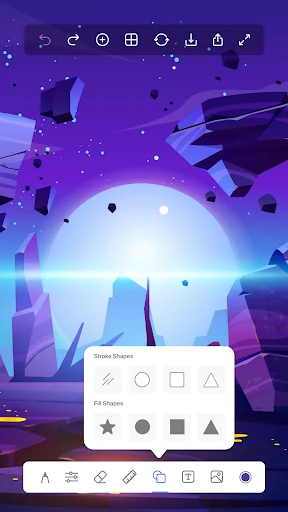
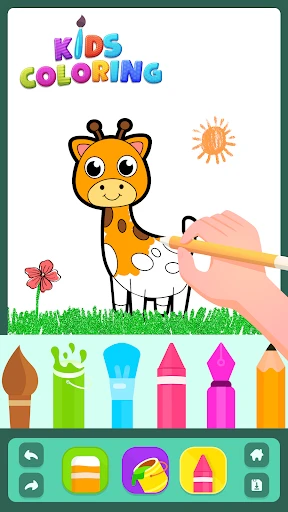
Drawing Apps: Draw, Sketch Pad is a versatile and user-friendly digital art application designed for both beginners and enthusiasts. It transforms mobile devices into portable sketchbooks, offering a comprehensive suite of drawing tools within an intuitive interface. The app bridges the gap between traditional sketching and digital convenience, allowing users to create anything from quick doodles to detailed illustrations anytime, anywhere. By simulating real drawing materials and providing modern digital features, it serves as an accessible gateway into the world of digital art, making creative expression straightforward and enjoyable for all skill levels.
Chapter 1: Function
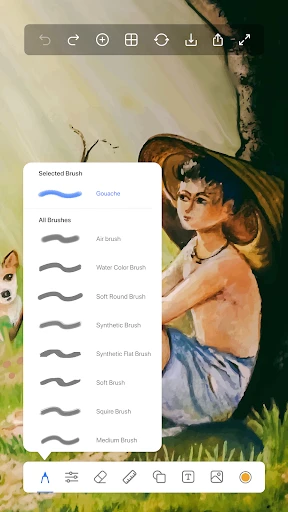
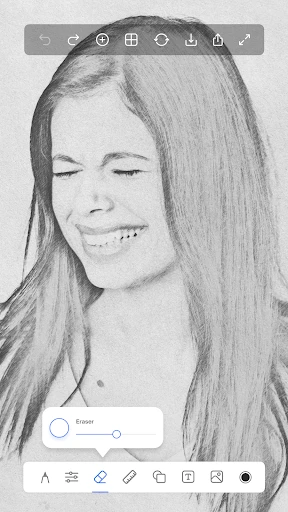
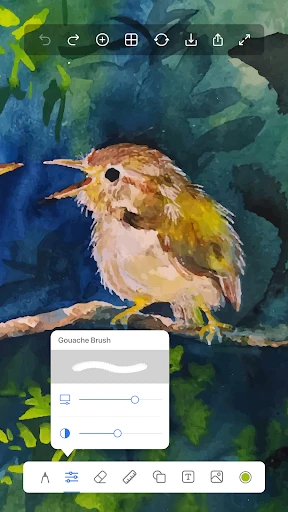
The app's core functionality centers on providing a robust yet simple digital canvas. It features a variety of virtual brushes, including pencils, pens, markers, and airbrushes, each with adjustable size and opacity to mimic real-world tools. Users can work with multiple layers, enabling complex compositions and non-destructive editing. Essential tools like an eraser, color picker, fill bucket, and selection tools are included for precise control. The app supports different canvas sizes and backgrounds. Upon completion, artworks can be saved in common image formats to the device's gallery or shared directly to social platforms. Basic editing functions, such as undo/redo and zoom for detail work, ensure a smooth and flexible drawing process from start to finish.
Chapter 2: Value
The primary value of Drawing Apps: Draw, Sketch Pad lies in its democratization of digital art. It lowers the entry barrier by being free or low-cost, eliminating the need for expensive physical materials and dedicated hardware. Its key advantage is portability and spontaneity; inspiration can be captured instantly on a device that is always at hand. For learners, it offers a risk-free environment to practice and experiment with techniques without wasting paper or supplies. The app provides significant practical value through features like unlimited undo, which fosters creative experimentation, and layer functionality, which teaches fundamental digital art concepts. Compared to complex professional software, its streamlined interface reduces cognitive load, allowing users to focus on creation rather than navigating complicated menus. It serves as both a practical tool for visual note-taking and brainstorming, and a foundational platform for developing artistic skills. By offering a balanced blend of essential tools and simplicity, it delivers substantial utility and creative freedom, making it an invaluable tool for personal expression and skill development in the digital age.
Chapter 3: Scenarios
The app primarily targets amateur artists, hobbyists, students, and anyone with an interest in casual drawing. It is perfectly suited for young learners and teenagers exploring their artistic side, providing a safe and accessible creative outlet. In everyday use, a student might utilize it to quickly sketch diagrams for a school project or visualize concepts during a lecture. A parent could keep children engaged by drawing together during travel. Hobbyists often use it for daily sketching practice, character design, or creating simple digital greetings cards. Professionals in non-art fields, such as designers or engineers, may find it handy for quick wireframes or visual explanations in meetings. The scenarios extend to therapeutic uses, such as stress-relief doodling during breaks, or planning personal projects like garden layouts or fashion sketches. Its simplicity makes it a go-to for spontaneous creative expression in mundane moments, effectively turning idle time into productive and enjoyable artistic practice.
Uninstall Instructions
For step-by-step guidance on how to safely remove this application from your device, please refer to our 《Uninstall Instructions》 document.
Pros
- offers realistic blending for digital oil painting
- minimalist interface avoids overwhelming toolbars
- high-resolution canvas export preserves fine details
- one-tap symmetry tool for intricate patterns
- custom brush engine mimics natural media texture
Cons
- advanced layer features require subscription
- large canvas files slow on older tablets
- lacks vector-based drawing for scaling
- limited text tool for adding annotations
- auto-save interval cannot be manually adjusted
Frequently Asked Questions
What is the core function of Drawing Apps: Draw, Sketch Pad?
Drawing Apps: Draw, Sketch Pad is a digital art application designed for creating sketches, drawings, and illustrations directly on your device. Its core function is to provide a virtual sketchpad with a variety of digital tools, simulating the experience of drawing on paper. It is positioned as an accessible tool for both casual doodling and more structured artistic projects.
Is this drawing app free to use or does it have in-app purchases?
The app is free to download and use with a basic set of drawing tools. It typically offers in-app purchases to unlock premium features such as a wider selection of brushes, advanced layer functionality, ad-free experience, and additional color palettes. The basic version remains functional for fundamental sketching tasks.
What devices and systems is this sketch pad app compatible with?
This app is generally designed for mobile devices. It is commonly available for Android smartphones and tablets via the Google Play Store. Specific compatibility depends on the developer's requirements, but it typically supports a wide range of modern Android versions without needing a specialized operating system.
Does the app require special permissions or additional equipment?
The app primarily requires standard storage permission to save your artwork to your device's gallery. No additional physical equipment is necessary; it uses the device's touchscreen for input. It does not require intrusive permissions like microphone or contacts for its core drawing functionality.
How can I export or save my drawings from the app?
You can save your drawings directly to your device's internal storage or gallery. The app usually provides an export or share function, allowing you to save images in common formats like PNG or JPEG. Some versions may also offer sharing options to social media or cloud services directly from the app interface.
App Info
Technical Info
Recommended For You

Police Radar - Camera Detector
Auto & Vehicles

Dreame-Read Romance Stories
Books & Reference

Spam Call Blocker for Android
Communication

Securus Mobile
Communication

Auto Sync for Android/Car Play
Auto & Vehicles

Perfect Viewer PDF&DJVU Plugin
Comics

SMS Auto Reply - Autoresponder
Communication

Temp Mail - Temporary Email
Communication

AR Drawing - Sketchar App
Art & Design

King James Bible - Verse+Audio
Books & Reference

GlobalComix: Comic Book Reader
Comics

미스터블루 - 웹툰, 만화, 소설앱
Comics

Security Camera Mod Minecraft
Books & Reference

Realtime Charts for Torque Pro
Auto & Vehicles

Bible-Daily Bible Verse
Books & Reference

Numero: Travel eSIM & Numbers
Communication

Joist Invoices for Contractors
Business

Al Quran Kareem: القران الكريم
Books & Reference

DSLR HD Camera : 4K HD Camera
Beauty

Shopify Point of Sale (POS)
Business