
Livensa: AI Video Maker
Screenshots


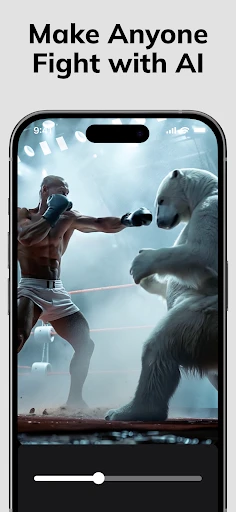

Description
About Livensa: AI Video Maker Feature
Livensa: AI Video Maker is an innovative mobile application that leverages artificial intelligence to simplify and accelerate the video creation process. Designed for users of all skill levels, it transforms ideas into engaging video content with minimal manual effort. By integrating advanced AI capabilities, the app allows users to generate videos from text prompts, automate editing tasks, and access a rich library of assets, making professional-quality video production accessible directly from a smartphone or tablet.
Chapter 1: Function
Livensa: AI Video Maker operates around a core set of intelligent functions designed to democratize video production. Its primary feature is AI-powered video generation from text: users input a descriptive prompt, and the app's algorithms automatically source or create relevant visuals, assemble clips, apply transitions, and sync background music. The app includes robust editing tools such as automatic trimming, smart cropping, and one-click style filters that adapt to the video's content. It also offers an extensive media library with royalty-free videos, images, and audio tracks. Furthermore, AI-driven features like automated subtitle generation, voice-over synthesis in multiple languages, and intelligent scene detection for pacing are central to its functionality, enabling the creation of cohesive videos in minutes.
Chapter 2: Value
The value proposition of Livensa lies in its ability to drastically reduce the time, cost, and expertise required for quality video production. Its key advantage is efficiency; by automating complex editing workflows, it turns hours of manual work into a process that takes mere minutes. This empowers small business owners, marketers, educators, and content creators to produce videos consistently without needing a dedicated production team or expensive software. The app's AI ensures a baseline of professional coherence in pacing, music synchronization, and visual appeal, which is particularly valuable for beginners. Additionally, the integrated asset library eliminates the legal and financial hurdles of sourcing media. Unlike traditional editing software with steep learning curves, Livensa offers an intuitive, guided experience. Its AI is not just a tool but a creative partner, suggesting enhancements and styles based on the project's goal, whether for social media, education, or advertising. This combination of accessibility, speed, and AI-assisted creativity delivers exceptional value, enabling users to enhance their digital communication and storytelling with high-impact video content effortlessly.
Chapter 3: Scenarios
Livensa: AI Video Maker primarily serves individual content creators, small to medium business owners, educators, social media managers, and marketing professionals. For a solo entrepreneur, it is ideal for quickly creating product demo videos or promotional clips for Instagram and TikTok without outsourcing. Social media managers can use it to batch-produce consistent, platform-optimized content for various campaigns. Educators and trainers can transform lesson outlines or presentations into engaging explanatory videos with automated voice-overs and subtitles, enhancing remote learning. Hobbyists and personal users find it perfect for turning vacation photos and text narratives into dynamic travel vlogs or family memorial videos. In everyday use, a user might draft a script for a company announcement, input it into Livensa, select a professional template, and have a polished video ready for internal sharing or LinkedIn within fifteen minutes. Another common scenario involves a teacher converting a history lesson text into a short documentary-style video with stock footage and a clear synthetic narration to captivate students. The app thrives in any scenario where compelling visual storytelling is needed quickly and without specialized technical skills.
Uninstall Instructions
For step-by-step guidance on how to safely remove this application from your device, please refer to our 《Uninstall Instructions》 document.
Pros
- generates videos from text prompts in under a minute
- offers a library of unique
- non-stock AI actor avatars
- automatically matches video clips to script narration
- supports voice cloning for custom narration in multiple languages
- one-click adaptation of videos for different social media formats
Cons
- ai-generated actor movements can appear stiff or unnatural
- limited control over specific scene transitions and shot sequencing
- watermark present on videos exported with the free plan
- requires a stable internet connection for all rendering tasks
- audio mixing options for background music are relatively basic
Frequently Asked Questions
What is Livensa: AI Video Maker and what does it do?
Livensa: AI Video Maker is a mobile application that uses artificial intelligence to help users create and edit videos. Its core function is to automate and simplify video production, allowing users to generate polished videos from photos, clips, or text prompts. It positions itself as a tool for social media content, marketing, and personal projects, featuring AI-driven editing, style templates, and automated formatting.
Is Livensa free to use or does it have in-app purchases?
Livensa operates on a freemium model. The app can be downloaded and used for free with basic features and templates. However, access to advanced AI tools, premium templates, higher export quality, and removal of watermarks typically requires a subscription or one-time in-app purchases. Specific pricing tiers are detailed within the app's store section.
What devices and systems is Livensa compatible with?
Livensa: AI Video Maker is primarily designed for mobile devices. It is available for download on both iOS and Android platforms through their respective app stores. For optimal performance, it requires a relatively recent version of the operating systems. There is no information indicating support for desktop operating systems or specialized external equipment.
How does the AI feature in Livensa work for video creation?
The AI in Livensa analyzes your input—such as selected media, text descriptions, or chosen themes—to automatically apply edits, transitions, effects, and music. It can match content to pacing, suggest visual styles, and assemble clips coherently. This reduces manual editing time. The technical characteristics involve on-device or cloud-based processing to execute these generative and analytical tasks.
Can I use my own music and footage in Livensa videos?
Yes, you can use your own media. The app allows you to import photos and video footage from your device's library to serve as the primary content for your projects. You can also typically add your own audio files for background music. The AI features then work with this user-provided content to edit and enhance the final video.
App Info
Technical Info
Recommended For You

TeamViewer Remote Control
Business

Toomics - Read Premium Comics
Comics

Sideline: 2nd Phone Line App
Communication

myQQ – Quick Quack
Auto & Vehicles

Messages
Communication

Messages: SMS Text Messenger
Communication

کتابراه: کتاب الکترونیک و صوتی
Books & Reference

Maverik Rewards
Business

TCA Plus (TCA 2024)
Books & Reference

Rhinoplasty App: Nose Editor
Beauty

Messages - Text SMS App
Communication

Beauty Makeup Editor & Camera
Beauty

AutoZen-Car Dashboard&Launcher
Auto & Vehicles

O'Reilly Pro
Business

FamilySearch Tree
Books & Reference

Passport Photo: ID Photo Print
Art & Design

MyHeritage: Family Tree & DNA
Books & Reference

Whoosh
Auto & Vehicles

Talkatone: Texting & Calling
Communication

PayPal Business
Business