
Messages: SMS Text Messenger
Screenshots
Description
About Messages: SMS Text Messenger Feature – A Streamlined Communication Hub
Messages: SMS Text Messenger is a refined and efficient alternative messaging application for Android devices, designed to replace the default SMS/MMS texting experience. It provides users with a clean, intuitive interface and a suite of enhanced features for managing personal and group conversations. The app focuses on delivering a fast, reliable, and customizable platform for traditional text messaging, emphasizing privacy, organization, and user-friendly design without the complexity of over-the-top messaging services. It serves as a dedicated hub for all SMS and MMS communications, integrating seamlessly with your existing contacts and phone number.
Chapter 1: Function
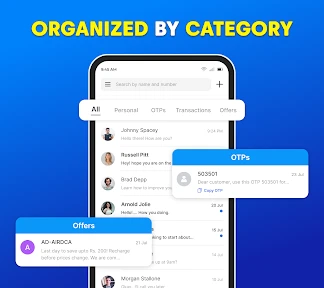
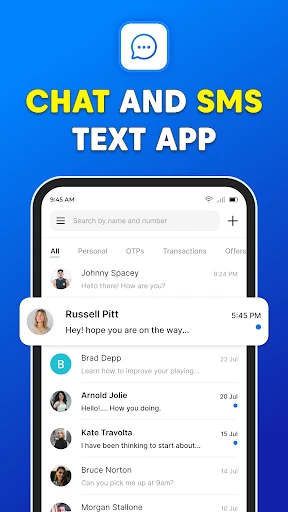
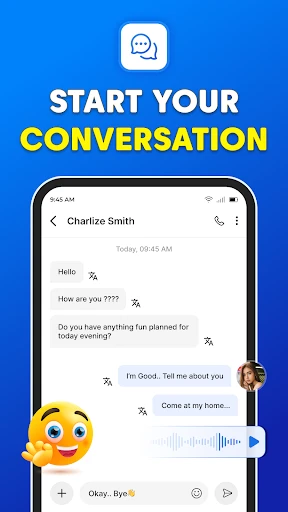
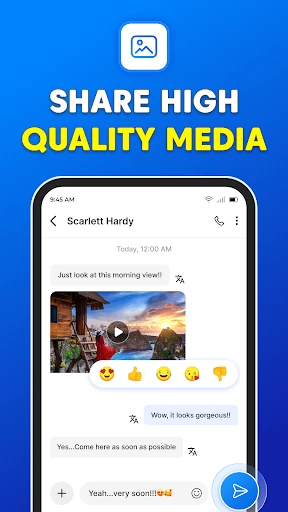
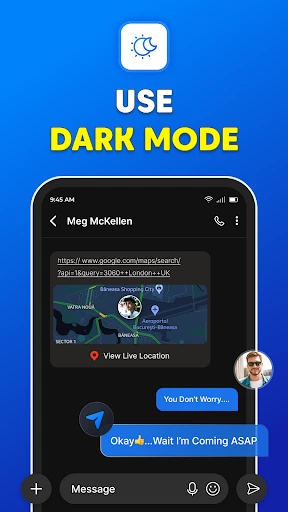
At its core, Messages: SMS Text Messenger handles the fundamental tasks of sending and receiving SMS and MMS messages, including group texts. The app organizes conversations in a familiar chat-style layout, allowing for easy scrolling and search. Key functional features include robust contact integration, support for multimedia attachments like photos and videos within MMS, and the ability to set custom notification tones and vibrations for individual contacts or groups. It also offers practical tools such as message scheduling, the option to block unwanted numbers, and backup/restore capabilities to safeguard conversation history. The interface is designed for clarity, with options to customize themes and bubble styles, making everyday texting straightforward and visually personalized.
Chapter 2: Value
The primary value of Messages: SMS Text Messenger lies in its combination of simplicity, enhanced control, and reliable performance. Unlike many default manufacturer apps, it offers a consistently clean and ad-light experience, prioritizing the user's communication flow. A significant advantage is the heightened level of customization; users can tailor the app's appearance with various themes and colors, creating a personalized messaging environment. Its powerful blocking and spam filtering tools provide peace of mind by reducing unwanted interruptions. The scheduling function adds convenience for sending messages at optimal times. Furthermore, the app respects user privacy by functioning as a local client for standard carrier messages, without requiring a separate login or storing conversations on external servers unless the user explicitly chooses to back them up. This positions it as a trustworthy and efficient upgrade from basic texting apps, delivering greater organizational control and a smoother user experience without compromising the universal reliability of SMS. It fills the gap for users who prefer the universality and directness of text messaging but desire more features and polish than their phone's default application provides.
Chapter 3: Scenarios
This app is ideally suited for Android users who rely heavily on standard SMS/MMS for daily communication and seek a better, more feature-rich interface. Key user groups include individuals who communicate frequently with contacts who may not use popular internet-based messaging platforms, ensuring universal reach. It is also valuable for users who prioritize message organization, such as professionals separating work and personal conversations through customization and scheduling features. Parents managing family group chats or coordinating schedules will find the simple group MMS and blocking tools particularly useful. Furthermore, it appeals to users concerned with decluttering their digital space from spam, as the built-in blocking features help maintain a clean inbox. Everyday use cases involve sending quick personal or professional texts, sharing photos via MMS in high quality, scheduling birthday greetings or reminder messages in advance, and efficiently silencing notifications from specific contacts during important meetings or family time. It serves as a dependable, enhanced daily driver for anyone who values the fundamental, carrier-based text message.
Uninstall Instructions
For step-by-step guidance on how to safely remove this application from your device, please refer to our 《Uninstall Instructions》 document.
Pros
- integrates messaging with a built-in calendar for event planning
- offers per-contact notification customization and vibration patterns
- provides a unified inbox for SMS and multiple messaging apps
- includes a pop-up quick reply window over other apps
- supports extensive backup to cloud services and local storage
Cons
- requires SMS permissions for core functionality
- limiting privacy
- unified inbox may feel cluttered with high-volume messaging apps
- advanced features like scheduling rely on default SMS app status
- material design interface lacks theme diversity versus competitors
- pop-up replies can interfere with full-screen media or games
Frequently Asked Questions
What is Messages: SMS Text Messenger?
Messages: SMS Text Messenger is a free Android app that serves as an alternative to your device's default SMS/MMS messaging application. Its core function is to send and receive text and multimedia messages. It focuses on providing a clean, customizable interface with features like message scheduling, backup, and various theme options, positioning itself as a more flexible and user-friendly texting tool.
Is the app completely free to use?
No, Messages: SMS Text Messenger is designed specifically for Android devices. It is not available on iOS (iPhone/iPad), as Apple's iOS restricts the use of third-party apps for core SMS functionality. It should work on Android phones and tablets running a compatible version of the Android operating system, but its features are primarily optimized for phone-based SMS communication.
Can I use it on my iPhone or tablet?
The app is free to download and use for basic SMS/MMS functionality. However, it may contain optional in-app purchases for premium features such as advanced themes, additional backup options, or ad removal. The app does not require any additional hardware. It may request standard permissions like access to your contacts, SMS, and media for core messaging operations.
How does its backup feature work?
Message send failures are typically not app-specific. First, ensure your device has an active cellular network connection and sufficient signal strength, as SMS requires a carrier network, not just Wi-Fi. Verify the recipient's number is correct. Also, check if your mobile carrier's SMS plan is active. Within the app, ensure you haven't accidentally blocked the number or enabled a setting that restricts sending.
Why are my messages failing to send?
The app includes a local backup feature that allows you to save your message history and settings to your device's internal storage or SD card. This helps in restoring messages if you reinstall the app or switch devices. For cloud backup or syncing across devices, you would need to check if such a feature is offered within the app's premium options or settings, as it may not be a core free function.
App Info
Technical Info
Recommended For You

GetCode - Virtual Number SMS
Business

Car Key Smart Remote Connect
Auto & Vehicles

Bookshelf-Your virtual library
Books & Reference

DScanner - Camera Scanner
Business

Face Swap Magic: AI Avatars
Art & Design

NDI HX Camera: Easy Streaming
Communication

Clip Studio Paint
Art & Design

Link Messenger
Communication

WhatsApp Messenger
Communication

Glitter Beauty Coloring Pages
Art & Design

ReadEra Premium – ebook reader
Books & Reference

투믹스
Comics

Avatar Maker - Avatar Creator
Comics

Taximeter
Auto & Vehicles

أرت نوين
Comics

BeenVerified Background Search
Communication

Messages - SMS Texting App
Communication

Al QURAN - القرآن الكريم
Books & Reference

Bible App by Olive Tree
Books & Reference

Manobook - Los Besos de Jacob
Books & Reference