
Logo Maker : Graphic Designer
Screenshots

Description
About Logo Maker : Graphic Designer Feature – Craft Your Brand Identity with Ease
Logo Maker : Graphic Designer is a comprehensive mobile application designed to empower individuals and small businesses to create professional-grade logos and graphic designs without the need for specialized skills or expensive software. It serves as an all-in-one design studio on your smartphone, offering a vast library of templates, icons, fonts, and editing tools. The app simplifies the complex process of graphic design into an intuitive, step-by-step experience, making brand identity creation accessible to everyone. From conceptualizing a logo to finalizing marketing materials, it provides a streamlined solution for visual content creation directly from a mobile device.
Chapter 1: Function
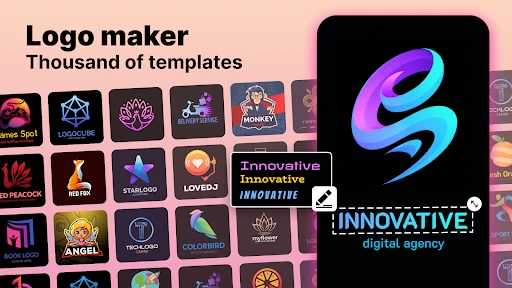
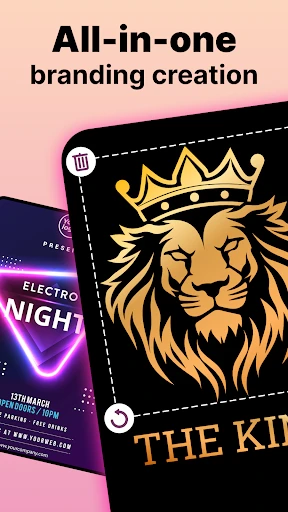
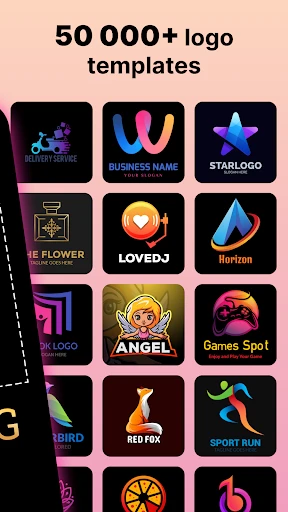
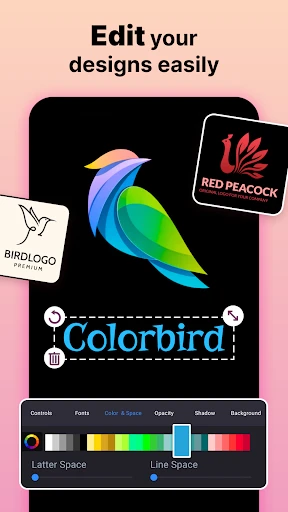
Logo Maker : Graphic Designer centers its core functionality on providing a robust and user-friendly design toolkit. Users begin by selecting from thousands of pre-designed logo templates categorized by industry, style, or concept. The app features a powerful editor that allows for deep customization: every element, from icons and shapes to text and color, can be modified. Users can browse an extensive library of vector icons and symbols, choose from a wide array of fonts, and apply gradients or solid colors with a precise color picker. Advanced editing capabilities include layering, resizing, rotation, and alignment tools to ensure pixel-perfect designs. Furthermore, the app supports the creation of other graphic materials such as business cards, social media posts, and flyers, exporting final creations in high-resolution PNG or JPEG formats suitable for both digital and print use.
Chapter 2: Value
The primary value proposition of Logo Maker : Graphic Designer lies in its democratization of professional design. It eliminates the traditional barriers of high cost and steep learning curves associated with desktop design software like Adobe Illustrator. For entrepreneurs, startups, and small business owners, this translates to significant savings on freelance designer fees while retaining full creative control over their brand's visual identity. The app's key advantages are multifaceted. First, its immense template library and asset collection provide a strong foundation and inspiration, drastically reducing design time. Second, the intuitive, drag-and-drop interface ensures a shallow learning curve, enabling users to produce quality results within minutes. Third, by being a mobile-native application, it offers unparalleled convenience; ideas can be captured and designs can be crafted or tweaked anytime, anywhere. This on-the-go accessibility fosters creativity and agility in branding efforts. Finally, the output quality is a standout advantage, as the app generates high-resolution, scalable graphics that maintain clarity across various media, ensuring a professional appearance that builds brand credibility and recognition in the marketplace.
Chapter 3: Scenarios
Logo Maker : Graphic Designer primarily targets non-designers who require quality visual content for personal or commercial projects. The foremost user group includes small business owners, startup founders, and solo entrepreneurs needing to establish a brand identity with a custom logo, business cards, and social media branding without a dedicated marketing budget. Freelancers, such as coaches, consultants, and content creators, also benefit greatly, using the app to design a professional logo and promotional graphics to enhance their online presence. Additionally, it serves students and club organizers working on presentations, event flyers, or team logos for academic and extracurricular activities. In everyday use, a cafe owner might use the app to quickly design a new menu board graphic or a seasonal promotional poster. An Etsy shop owner could create a distinctive logo and product watermark. A social media influencer might generate engaging story covers and post graphics consistently. The app is ideal for any scenario requiring rapid, professional, and cost-effective visual design solutions directly from a smartphone, turning creative vision into tangible assets with minimal friction.
Uninstall Instructions
For step-by-step guidance on how to safely remove this application from your device, please refer to our 《Uninstall Instructions》 document.
Pros
- generates professional logos with minimal design input
- vast library of category-specific icons and templates
- exports high-resolution files suitable for print
- intuitive editor for real-time customization and preview
- offers brand identity kits with matching assets
Cons
- premium templates and icons require subscription
- advanced vector editing tools are limited
- requires account creation to save all projects
- offline functionality is restricted without download
- brand kit fonts may not be licensed for commercial use
Frequently Asked Questions
What is Logo Maker : Graphic Designer?
Logo Maker : Graphic Designer is a mobile application for creating logos and basic graphic designs. Its core function is to provide users with a template-based, do-it-yourself design tool, positioning itself as an accessible solution for entrepreneurs, small businesses, and individuals without professional design skills. It offers a library of icons, fonts, and shapes to customize and export logo files.
Is Logo Maker free to use, or are there in-app purchases?
Yes, logos created with the app are generally intended for personal and commercial use once you have the necessary license, which is often granted upon exporting a high-resolution, watermark-free file. However, you must ensure that any icons or assets used from the app's library are not subject to third-party copyright restrictions. Always review the app's specific Terms of Service for detailed licensing information.
Can I use the logos I create for commercial purposes?
Logo Maker typically operates on a freemium model. The app is free to download and use with a basic set of templates and tools. However, access to premium templates, high-resolution exports without watermarks, and advanced editing features usually requires a subscription or one-time in-app purchase. Specific pricing is detailed within the app's store listing.
What devices and systems is this app compatible with?
Logo Maker : Graphic Designer is primarily available for Android and iOS mobile devices. Compatibility depends on the specific version; generally, it supports recent versions of these operating systems. It is designed for smartphones and tablets. The app does not require additional external hardware, functioning solely on your mobile device.
How can I get help if I encounter a problem with the app?
For technical issues or support, you should contact the developer directly through the support channels listed on the app's official store page (Google Play Store or Apple App Store). Common resources include an in-app help section, a FAQ page, or an email contact. For subscription or billing issues, contact the respective app store's customer support.
App Info
Technical Info
Recommended For You

Discount Tire
Auto & Vehicles
Nail Art Design : Nails Polish
Beauty

POCKET COMICS: Premium Webtoon
Comics

Textify- Art Font Photo Editor
Art & Design

Messages: Text Message, SMS
Communication

Caller ID Name, Location & SMS
Communication

Pixl - Face Retouch & Blemish
Beauty

Holy Bible King James + Audio
Books & Reference

Nice Miner: Bitcoin Miner Hash
Business

HHAeXchange
Business

HCMToGo
Business

Zoom Rooms Controller
Business

Alight Mobile
Business

DaVinci - AI Image Generator
Art & Design

RSA Authenticator (SecurID)
Communication

iSharing: GPS Location Tracker
Communication

Figma: view. comment. mirror.
Art & Design

AI Photo Editor: BG Remover
Art & Design

Concepts: Sketch, Note, Draw
Art & Design

USPS MOBILE®
Business