
Messages: Text Message, SMS
Screenshots


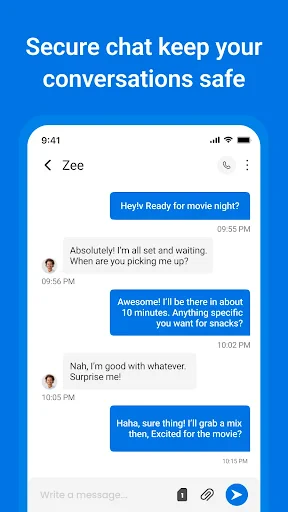

Description
About Messages: Text Message, SMS Feature
Messages: Text Message, SMS is the default messaging application pre-installed on most Android devices, serving as a fundamental tool for mobile communication. It provides a straightforward and reliable platform for sending and receiving standard SMS (Short Message Service) and MMS (Multimedia Messaging Service) messages. The app acts as the central hub for all your text-based conversations, integrating seamlessly with your device's contacts and offering essential messaging functionalities without requiring an internet connection. Its universal compatibility ensures communication with any mobile phone, making it a critical utility in areas with poor data coverage or for contacting individuals who do not use internet-based messaging apps. While simple in its core design, it remains an indispensable component of the mobile experience for billions of users worldwide.
Chapter 1: Function
The core function of the Messages app is to facilitate the exchange of SMS and MMS. Users can compose and send text messages to individual contacts or groups. The app supports multimedia messaging, allowing the attachment and sending of photos, videos, audio files, and contact cards via MMS. It organizes conversations into a chronological thread view, displaying sent and received messages in a clear, linear fashion. Basic management features include the ability to search through message history, delete individual messages or entire conversation threads, and block unwanted numbers to prevent spam. The app also provides delivery reports and read receipts where supported by the carrier. It typically integrates with the phone's dialer and contact list, enabling quick initiation of a text message from a contact's details. For enhanced features, some versions may offer integration with RCS (Rich Communication Services) when enabled by the carrier, allowing for higher-quality media sharing, typing indicators, and improved group chats over data, while maintaining backward compatibility with traditional SMS/MMS.
Chapter 2: Value
The primary value proposition of the Messages: Text Message, SMS app lies in its universality, reliability, and simplicity. As a default system app, it requires no additional setup or account creation; it works immediately with the user's existing phone number. Its greatest advantage is network-agnostic communication. Unlike internet-dependent messaging platforms, SMS functions on the ubiquitous cellular network, ensuring messages can be sent and received even in the absence of a Wi-Fi or mobile data connection. This makes it a vital fallback and a guaranteed method to reach anyone with a mobile phone, regardless of their device type or preferred apps. For many, it is the most trusted method for receiving critical one-time passwords (OTPs), transaction alerts, and official notifications from banks, government agencies, and businesses. The app's simplicity is another key value. It has a low learning curve, making it accessible to users of all ages and tech proficiencies. There are no complex features or social media distractions—it is purely for communication. Furthermore, on modern Android implementations, the app often incorporates RCS Chat features, elevating the traditional texting experience with modern conveniences like end-to-end encryption for one-on-one chats, high-resolution photo sharing, and know-when-read receipts, all while seamlessly reverting to SMS/MMS when communicating with non-RCS users. This blend of backward compatibility and forward-looking enhancement solidifies its position as an essential, versatile communication tool.
Chapter 3: Scenarios
The Messages app serves a broad spectrum of user groups across countless daily scenarios. Its primary users include individuals who prioritize reliability and universal reach, such as professionals coordinating with clients or colleagues who may not use the same messaging apps, and older adults who prefer a simple, familiar texting interface without the complexity of social features. It is indispensable in emergency situations or in remote locations where internet access is unstable or unavailable, allowing users to send crucial information via SMS. Everyday use cases are abundant. Users rely on it for receiving time-sensitive verification codes for logging into online accounts, banking alerts, and appointment reminders. It is commonly used for quick logistical coordination, like confirming meeting times, sharing addresses, or notifying family members of arrival times. In personal communication, it remains the go-to for birthday wishes, holiday greetings, and sharing moments via picture messages (MMS) with contacts who may not be on other platforms. Parents use it to stay in touch with children who have basic phones. Businesses utilize SMS for delivery updates, marketing promotions (with consent), and customer service notifications. Essentially, any scenario requiring direct, guaranteed, and instant delivery of information to any mobile number is a perfect use case for the Messages: Text Message, SMS application.
Uninstall Instructions
For step-by-step guidance on how to safely remove this application from your device, please refer to our 《Uninstall Instructions》 document.
Pros
- automatically categorizes messages into personal
- transactions
- and promotions
- one-tap block for spam without manual number management
- search function supports natural language like 'photo from mom last week'
- delivers group messages as individual chat bubbles for clarity
- lightweight design with under 15MB installation size
Cons
- lacks RCS/chat features
- limiting it to traditional SMS/MMS
- automated categorization occasionally misplaces verification codes
- no cloud sync
- tying messages solely to the device
- group reply function is buried in a secondary menu
- message scheduling requires exact time input each use
Frequently Asked Questions
What is the main function of the Messages app?
The Messages app is the default SMS/MMS messaging application for your device. Its core function is to send and receive traditional text messages (SMS) and multimedia messages (MMS) with other mobile phones. It provides a centralized inbox for all your SMS conversations, supports group messaging, and allows you to share photos, videos, and other files via MMS. It is a fundamental communication tool that operates using your cellular network's messaging service.
Is the Messages app free to use?
The Messages app itself is a free, pre-installed system application with no upfront cost or in-app purchases. However, standard carrier charges for SMS and MMS may apply, depending on your mobile service plan. Sending texts or media files uses your cellular plan's messaging allotment. Using the app does not require any subscriptions, but data charges might apply for MMS. It's recommended to check with your carrier for specific messaging rates.
What devices and systems is the Messages app available on?
The Messages app is typically pre-installed on Android devices and is an integral part of the Android operating system. Its availability and specific version are tied to the device manufacturer and the Android OS version. It is not available as a standalone download for other platforms like iOS or Windows. The app is designed for use on smartphones and tablets running Android, and its features may vary slightly across different device brands and Android versions.
Can I use Messages to chat with iPhone users?
Yes, you can use the Messages app to communicate with iPhone users. However, the conversation will be conducted via standard SMS/MMS (shown in green bubbles on iPhone), not Apple's iMessage service (blue bubbles). This means advanced iMessage features like read receipts, typing indicators, and high-quality media sharing over Wi-Fi/data will not be available. The communication will rely on traditional cellular messaging protocols, which both platforms support.
How do I back up my text messages in the app?
The Messages app does not have a built-in, standalone backup feature. Message backup and restoration are typically handled through your device's system-level backup service. For Android, this is often Google One backup. You need to enable backup for your device in the system settings, which may include SMS messages. The process and storage location depend on your device manufacturer and Android version. For specific steps, please refer to your device's support documentation or settings menu.
App Info
Technical Info
Recommended For You

Black Magic
Books & Reference

IAA Buyer Salvage Auctions
Business

CCW – Concealed Carry 50 State
Books & Reference

Dashtoon: Comics & Manga
Comics

Messages - sms text message
Communication

FAX App: Send Faxes from Phone
Business

Poseit
Art & Design

AR Draw Sketch: Paint & Trace
Art & Design

Grubhub for Drivers
Business

Webex
Business

Talk360: International Calling
Communication

Smarty Men Jacket Photo Editor
Beauty

Boat AI Browser: Web & Tools
Business

Carrier Services
Communication

Kik — Messaging & Chat App
Communication

Gospel Library
Books & Reference

Messenger SMS & MMS
Communication

Marvel Unlimited
Comics

Color by Letter: Sewing game
Art & Design

RingCentral
Business