
Firefox Focus: No Fuss Browser
Screenshots

Description
About Firefox Focus: No Fuss Browser Feature
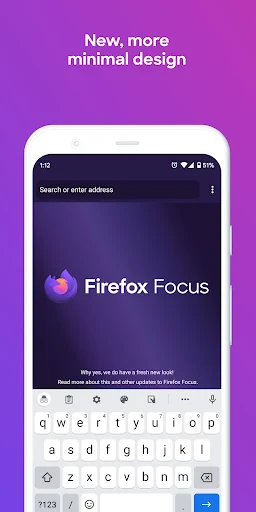
Firefox Focus is a dedicated privacy browser developed by Mozilla, designed from the ground up to provide automatic, seamless, and robust tracking protection. It strips away the complexity of traditional browsers, offering a minimalist, single-tab interface that prioritizes user privacy above all else. Upon closing a session, it erases browsing history, cookies, and passwords without leaving a trace, making it a powerful tool for quick, confidential searches and browsing. As a standalone app, it also serves as a content blocker for Safari on iOS, extending its privacy benefits to other browsing activities. Firefox Focus embodies the principle of privacy by default, requiring no configuration from the user to activate its core protective features.
Chapter 1: Function
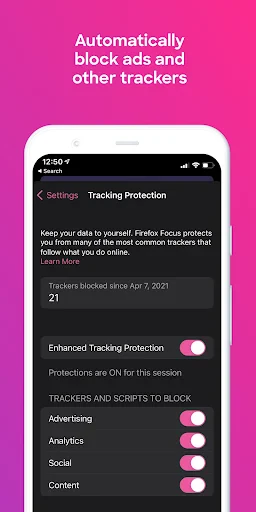
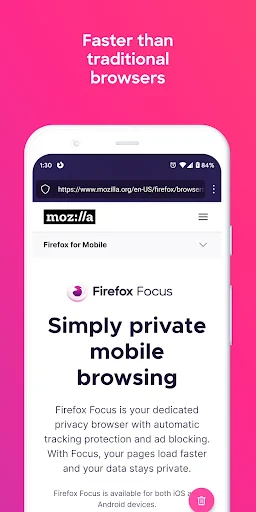
Firefox Focus operates on a straightforward principle: browse privately and erase your tracks automatically. Its core functionality revolves around a built-in, always-on content blocker that prevents a wide array of common web trackers, including social media trackers, analytics trackers, and advertising trackers, from loading on the pages you visit. This not only enhances privacy but can also lead to faster page loading times and reduced data consumption. The browser features a clean, distraction-free interface with a prominent erase button at the bottom. Tapping this button instantly clears the entire browsing session—history, search terms, cookies, and passwords—leaving no data behind. It supports private search by default and allows users to set a default search engine of their choice. Additionally, on iOS devices, Firefox Focus can be integrated as a Safari content blocker, applying its powerful tracking protection to browsing done within Safari.
Chapter 2: Value
The primary value proposition of Firefox Focus lies in its uncompromising, automatic approach to privacy. Unlike mainstream browsers where private browsing is an optional mode, Firefox Focus makes robust privacy the default and only state. This eliminates user error or forgetfulness; privacy is guaranteed simply by using the app. Its key advantage is simplicity—there are no complex settings to adjust, no accounts to create, and no history to manage. The automatic erasure feature provides peace of mind, especially when conducting sensitive searches or using shared devices. From a performance perspective, by blocking resource-heavy trackers and ads, pages often load faster and consume less mobile data, which is a tangible benefit for users with limited data plans or on slower networks. Furthermore, its role as a content blocker for Safari on iOS extends its value, allowing users to benefit from Mozilla's tracking protection even outside the dedicated app. Firefox Focus serves as a focused tool that complements a user's primary browser, addressing specific privacy concerns without the feature bloat. It represents a strong stance in the digital ecosystem, empowering users to easily reclaim control over their online footprint.
Chapter 3: Scenarios
Firefox Focus is ideally suited for specific user groups and situational use cases where privacy, speed, and simplicity are paramount. Its primary target users include privacy-conscious individuals who are wary of pervasive online tracking, as well as casual users who occasionally need to perform a quick, confidential search without leaving a history on their device. It is highly valuable for professionals researching sensitive topics, individuals comparing prices or booking travel without being profiled, and anyone using a public or shared computer or device. Everyday scenarios for using Firefox Focus are numerous: quickly looking up a medical symptom, logging into a personal email account on a friend's phone, checking banking information on a public Wi-Fi network, or conducting competitive research without influencing personalized ads. It is also perfect for moments when a user needs to open a single link from a message or email without wanting to clutter their main browser's history. By serving as a dedicated, ephemeral browsing tool, Firefox Focus fits seamlessly into the digital routines of those who value discrete, efficient, and secure access to information on the go.
Uninstall Instructions
For step-by-step guidance on how to safely remove this application from your device, please refer to our 《Uninstall Instructions》 document.
Pros
- automatically erases history and cookies upon closing
- blocks a wide range of trackers by default
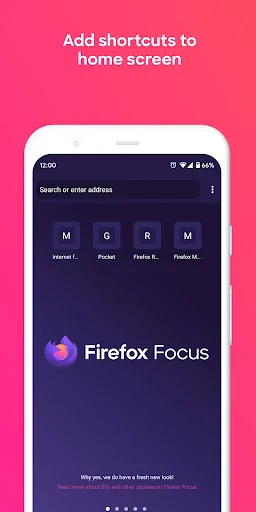
- minimalist interface with no tabs or bookmarks
- lightweight and fast for quick
- single searches
- one-tap site cookie and data deletion icon
Cons
- no synchronization of data across devices
- lacks support for browser extensions
- not suitable for complex multi-tab browsing
- limited customization for privacy settings
- search suggestions require disabling strict privacy
Frequently Asked Questions
What is Firefox Focus and what does it do?
Firefox Focus is a free, privacy-focused mobile browser developed by Mozilla. Its core function is to provide fast, automatic private browsing by default. It blocks a wide range of common online trackers, ads, and erases your browsing history, passwords, and cookies as soon as you close the app. It is positioned as a no-fuss, single-session browser for quick searches and visits where privacy is paramount.
Is Firefox Focus completely free to use?
Yes, Firefox Focus is completely free to download and use. There are no in-app purchases, subscriptions, or premium tiers. The app is supported by its non-profit developer, Mozilla. It does not require any additional equipment. The app may request permissions like camera access for scanning QR codes, but core privacy features function without granting extensive permissions.
What devices and systems is Firefox Focus available on?
Firefox Focus is primarily a mobile browser application. It is available for download on smartphones and tablets running Android via Google Play Store and iOS/iPadOS via the Apple App Store. There is no desktop version for Windows or macOS. The app is adapted for general use by individuals seeking enhanced privacy during casual mobile browsing.
How does the automatic tracker blocking work?
Firefox Focus integrates robust content blocking technology by default. It uses a pre-configured list to block a wide array of web elements, including social media trackers, cross-site tracking cookies, ad trackers, and cryptocurrency miners. This blocking happens automatically on every page load, speeding up page loads and preventing data collection. Users do not need to configure settings; protection is always active.
Can I save bookmarks or keep sessions open?
No, by design, Firefox Focus does not support saving bookmarks, browsing history, or maintaining open sessions after the app is closed. Its core technical characteristic is being a single-session browser. When you exit the app or tap the erase button, all tabs, history, and site data are permanently deleted. This is a deliberate limitation to ensure maximum privacy for each browsing session.
App Info
Technical Info
Recommended For You

Knots 3D
Books & Reference

Vivaldi Browser - Fast & Safe
Communication

NotanIzer
Art & Design

Email - Email Login
Communication

Moonstories
Books & Reference

Simple Drawing - Sketchbook
Art & Design

Car Launcher Pro
Auto & Vehicles

AI Art Generator: AI Picture
Art & Design

delitoon
Comics

My crochet designer
Art & Design

Manga UP!
Comics

OfficeSuite Pro + PDF
Business

AppSheet
Business

Incognito Browser - Go Private
Communication

Stripe Dashboard
Business
Firefox Focus: No Fuss Browser
Communication

Ice Princess Makeup Salon
Comics

OpenDocument Reader Pro
Business

Messages
Communication

Beauty Camera - Selfie Camera
Beauty