
Incognito Browser - Go Private
Screenshots
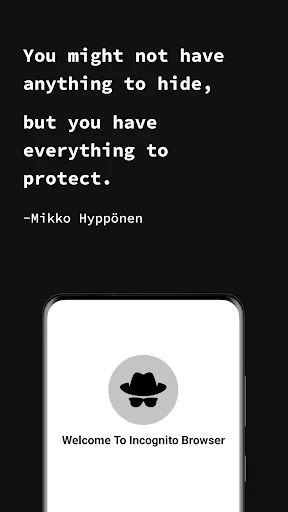


Description
About Incognito Browser - Go Private Feature
Incognito Browser - Go Private is a mobile application designed to provide users with enhanced privacy and security during their web browsing activities. Unlike standard browsers, it emphasizes preventing tracking, hiding digital footprints, and securing personal data from third-party collection. The app offers a streamlined, user-friendly interface that allows individuals to surf the internet without leaving traces such as history, cookies, or cache on their device. It serves as a dedicated tool for those seeking to maintain anonymity and control over their online presence in an increasingly monitored digital environment.
Chapter 1: Function
Incognito Browser - Go Private operates by creating isolated, private browsing sessions that do not save local browsing history, search history, or form data. Upon closing a session, all cookies and cache are automatically cleared. The app includes built-in ad and tracker blockers to prevent websites and advertisers from monitoring user activity. It also supports private search modes that do not log queries. Additionally, the browser may offer features like fingerprinting protection to disguise device identity, and the ability to use secure VPN connections for encrypted traffic, though VPN functionality often requires separate subscription. Its core function is to provide a clean, trace-free browsing window each time it is used.
Chapter 2: Value
The primary value of Incognito Browser - Go Private lies in its robust commitment to user privacy, which addresses growing concerns over data exploitation and surveillance. In a landscape where conventional browsers and websites extensively track user behavior for advertising and profiling, this app offers a sanctuary. Its key advantages include the elimination of local data residue, which protects users from others with physical access to the device, and the obstruction of online trackers, which shields against remote data harvesting. This dual-layer protection is significant for preserving personal autonomy online. Furthermore, by reducing targeted ads and preventing fingerprinting, the app enhances browsing speed and reduces distractions, contributing to a cleaner, faster user experience. For users who conduct sensitive research, manage multiple accounts, or simply value discretion, the app delivers tangible peace of mind. It empowers individuals with control, offering a straightforward tool to compartmentalize online activities without requiring advanced technical knowledge. Compared to the limited private modes in mainstream browsers, which often still allow some tracking by websites and ISPs, a dedicated incognito browser typically employs more aggressive and comprehensive blocking technologies, making it a superior choice for serious privacy seekers.
Chapter 3: Scenarios
The primary target users for Incognito Browser - Go Private are privacy-conscious individuals, professionals handling confidential information, and users in environments with restricted internet access. Journalists, researchers, or activists may use it to protect their sources and avoid surveillance. Ordinary consumers can employ it for everyday tasks like online shopping to prevent price discrimination based on browsing history, or for logging into multiple social media accounts without cookie conflicts. It is also practical for using public or shared devices, ensuring no personal data remains afterward. Travelers might use it to access information in regions with censorship, especially when combined with VPN features. In personal scenarios, it serves users wishing to keep gift purchases or health-related searches private from family members sharing a device. Essentially, any situation requiring a temporary, untraceable web session benefits from this application, making it a versatile tool for maintaining digital boundaries in various aspects of daily life.
Uninstall Instructions
For step-by-step guidance on how to safely remove this application from your device, please refer to our 《Uninstall Instructions》 document.
Pros
- one-touch activation for private browsing sessions
- built-in ad and tracker blocker enhances page load speed
- automatically erases history and cookies upon exit
- lightweight design with minimal storage and battery impact
- no account registration required for immediate use
Cons
- limited extension support compared to desktop browsers
- saved bookmarks are cleared with session data by default
- lacks sync functionality across multiple devices
- advanced privacy settings require manual configuration
- incompatible with some web apps needing persistent login
Frequently Asked Questions
What is Incognito Browser - Go Private?
Incognito Browser - Go Private is a privacy-focused mobile web browser application. Its core function is to provide private browsing by not saving your search history, cookies, or site data after your session ends. It positions itself as a tool for users seeking enhanced privacy on their mobile devices compared to standard browsers.
Is Incognito Browser completely free to use?
The app is free to download and use its core private browsing functionality. However, like many apps, it may offer optional in-app purchases for advanced features or to remove advertisements. The specific details of any premium tiers or one-time purchases are outlined within the app's own settings or store description page.
How does this app protect my privacy technically?
Technically, the browser operates by not retaining local history, cache, or cookies from your private session. It may also include features like blocking third-party trackers and ads. It's important to note that while it prevents local device storage of data, network activity might still be visible to your internet service provider or network administrator.
Can I use it on my tablet or other devices?
Incognito Browser - Go Private is primarily designed for mobile devices like smartphones. Its availability depends on the app stores for specific operating systems, typically Android and iOS. You should check your device's compatible app store to confirm availability for tablets or other form factors.
Does private browsing hide my activity from my ISP?
No, the app's private browsing mode does not hide your internet activity from your Internet Service Provider (ISP) or network administrator. It primarily prevents the storage of browsing data on your local device. To conceal your online activity from your ISP, you would need to use a separate privacy tool like a reputable VPN service in conjunction with the browser.
App Info
Technical Info
Recommended For You

네이버 - NAVER
Books & Reference

Good Morning Wishes
Communication

OfficeSuite Pro + PDF
Business

BUBBLE Comics. Russian heroes.
Comics

Kik — Messaging & Chat App
Communication

RepairSolutions2
Auto & Vehicles

Bolt for Tesla - Tasker Plugin
Auto & Vehicles

Microsoft Teams
Business

Resume Builder - CV Maker
Business

WhatsApp Messenger
Communication

Mark - AI Logo Generator
Art & Design

Manga Library - مكتبة المانجا
Comics

The Bible in pictures
Comics

Messenger SMS - Text Messages
Communication

Groundwire: VoIP SIP Softphone
Communication

Easy Hairstyles for Girls
Beauty

Krita
Art & Design

Ascension | Bible & Catechism
Books & Reference

Photo App - AI Photo Enhancer
Art & Design

GIMP
Art & Design