
Customuse: Skins Maker Roblox
Screenshots
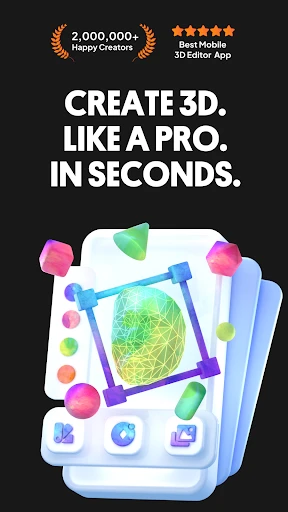

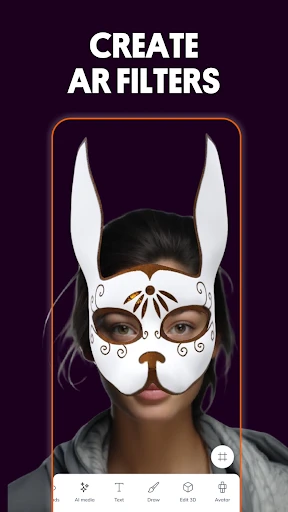


Description
About Customuse: Skins Maker Roblox Feature
Customuse: Skins Maker Roblox is a specialized mobile application designed for the vast community of Roblox players and creators. It serves as a dedicated platform for designing, customizing, and visualizing avatar skins and outfits for use within the Roblox metaverse. The app empowers users to move beyond the standard catalog items, offering intuitive tools to craft unique digital identities. By bridging creative design with direct application to a user's Roblox account, Customuse simplifies the process of personalization, making advanced customization accessible on mobile devices. It caters to the growing demand for individuality and creative expression within one of the world's most popular online gaming platforms.
Chapter 1: Function
The core function of Customuse: Skins Maker Roblox centers on avatar skin creation and management. The app provides a comprehensive suite of digital painting and layering tools, allowing users to design textures and patterns for Roblox character models from scratch or modify existing templates. Users can select different base body types and clothing templates as their canvas. Key features include a color picker with advanced palettes, brush tools for detailed pixel-level editing, and a layering system for complex designs. Furthermore, the app integrates a preview function, enabling creators to see their skin applied to a 3D Roblox avatar model in real-time from various angles. Once a design is finalized, the app facilitates saving the creation to the device's gallery and offers guidance on how to implement the custom skin into the actual Roblox game, completing the end-to-end creative workflow.
Chapter 2: Value
The primary value proposition of Customuse: Skins Maker Roblox lies in democratizing high-level avatar customization and fostering creative independence. Its key advantage is providing a professional, mobile-optimized design studio specifically tailored for Roblox, which is often more accessible and user-friendly than attempting similar creations on generic or desktop software. This specialization saves users significant time and lowers the technical barrier to entry. For creators, the app unlocks economic and social value by enabling the production of unique skins that can enhance personal branding, be shared with friends, or serve as a portfolio for aspiring Roblox developers. The app's offline design capability also adds convenience. Compared to relying solely on the official Roblox catalog, Customuse offers unparalleled creative freedom, allowing users to express their exact vision without being constrained by available inventory or Robux pricing. It transforms players from passive consumers into active creators, deepening their engagement with the Roblox platform. The focused toolset ensures that every feature has a clear purpose for skin creation, eliminating bloat and streamlining the creative process for a superior user experience dedicated to this specific niche.
Chapter 3: Scenarios
The primary target users for Customuse: Skins Maker Roblox are Roblox enthusiasts spanning various age groups who seek distinctiveness. Key user groups include younger players wanting to stand out with a cool, self-designed outfit among peers, teen and adult creators building a unique identity for their social media presence within Roblox, and aspiring game developers needing custom assets for their experiences. Everyday use cases are diverse. A common scenario involves a user sketching a concept for a superhero or fantasy character during their commute, then using the app's tools to bring it to life. Another frequent use is friends collaborating to design matching team uniforms for their role-playing group. Content creators might use the app to rapidly prototype and visualize new skin ideas for their YouTube or Twitch channels. Furthermore, it serves as a practical tool for parents and children to engage in a creative project together, designing fun avatars. Ultimately, the app is activated in any situation where a Roblox user thinks, 'I wish my avatar looked like this,' providing the immediate means to turn that inspiration into a wearable digital reality.
Uninstall Instructions
For step-by-step guidance on how to safely remove this application from your device, please refer to our 《Uninstall Instructions》 document.
Pros
- directly creates and sells 3D apparel for Roblox avatars
- uses real clothing patterns for accurate digital garment design
- toolset integrates modeling
- texturing
- and simulation in one workflow
- exports creations instantly to personal Roblox inventory for use
- caters specifically to fashion designers entering the metaverse
Cons
- steep learning curve for traditional 2D fashion designers
- requires a Roblox account and platform knowledge to operate
- dependent on Roblox's ecosystem and marketplace policies
- high-polygon designs may face Roblox performance constraints
- limited to apparel
- lacks tools for other avatar customizations
Frequently Asked Questions
What is Skins Maker Roblox and what does it do?
Skins Maker Roblox is a third-party creative tool application designed for the Roblox platform. Its core function is to allow users to design, customize, and create unique avatar skins, clothing, and accessories for use within Roblox games. It provides an external suite of editing tools to facilitate skin creation, positioning itself as a utility for players and creators who want to personalize their Roblox characters beyond the official platform's built-in options.
Is Skins Maker Roblox free to use or does it have in-app purchases?
The app's pricing model is typically freemium. The base application is usually free to download and offers basic creation features. However, access to premium asset libraries, advanced editing tools, exclusive templates, or the ability to export high-quality designs often requires in-app purchases or a subscription. No specific pricing details are provided here; please check the current offerings in your device's app store listing for accurate information.
What devices and systems is this app compatible with?
Skins Maker Roblox is primarily a mobile application. It is developed for Android and iOS (iPhone/iPad) devices. The app requires a stable internet connection to sync with or import/export content related to Roblox. It is not an official Roblox product and functions as a standalone creator tool. Compatibility with specific Android OS versions or iOS versions should be verified on the respective app store page, as requirements may update.
How do I use the skins I create in the actual Roblox game?
Skins created in this app are not automatically imported into your Roblox inventory. Typically, you export your finished design from Skins Maker Roblox. To use it in Roblox, you must then upload it as a custom asset through the official Roblox website's Creator Dashboard, following their guidelines for clothing or gear uploads. This process requires a Roblox account and may involve a fee (Robux) for publishing. The app itself does not directly place items into your Roblox account.
Does the app require special permissions or additional equipment?
The app requires standard mobile device permissions, likely including storage access (to save and load your design projects) and possibly network access for features like asset updates. No additional physical equipment is needed. As a digital design tool, it utilizes the device's touchscreen and processing power. Users should review the permission request prompts during installation or in device settings for the most accurate and current list of required accesses.
App Info
Technical Info
Recommended For You

Google Voice
Communication

starryai - AI Art Generator
Art & Design

Face Shape - Pretty Scale
Beauty

Nice Miner: Bitcoin Miner Hash
Business

Spark Driver
Business

MediBang Paint:Draw Art, Comic
Art & Design

RateByFresh
Beauty

BlueDriver OBD2 Scan Tool
Auto & Vehicles

Floor Plan Creator
Art & Design

Phone Dialer - Call Recorder
Communication

Pashto short stories پښتو قیصی
Comics

Planity
Beauty

Drivers Permit Practice
Auto & Vehicles

Staples - Deals & Shopping
Business

Wikipedia
Books & Reference

Cloned Voices
Comics

Wattpad - Read & Write Stories
Books & Reference

ArcStory - AI Comic generator
Comics

KeyConnect Digital Car Key
Auto & Vehicles
Message Plus - SMS Messager
Communication