
GIMP
Screenshots
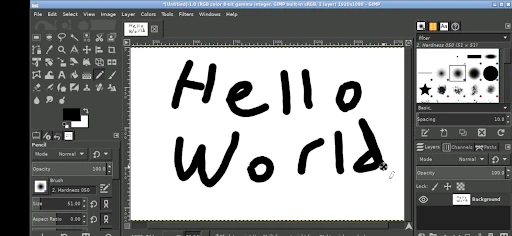
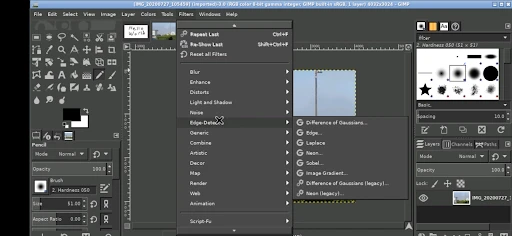
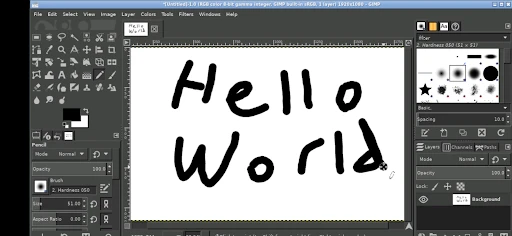

Description
About GIMP Features - A Comprehensive Overview of the Free Image Editor
GIMP, the GNU Image Manipulation Program, is a powerful, open-source, and completely free raster graphics editor. It serves as a versatile alternative to proprietary software, offering a comprehensive suite of tools for photo retouching, image composition, and graphic design. Available across multiple platforms including Windows, macOS, and Linux, GIMP is developed and maintained by a dedicated community of volunteers. It supports a wide range of file formats and provides extensive customization through plugins and scripts. From simple tasks like resizing and cropping to complex projects involving digital art and multi-layered compositions, GIMP delivers professional-grade capabilities without the associated cost, making advanced image editing accessible to all.
Chapter 1: Function
GIMP's core functionality centers on providing a full-featured toolkit for image creation and manipulation. At its heart is a robust layer system, allowing users to stack, blend, and manage multiple image elements non-destructively. It includes essential tools for selection, painting, and cloning, alongside advanced path and mask editing. Users benefit from a wide array of filters and effects for color correction, distortion, and artistic rendering. The software supports high-bit-depth color and professional color management. Customization is a key strength; the interface is modular, and functionality can be extended with third-party plugins and scripts. Furthermore, GIMP offers powerful transformation tools, gradient editors, and brush engines, enabling precise control over every aspect of the editing process, from basic adjustments to intricate digital illustrations.
Chapter 2: Value
The primary value proposition of GIMP lies in its potent combination of zero cost and professional capability. As free and open-source software (FOSS), it eliminates financial barriers, offering individuals, students, educators, and small businesses a viable path to high-quality image editing without licensing fees or subscriptions. This economic advantage does not come at the expense of power. GIMP's feature set rivals that of many commercial applications, providing sophisticated tools for photo retouching, graphic design, and digital painting. Its cross-platform nature ensures consistency regardless of operating system. The open-source model fosters continuous, community-driven improvement, rapid bug fixes, and a transparent development process. Users are not locked into a specific vendor's ecosystem and have the freedom to modify the software to suit their needs. The extensive online community provides ample tutorials, documentation, and support, creating a rich learning environment. For anyone seeking a capable, ethical, and cost-effective solution for image editing, GIMP presents an unparalleled value, empowering creativity and productivity without compromise.
Chapter 3: Scenarios
GIMP caters to a diverse spectrum of users across various scenarios. Hobbyist photographers and bloggers utilize it for essential photo editing tasks such as cropping, color correction, red-eye removal, and preparing images for web publication. Digital artists and illustrators leverage its brush dynamics, layer modes, and transformation tools to create original artwork, concept sketches, and textured paintings. Graphic designers employ GIMP for designing web graphics, logos, posters, and user interface mock-ups, especially when working within budget constraints. Educators and students in design or media courses use it as an accessible teaching tool for fundamental principles of image manipulation. Small business owners and non-profit organizations rely on GIMP to produce marketing materials, social media graphics, and documentation visuals professionally and affordably. Furthermore, technical users and scientists appreciate its support for scripting and its ability to process image data for analysis and presentation. In everyday use, GIMP is the go-to solution for anyone needing to edit a photo, create a digital collage, design a banner, or explore digital artistry without financial investment.
Uninstall Instructions
For step-by-step guidance on how to safely remove this application from your device, please refer to our 《Uninstall Instructions》 document.
Pros
- powerful free alternative to photoshop with full layer support
- extensive customization via scripts
- plug-ins
- and brush engines
- supports a wide range of file formats including raw and psd
- advanced color manipulation tools and non-destructive editing
- cross-platform availability on linux
- windows
- and macos
Cons
- steep learning curve with a dated and complex interface
- slower performance with large files or complex filters
- lacks native support for modern cloud collaboration features
- limited built-in tutorials compared to commercial competitors
- occasional instability with certain third-party plug-ins
Frequently Asked Questions
What is GIMP and what can I use it for?
GIMP (GNU Image Manipulation Program) is a free, open-source raster graphics editor. It is used for tasks such as photo retouching, image composition, and digital art creation. Its core functions include professional-grade tools for color correction, cloning, selection, and layers. It is positioned as a powerful, free alternative to paid software like Adobe Photoshop, suitable for graphic designers, photographers, and illustrators.
Is GIMP completely free to use?
Yes, GIMP is completely free and open-source software. There are no upfront costs, subscription fees, or in-app purchases. It is released under the GNU General Public License, meaning you can download, use, modify, and distribute it without any charge. The project is supported by community donations and volunteer contributions.
What operating systems does GIMP support?
GIMP is highly adaptable and supports multiple major operating systems. Official installers are available for GNU/Linux, macOS (including Apple Silicon), and Microsoft Windows. This cross-platform compatibility ensures users can work with the same interface and features regardless of their desktop system. It does not have a dedicated web or mobile version.
How does GIMP handle PSD files from Photoshop?
GIMP can open and import Adobe Photoshop PSD files, but with some limitations. It generally preserves layer structure and many common layer effects. However, due to proprietary differences, advanced features like certain adjustment layers or smart objects may not be fully supported and could be flattened or simplified upon import. For complex PSDs, verifying the results in GIMP is recommended.
Where can I get help if I encounter problems using GIMP?
Comprehensive support is available through GIMP's official community resources. This includes detailed online documentation, tutorials, user forums, and a developer wiki. As community-driven software, there is no direct phone or commercial after-sales support. Users are encouraged to search the forums or documentation for solutions to common usage problems and bug reports.
App Info
Technical Info
Recommended For You

Abyss Reader
Comics

Fonts - Logo Maker
Art & Design

Phone by Grice
Communication

Face Shape - Pretty Scale
Beauty

Aosu
Communication

SelfComic: Super Saiyan Photo
Comics

Coinoscope: Coin identifier
Books & Reference

Lalatoon - Comics & Webtoon
Comics

Fax.Plus - Send Fax from Phone
Business

Invoice Maker & Estimate Maker
Business

Concepts: Sketch, Note, Draw
Art & Design

ThriftBooks: New & Used Books
Books & Reference

Дром Авто
Auto & Vehicles

Hallow: Prayer & Meditation
Books & Reference

Marvel Unlimited
Comics

JOB TODAY: Hire & Find Jobs
Business

Face Swap Magic: AI Avatars
Art & Design

AR Drawing : Trace Anything
Art & Design

Al Quran Kareem: القران الكريم
Books & Reference

Spam Call Blocker for Android
Communication