
Messenger - Texting App
Screenshots

Description
About Messenger - Texting App Features
Messenger, developed by Meta, is a globally renowned instant messaging application that extends beyond simple text communication. Initially launched as Facebook Chat in 2008 and later spun off as a standalone app, it has evolved into a comprehensive platform integrating messaging, voice, video, and social interaction features. It seamlessly connects with Facebook's social network while also allowing users to sign up with just a phone number, bridging the gap between online social circles and real-world contacts. With its user-friendly interface, robust functionality, and widespread adoption, Messenger has become an essential daily communication tool for billions of users worldwide, redefining the modern experience of staying connected.
Chapter 1: Function
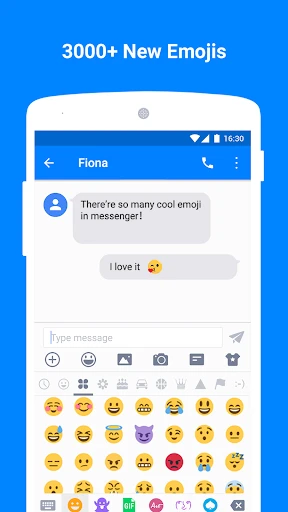
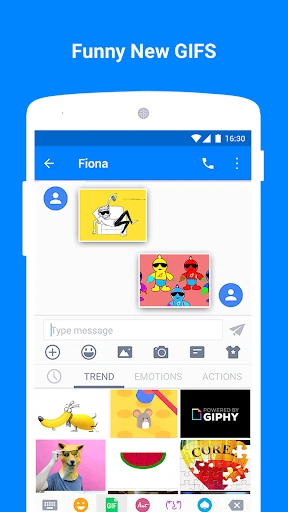
Messenger's core functionality centers on providing a rich, real-time communication experience. At its foundation is instant text messaging, supporting individual and group chats with features like read receipts, typing indicators, and message reactions. It significantly enhances interaction through high-quality voice and video calls, including group video calls for up to eight people, facilitating face-to-face conversations regardless of distance. The app integrates fun elements such as a vast library of stickers, GIFs, and emojis to express emotions. It also supports file sharing for photos, videos, and documents. Unique features like Messenger Rooms allow users to create shareable video chat links for larger gatherings, while its integrated Stories feature, similar to other social platforms, lets users share ephemeral photos and videos with their contact list, blending messaging with social updates.
Chapter 2: Value
Messenger's primary value proposition lies in its ability to create a seamless, feature-rich, and accessible communication hub. Its key advantage is deep integration with the Facebook ecosystem, allowing users to effortlessly message their Facebook friends without switching apps, yet it remains accessible to non-Facebook users via phone number registration, greatly expanding its reach. The app delivers exceptional value through reliable, high-quality voice and video calls over both Wi-Fi and mobile data, offering a cost-effective alternative to traditional carrier services, especially for international communication. Beyond basic chat, it enhances user engagement with interactive features like polls, games, and Spotify integration directly within conversations. For businesses, Messenger provides verified pages and tools for customer service, marketing, and sales, bridging personal and commercial interactions. Its continuous innovation, focusing on end-to-end encryption for secret conversations, cross-app communication with Instagram, and lightweight versions for emerging markets, ensures it remains at the forefront of balancing advanced functionality with broad accessibility and user privacy.
Chapter 3: Scenarios
Messenger caters to a diverse range of user groups across various everyday scenarios. Its primary audience includes individuals with existing Facebook social networks who seek a convenient way to communicate with friends and family beyond the news feed. It is equally vital for families and friends separated by geography, relying on its free video and voice calls for daily check-ins, virtual celebrations, and sharing life moments. In professional and educational settings, its group chat and video call functions serve as informal tools for team collaboration, project discussion, and remote study groups. Small business owners and community organizers utilize Messenger to manage customer inquiries, send updates, and coordinate events through group chats. Younger demographics heavily engage with its expressive features like stickers, filters, and Stories for casual, visual-centric communication. Essentially, any situation requiring quick, reliable, and multifaceted communication—from coordinating a dinner plan with a few friends to hosting a virtual birthday party or providing instant customer support—finds a practical solution within the Messenger app.
Uninstall Instructions
For step-by-step guidance on how to safely remove this application from your device, please refer to our 《Uninstall Instructions》 document.
Pros
- seamless integration with facebook's social graph
- supports instant video chat during text conversations
- offers playful chat customizations like emoji reactions
- enables cross-app communication with instagram users
- provides optional end-to-end encryption for secret conversations
Cons
- mandatory facebook account for core messaging functions
- high battery consumption during active video calls
- notification management can be complex in group chats
- limited message customization compared to dedicated chat apps
- requires significant storage for auto-downloaded media
Frequently Asked Questions
What is Messenger and what are its core functions?
Messenger is a free messaging app developed by Meta. Its core functions include sending text messages, making voice and video calls, and sharing photos, videos, and files with individuals or groups. It also supports features like reactions, polls, and integration with Instagram for cross-app communication. The app primarily serves as a standalone platform for real-time communication, separate from the main Facebook app.
Is Messenger free to use, and are there in-app purchases?
Yes, the Messenger app is free to download and use for basic messaging, voice, and video calls. However, it offers optional in-app purchases for features like sending money (in supported regions) or using premium effects in video calls. The app is ad-supported, and some games or extensions within the platform may have their own costs. No subscription is required for standard communication.
What devices and systems does Messenger support?
Messenger is available on iOS (iPhone/iPad) and Android smartphones and tablets. It also has web and desktop applications for macOS and Windows computers. The app requires a stable internet connection (Wi-Fi or mobile data) and a valid Facebook or Messenger account to function. It is designed for general users aged 13 and above, with no specific hardware requirements beyond standard device capabilities.
How does Messenger handle privacy and message security?
Messenger offers optional end-to-end encryption for conversations through its 'Secret Conversations' mode, which must be manually enabled per chat. Standard chats are not end-to-end encrypted by default. The app collects data as outlined in Meta's Data Policy, including message content for features like suggestions. Users can manage privacy settings, block contacts, and report issues. For sensitive communication, using the dedicated Secret Conversations feature is recommended.
Can I use Messenger without a Facebook account?
Yes, you can use Messenger without an active Facebook account. You can sign up with your phone number and name to create a Messenger-only account. However, some features, like finding contacts automatically or messaging people who only use Facebook, may be limited. If you have an existing Facebook account, you can link it for a fuller experience, but it is not mandatory for basic texting and calling.
App Info
Technical Info
Recommended For You

Carista OBD2
Auto & Vehicles

AT&T Visual Voicemail
Communication

Visual Voicemail
Business

Webmotors: comprar carro
Auto & Vehicles

Twenty-Four Hours a Day
Books & Reference

Holy Bible King James + Audio
Books & Reference

Draw Cartoon - AR Drawing App
Art & Design

AR Drawing: Sketch, Art, Trace
Art & Design

Jewelry Women Jewellery Photo
Beauty

O’Reilly First Call VIN Scan
Auto & Vehicles

King James Bible Study KJV
Books & Reference

Volvo Cars
Auto & Vehicles

Eyecon Caller ID & Spam Block
Communication

Pocket Toons
Comics

Message Plus - SMS Messager
Communication

Tattoo Simulator Tattoo Maker
Art & Design

dēzl™
Auto & Vehicles

Paint
Art & Design

PhiApp
Beauty

iSharing: GPS Location Tracker
Communication