
Stitch Photos: Long Screenshot
Screenshots

Description
About Stitch Photos: Long Screenshot Feature
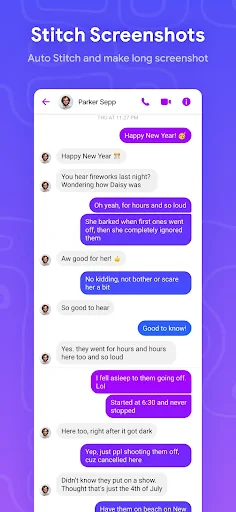
Stitch Photos: Long Screenshot is a specialized mobile application designed to seamlessly merge multiple consecutive screenshots or photographs into a single, cohesive long image. This tool addresses the common need to capture and share content that extends beyond the confines of a standard phone screen, such as lengthy web pages, detailed chat conversations, or panoramic vistas. It operates by intelligently aligning and blending overlapping sections from individual images, eliminating duplicates and stitching edges to create a smooth, scrollable final picture. The app prioritizes a straightforward user experience, enabling users to achieve professional-looking results with minimal effort. It serves as a practical solution for anyone looking to preserve, document, or share extended visual information in a more organized and comprehensive format.
Chapter 1: Function
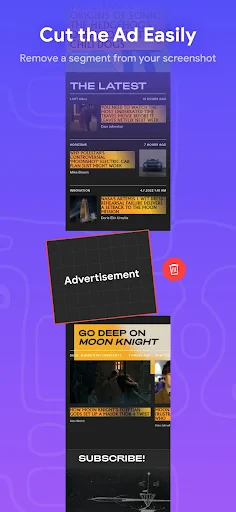
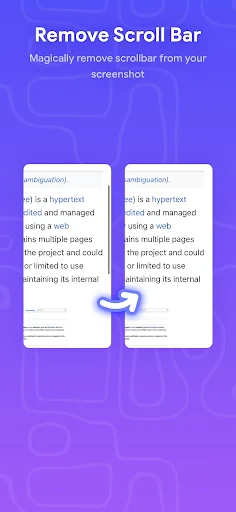
The core functionality of Stitch Photos: Long Screenshot revolves around its advanced image merging algorithm. Users begin by selecting a series of overlapping screenshots or photos from their device's gallery. The app then automatically analyzes these images, detecting common visual elements to align them perfectly. It seamlessly stitches the pictures together, carefully blending the edges to remove visible seams or artifacts. Key operational features include the ability to manually adjust the order of images, crop unwanted borders post-stitch, and choose between vertical or horizontal layout orientations. The final output is a high-resolution long image that can be saved directly to the device's photo library. This process effectively transforms fragmented captures into a single, continuous visual document, making it ideal for compiling information from social media feeds, creating guides from multiple app screens, or combining parts of a document.
Chapter 2: Value
The primary value proposition of Stitch Photos: Long Screenshot lies in its ability to enhance productivity and improve information management. It solves a specific but frequent pain point in the digital age: the inability to capture lengthy content in one go. Its key advantages are multifaceted. First, it offers remarkable convenience and time-saving benefits, eliminating the need for cumbersome manual cropping and pasting in photo editors. Second, it ensures high-quality outputs with its intelligent auto-alignment and edge-blending technology, which maintains image clarity and consistency. Third, the app is incredibly user-friendly, requiring no technical expertise; the process is largely automated with intuitive controls for fine-tuning. Furthermore, it supports a wide range of use cases beyond simple screenshots, including creating panoramic photos from multiple shots, which adds to its utility. By providing a dedicated, optimized tool for this task, it outperforms the limited native screenshot functions of smartphones and the complex workflows of general-purpose photo editing software. It empowers users to create shareable, easy-to-read documents for work, study, or personal reference, thereby organizing digital content more effectively.
Chapter 3: Scenarios
Stitch Photos: Long Screenshot caters to a diverse range of user groups across professional, academic, and personal contexts. Students and researchers form a key demographic, utilizing the app to capture and compile extensive online articles, research paper excerpts, or e-book pages for offline study and reference. Professionals, such as project managers and developers, use it to document lengthy email threads, software code blocks, or workflow diagrams for reports and presentations. In everyday life, social media enthusiasts and online shoppers employ the app to stitch together entire product review threads, recipe instructions from blogs, or captivating Instagram story sequences to share with friends. Additionally, travelers and photography hobbyists find it useful for creating panoramic landscape photos from multiple shots when a wide-angle lens is unavailable. The app is particularly valuable in customer service scenarios, where agents need to provide complete chat history as evidence, or in technical support, where documenting a multi-step error message sequence is necessary. Essentially, any individual who regularly encounters and needs to preserve vertically or horizontally extensive digital content will find this app an indispensable tool in their mobile utility kit.
Uninstall Instructions
For step-by-step guidance on how to safely remove this application from your device, please refer to our 《Uninstall Instructions》 document.
Pros
- seamlessly stitches scrolling screenshots without manual cropping
- preserves original text and image quality during merging
- intuitive timeline interface for managing screenshot sequences
- one-tap sharing to social platforms after stitching
- minimal interface avoids distracting editing tools
Cons
- requires precise screen scrolling for clean captures
- limited to vertical stitching without horizontal layout options
- no in-app annotation tools for marked-up screenshots
- stitching fails if app interfaces have dynamic headers
- free version adds subtle watermark to stitched images
Frequently Asked Questions
What is Stitch Photos: Long Screenshot?
Stitch Photos: Long Screenshot is a utility app designed for creating seamless long screenshots or panoramic images by stitching multiple overlapping photos together. Its core function is to merge several standard screenshots or photos into a single, continuous vertical or horizontal image. This is particularly useful for capturing lengthy web pages, conversations, documents, or tall scenes that do not fit on one screen. The app typically operates offline and processes images locally on your device.
Is the app free to use or does it have in-app purchases?
The app is generally free to download and use for basic stitching functionality. However, it may offer optional in-app purchases to unlock advanced features such as higher resolution exports, removal of watermarks, additional editing tools, or ad-free experiences. The specific pricing and structure of these purchases are detailed within the app's store listing and its in-app purchase menus. No additional physical equipment is required to use its core features.
What devices and systems is this app compatible with?
Stitch Photos: Long Screenshot is primarily developed for Android devices. Its compatibility depends on the specific version; it typically supports a range of Android OS versions (e.g., Android 8.0 and above). It is not natively available for iOS or desktop operating systems like Windows or macOS. The app is designed for general users needing to capture extended content, but performance may vary based on device hardware and available memory when processing many or high-resolution images.
How does the stitching feature work technically?
The app uses image processing algorithms to automatically detect overlapping areas in the sequence of photos you provide. It aligns these areas and blends them to create a single, cohesive long image. Technically, it handles the cropping, alignment, and color matching to minimize visible seams. The process is usually straightforward: users select photos from their gallery or take sequential screenshots, and the app automates the merge. It saves the final output as a standard image file (e.g., JPEG or PNG) to your device's gallery.
Can it stitch photos from any source or app?
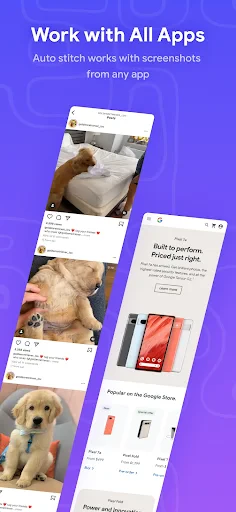
The app can stitch standard image files saved to your device's gallery, regardless of their original source (e.g., screenshots from browsers, social media, or camera photos). However, it cannot directly capture or stitch content from within other apps in real-time; you must first save the individual screenshots or images. A common usage problem is misalignment when source images have inconsistent overlaps, varying lighting, or moving elements. For optimal results, ensure consistent overlap (about 25-30%) and stable content between shots.
App Info
Technical Info
Recommended For You

Cvent Events
Business

Meeting - Video Meeting
Communication

Lezhin Comics -การ์ตูนและนิยาย
Comics

Kobo | eBooks & Audiobooks
Books & Reference

PaperColor
Art & Design

VSD Viewer for Visio Drawings
Business

[KNA003] SHADOW
Art & Design

Realtime Charts for Torque Pro
Auto & Vehicles

Papercopy - Tracer
Art & Design

Tracer (Donation Package)
Art & Design

AR Draw Sketch: Trace & Paint
Art & Design

Hinovel
Books & Reference

Watch Duty (Wildfire)
Communication

ReadEra – book reader pdf epub
Books & Reference

مانجا للصغار
Comics

CDisplayEx Comic Reader Lite
Comics

AutoZen-Car Dashboard&Launcher
Auto & Vehicles

Logo Maker And Logo Creator 3D
Art & Design

Salesforce Authenticator
Business

Chevron
Auto & Vehicles