
Videa: AI Video Maker, Effects
Screenshots
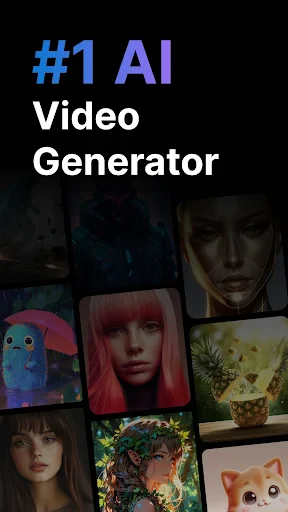
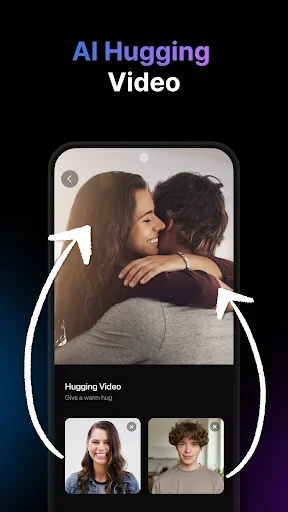
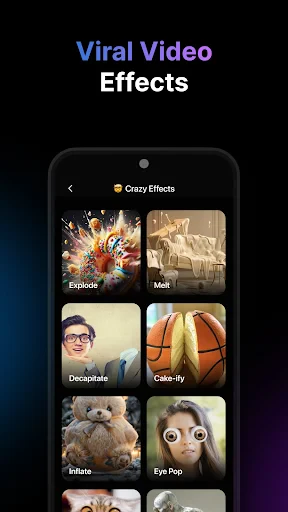

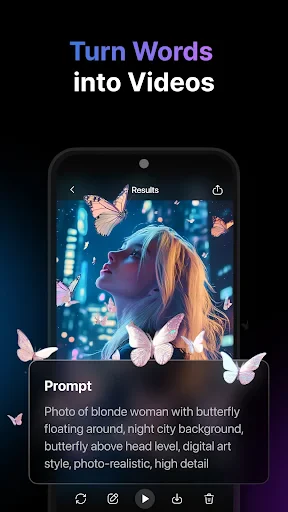
Description
About Videa: AI Video Maker, Effects Feature
Videa: AI Video Maker, Effects is a mobile application designed to simplify professional-quality video creation through artificial intelligence. It empowers users to transform raw clips, photos, and ideas into polished videos with minimal effort. By integrating advanced AI tools with an intuitive interface, Videa caters to the growing demand for accessible and efficient video production directly on smartphones. The app positions itself as a comprehensive solution, merging automated editing capabilities with a rich library of effects, templates, and music, thereby democratizing video content creation for a broad audience beyond professional editors.
Chapter 1: Function
Videa's core functionality revolves around AI-driven video editing and enhancement. Users begin by selecting media from their gallery, after which the app's AI can automatically analyze and compile clips into a coherent sequence, apply suitable transitions, and even suggest a narrative pace. Key features include one-tap AI video generation where users input a theme or text prompt, and the app produces a complete video. It offers a vast collection of visual effects, filters, and dynamic stickers. Users can add voiceovers, select background music from an integrated library, and utilize text-to-speech for automated narration. The editor provides tools for trimming, splitting, merging clips, and adjusting speed. Additionally, it supports green screen (chroma key) effects, animated text overlays, and various aspect ratios optimized for different social media platforms like Instagram, TikTok, and YouTube.
Chapter 2: Value
The primary value proposition of Videa lies in its ability to drastically reduce the complexity, time, and skill required for video editing. Its AI automation handles tedious tasks like sorting clips, syncing music beats, and applying consistent styles, which is a significant advantage over manual editing in standard apps. This allows users to produce visually appealing content rapidly, maintaining a competitive edge in fast-paced digital content landscapes. The app's extensive, regularly updated asset library—encompassing trendy effects, templates, and licensed music—provides exceptional creative value, ensuring content remains fresh and engaging. Furthermore, Videa eliminates the need for multiple software programs by consolidating advanced features like AI scripting, motion graphics, and precise editing tools into a single, mobile platform. This cost-effective solution offers professional-tier outcomes without subscription fees associated with high-end desktop software, making it an invaluable tool for individuals and small businesses aiming to enhance their visual storytelling and online presence efficiently.
Chapter 3: Scenarios
Videa primarily targets social media enthusiasts, content creators, marketers, small business owners, educators, and casual users looking to create memorable videos for personal or professional use. For influencers and vloggers, it is ideal for quickly editing daily vlogs, crafting engaging stories, or producing promotional clips with trendy effects. Small businesses and entrepreneurs can utilize it to create affordable, high-quality advertisement videos, product demonstrations, or social media campaigns without hiring a professional editor. Educators and students find it useful for assembling presentation videos or creative projects. On a daily basis, a user might employ Videa to compile holiday travel clips into a cinematic montage within minutes, create a birthday greeting with personalized effects and music, or produce a short, eye-catching tutorial video for a DIY project. Its simplicity also makes it suitable for older generations or beginners wanting to preserve memories in a polished format, effectively serving anyone needing to tell a story through video without technical hurdles.
Uninstall Instructions
For step-by-step guidance on how to safely remove this application from your device, please refer to our 《Uninstall Instructions》 document.
Pros
- generates videos from text prompts in under a minute
- offers a vast library of niche ai video styles and effects
- exports videos in 4k resolution without watermarks
- intuitive timeline editor for precise clip and effect arrangement
- one-click social media format adaptation for different platforms
Cons
- requires stable internet for all ai generation features
- high-resolution exports consume significant device storage
- ai-generated human movements can appear slightly unnatural
- premium style templates and assets require a subscription
- limited fine-tuned control over ai's initial visual interpretation
Frequently Asked Questions
What is Videa and what are its main functions?
Videa: AI Video Maker, Effects is a mobile video editing application. Its core function is to provide AI-powered tools to help users create and enhance videos. Key features typically include automated video generation from media libraries, AI-driven effects and filters, smart editing suggestions, and templates for social media content. It positions itself as an accessible tool for quick, professional-looking video creation.
Is Videa free to use or does it have in-app purchases?
Videa operates on a freemium model. The app can be downloaded and used for free with access to basic editing tools and a standard set of effects. However, advanced AI features, premium effects, templates, and the removal of watermarks typically require a subscription or one-time in-app purchase. Specific pricing tiers and subscription details are available within the app's store listing or settings.
What devices and operating systems does Videa support?
Videa is primarily designed for mobile devices. It is available for download on both iOS and Android platforms from their respective app stores. The app is optimized for smartphones, though it may function on tablets. Specific version requirements, such as needing iOS 13.0 or Android 8.0 and above, should be verified on the official app store page for the most accurate and current compatibility information.
How does the AI video maker feature work in Videa?
The AI video maker in Videa automates parts of the editing process. Users can select multiple photos or video clips, and the AI analyzes the content to suggest a coherent story sequence, apply matching transitions, add background music, and even generate stylized effects. This feature is designed to produce a complete video draft with minimal manual input, which users can then further customize using the app's manual editing tools.
Can I export high-resolution videos without a watermark?
Export capabilities depend on the user's subscription status. The free version of Videa typically exports videos with a resolution of 720p or 1080p but may include a Videa watermark on the final output. To export videos in higher resolutions (like 4K) and without the app's watermark, a premium subscription or one-time purchase is usually required. The exact export settings and options are available within the app's export menu.
App Info
Technical Info
Recommended For You

WhatsApp Messenger
Communication

Blazing: Ignite Your Love Life
Communication

Phone Dialer - Contacts
Communication

AppSheet
Business

Auto Sync for Android/Car Play
Auto & Vehicles

CastChat - Match & Voice Chat
Communication

Xcel Energy
Business

Obd Mary – Car Scanner for ELM
Auto & Vehicles

CL Theme Road
Auto & Vehicles

Advent Magnificat 2024
Books & Reference

Microsoft Authenticator
Business

Fable: Books & TV
Books & Reference

Holy Bible Time-Verses&Audio
Books & Reference

Drawing Desk: Learn to Draw
Art & Design

My SafeLink
Communication

Kling AI: AI Image&Video Maker
Art & Design

Skype
Communication

AI Phone: Phone Call Translate
Communication

Life Bible
Books & Reference

CVTz50
Auto & Vehicles