
TeamViewer Remote Control
Screenshots

Description
About TeamViewer Remote Control Feature – Seamless Cross-Platform Access and Support
TeamViewer Remote Control is a globally renowned software solution for remote access, desktop control, and online collaboration. It enables users to securely connect to any computer or mobile device from anywhere, as if they were sitting right in front of it. Supporting a vast array of platforms including Windows, macOS, Linux, Android, and iOS, TeamViewer breaks down geographical barriers, facilitating efficient remote work, IT support, and real-time teamwork. Its core revolves around providing stable, secure, and easy-to-use remote connections, making it an indispensable tool for both individuals and businesses seeking to manage devices, offer technical assistance, or collaborate on projects remotely.
Chapter 1: Function
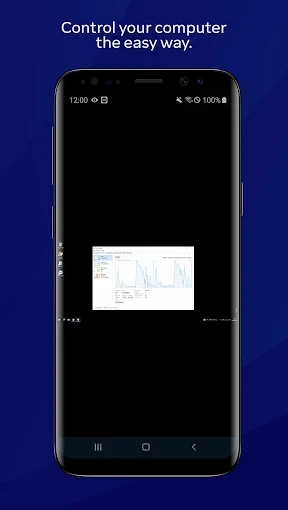
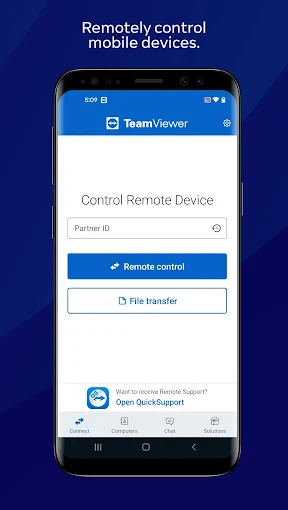
TeamViewer's core functionality centers on establishing secure remote connections between devices. Users can remotely control a desktop, operate applications, transfer files, and even conduct video conferences through a simple partner ID and password. The app features robust screen sharing capabilities, allowing one party to view or take full control of another's screen with minimal latency. It supports unattended access, enabling authorized connections to computers without needing someone present at the remote end. Furthermore, TeamViewer integrates file transfer tools, a chat module for instant communication during sessions, and the ability to remotely print documents to a local printer. For IT professionals, it offers advanced options like remote reboot and reconnection, session recording, and multi-monitor navigation. All these functions are wrapped in an intuitive interface, requiring minimal technical knowledge to initiate a connection.
Chapter 2: Value
TeamViewer's primary value proposition lies in its unparalleled combination of reliability, security, and cross-platform versatility. It delivers significant advantages by drastically reducing the need for physical presence, thereby saving time and cutting travel costs for support and collaboration. A key advantage is its enterprise-grade security; all connections are protected with end-to-end 256-bit AES encryption, two-factor authentication, and whitelisting features, ensuring that remote sessions are safeguarded against unauthorized access. For businesses, TeamViewer enhances productivity by enabling IT departments to resolve employee issues instantly, regardless of location, minimizing downtime. Its scalability is another major benefit, offering solutions tailored for individual freelancers, small teams, and large corporations alike. The software's ability to connect across different operating systems seamlessly—from controlling a Windows PC from an iPhone to managing a Linux server from a Mac—eliminates compatibility concerns. Additionally, its high-performance protocols ensure smooth screen rendering and responsiveness even over lower-bandwidth connections. By consolidating remote control, file transfer, and communication into a single platform, TeamViewer provides a comprehensive and cost-effective alternative to on-site visits, empowering remote work, flexible support, and global collaboration.
Chapter 3: Scenarios
TeamViewer serves a diverse range of users across multiple everyday scenarios. Its primary user groups include IT support professionals and managed service providers who rely on it to maintain, troubleshoot, and update client systems remotely, offering swift resolution to technical problems. Another key group is remote workers and telecommuters who need secure access to their office computers, files, and internal networks from home or while traveling. Educators and trainers utilize TeamViewer to conduct remote lessons, provide software training, or assist students with technical issues. Small business owners often use it to manage their office infrastructure or offer quick support to clients. Common use cases involve a help desk technician taking control of a user's computer to install software or remove malware; a designer collaborating with a client by sharing their screen to review artwork in real-time; an employee accessing specialized programs installed only on their office workstation to complete urgent tasks; and families or friends providing informal tech support to less tech-savvy relatives by guiding them through a setup process directly. In all these situations, TeamViewer acts as a virtual bridge, enabling efficient problem-solving and collaboration without geographical constraints.
Uninstall Instructions
For step-by-step guidance on how to safely remove this application from your device, please refer to our 《Uninstall Instructions》 document.
Pros
- direct remote control without complex port forwarding
- attended and unattended access across diverse platforms
- file transfer and session recording during live connections
- high-speed connections using proprietary protocols
- two-factor authentication and end-to-end encryption standard
Cons
- free version triggers commercial use suspicion frequently
- requires stable internet; lags on low-bandwidth connections
- occasional compatibility issues with rare linux distributions
- advanced features like mass deployment need paid plans
- mobile app controls lack some desktop client granularity
Frequently Asked Questions
What is TeamViewer Remote Control and its main functions?
TeamViewer Remote Control is a cross-platform software solution for remote access, desktop sharing, online meetings, and file transfer between computers and mobile devices. Its core function is to establish secure, real-time connections to control a remote machine as if sitting in front of it. It is widely used for IT support, remote work, and accessing personal files from anywhere.
Is TeamViewer free for personal use?
Yes, TeamViewer offers a free version for personal, non-commercial use. This version allows remote control, file transfer, and basic meeting functions. For commercial or professional use, such as within companies or for providing paid support, a paid license is required. The app clearly distinguishes between personal and commercial use during setup.
What devices and operating systems does TeamViewer support?
TeamViewer supports a wide range of devices and operating systems. It is compatible with Windows, macOS, Linux, Chrome OS, iOS, and Android. You can establish connections between different platforms, such as from an iPhone to a Windows PC. It also supports accessing devices via web browser. No special hardware is required beyond a stable internet connection.
How does TeamViewer ensure connection security?
TeamViewer employs end-to-end RSA 2048 public/private key exchange and AES 256-bit session encryption for all remote connections. It uses two-factor authentication, trusted devices lists, and granular permission settings for sessions. Connections are established through TeamViewer's secure global routing network. Users are responsible for keeping their access passwords and software updated.
What should I do if a connection fails or is unstable?
First, verify both devices have stable internet and the latest TeamViewer version. Ensure the correct partner ID and password are entered. Check firewall/antivirus settings to allow TeamViewer traffic. Switching the connection mode to 'LAN' if on the same network, or using the 'Alternative Port' option can help. For persistent issues, TeamViewer's knowledge base and community forums provide detailed troubleshooting guides.
App Info
Technical Info
Recommended For You

Sky Map
Books & Reference

Marathon ARCO Rewards
Auto & Vehicles

Magic Diamond Painting-Gem Art
Art & Design

Translateasy Lingual Assistant
Books & Reference

Hangouts
Communication

Draw Animation - Anim Creator
Art & Design

Tor OBD2 Diagnostics
Auto & Vehicles

Holy Bible - KJV+Audio+Verse
Books & Reference

Krita
Art & Design

CL Theme C1
Auto & Vehicles

eBay Motors: Parts, Cars, more
Auto & Vehicles

Luvme Hair
Beauty

Gmail
Communication

Phone Dialer - Call Recorder
Communication

Dress Up Royal Princess Doll
Beauty

SAP Concur
Business

Gocrypto: Crypto Trading
Business

Sketch Pro: Draw & Create Art
Art & Design

Scentbird Monthly Perfume Box
Beauty

Dayforce
Business