
AI Video Generator - Clips AI
Screenshots

Description
About AI Video Generator - Clips AI Feature
AI Video Generator - Clips AI is a mobile application that leverages advanced artificial intelligence to transform text descriptions, images, or simple prompts into short, engaging video clips. Designed for simplicity and speed, it empowers users with no prior video editing or design experience to create professional-looking visual content directly from their smartphones. The app stands at the intersection of creativity and technology, democratizing video production by automating complex processes like scene generation, animation, and soundtrack synchronization. It serves as a versatile tool for content creators, marketers, educators, and social media enthusiasts seeking to produce high-impact video narratives efficiently.
Chapter 1: Function
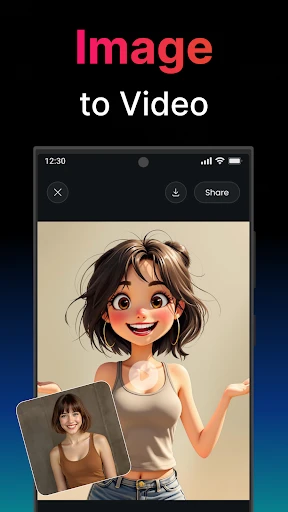
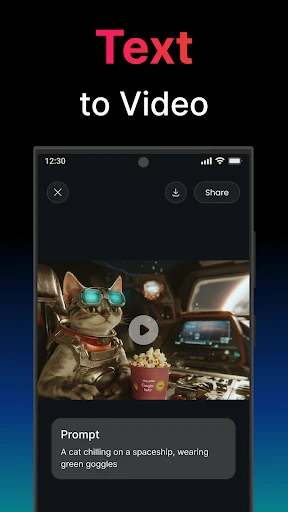
The core function of AI Video Generator - Clips AI centers on automated video creation from user inputs. Users begin by typing a text prompt describing the desired video scene, theme, or story. Alternatively, they can upload a photo as a base. The app's AI then interprets this input, generating corresponding video footage by assembling relevant visual elements, animations, and transitions. Key functional components include a text-to-video engine, a library of AI-generated assets and styles, basic editing tools for trimming and sequencing clips, and options to add AI-suggested or user-selected background music and text overlays. The process is streamlined into a few taps: input, generate, customize, and export, delivering a complete video clip in minutes without manual sourcing of footage or complex timeline editing.
Chapter 2: Value
The primary value proposition of Clips AI lies in its unprecedented accessibility and efficiency for video creation. It eliminates traditional barriers such as the need for expensive software, extensive technical skills, and time-consuming production workflows. For businesses and solo entrepreneurs, the app offers significant cost and time savings, enabling rapid prototyping of marketing ideas, social media ads, and product showcases. Its AI-driven approach ensures a consistent output quality with cohesive visual styles, which is particularly valuable for maintaining brand aesthetics. Furthermore, the app fosters creativity by allowing users to experiment with countless visual concepts that would be impractical or impossible to film physically. Compared to conventional video editing tools, Clips AI provides a predictive and generative experience; it doesn't just edit existing media but creates new content from scratch based on imagination. This key advantage positions it not merely as an editing tool but as a creative partner, opening new avenues for storytelling and digital expression for a broad, non-specialist audience.
Chapter 3: Scenarios
The app primarily targets three user groups. First, social media content creators and influencers who need to produce a high volume of eye-catching, platform-optimized short videos for TikTok, Instagram Reels, or YouTube Shorts daily. For them, generating a trendy explainer video or a captivating backdrop for their commentary becomes a task of mere minutes. Second, small business owners and digital marketers with limited budgets can use the app to create promotional videos for new products, email campaigns, or website landing pages, effectively competing with larger entities in visual communication. Third, educators and students find it useful for crafting illustrative educational clips or presenting project ideas in a dynamic format. Everyday use cases include a cafe owner generating a stylish video for a new seasonal drink, a teacher creating a short animated clip to explain a historical event, or a traveler compiling an AI-enhanced video postcard from a single photo. The app thrives in scenarios demanding quick, affordable, and visually compelling video content without professional production resources.
Uninstall Instructions
For step-by-step guidance on how to safely remove this application from your device, please refer to our 《Uninstall Instructions》 document.
Pros
- generates videos from text prompts in under a minute
- offers diverse ai avatars and voiceover styles
- one-click export to major short-form platforms
- intuitive editing tools for quick scene trimming
- maintains consistent character across generated clips
Cons
- watermark on free tier exports limits usability
- limited control over specific character gestures
- output resolution capped on subscription plans
- requires stable internet for cloud processing
- avatar lip-sync can mismatch with fast dialogue
Frequently Asked Questions
What is Clips AI and what can it do?
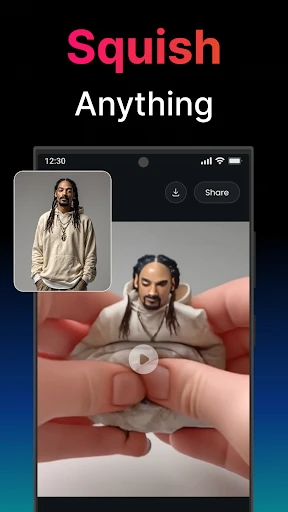
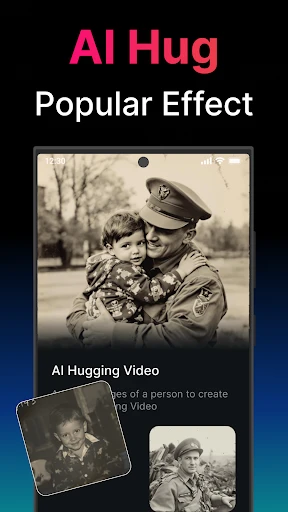
Clips AI is a mobile application that uses artificial intelligence to generate and edit short videos. Its core function is to transform text prompts, images, or simple video clips into stylized short-form videos suitable for social media. Key features include AI-driven video creation from text, various artistic filters, automated editing tools, and template-based generation, positioning it as a tool for quick, creative video content production without requiring advanced editing skills.
Is Clips AI free to use or does it have in-app purchases?
Clips AI operates on a freemium model. The app can be downloaded and used for free with basic features and likely includes watermarks or usage limits. To access advanced AI models, higher export quality, remove watermarks, or use premium templates, users need to subscribe to a paid plan or make in-app purchases. Specific pricing tiers and subscription details are available within the app's settings or on the official app store page.
What devices and operating systems does Clips AI support?
Clips AI is primarily designed for mobile platforms. It is available for iOS devices through the Apple App Store and for Android devices via the Google Play Store. The app is optimized for smartphones and may also function on tablets. It requires a stable internet connection for AI processing. Specific version requirements for each operating system (e.g., iOS 14.0 or later) are listed on the respective app store download pages.
How does the AI video generation feature work?
The AI video generation typically allows users to input a text description of the desired scene or concept. The app's AI then interprets this text and generates corresponding video clips or sequences. Users may also upload a base image or short clip for the AI to stylize or modify. The process involves selecting a style or template, after which the AI handles the visual synthesis and basic motion creation, outputting a short video ready for export or further simple edits within the app.
What are common issues when generating videos and how to fix them?
Common issues include slow processing or generation failures, often due to weak internet connectivity or server load. Ensuring a stable network connection is recommended. Another frequent problem is outputs not matching expectations; refining the text prompt for more detail and clarity can improve results. The app may also fail if device storage is full. For persistent technical errors or billing inquiries, users should contact the developer's official support through the channels provided in the app's settings or store listing.
App Info
Technical Info
Recommended For You

Indeed Job Search
Business

SAP Concur
Business

My Verizon For Business
Business

Marco Polo - Video Messenger
Communication

Textify- Art Font Photo Editor
Art & Design

randstad: jobs for workers
Business

Little Nightmares Comics
Comics

inCarDoc Pro | OBD2
Auto & Vehicles

Speak and Translate Languages
Communication

Daily Bible: Holy Bible KJV
Books & Reference

Funny Jokes And Riddles
Comics

CL Theme C1
Auto & Vehicles

Bible Hub
Books & Reference

Batman Miniature Game
Comics

Bazaart AI Photo Editor Design
Art & Design

Autolink
Auto & Vehicles

Rakuten Viber Messenger
Communication

iScanner - PDF Scanner App
Business

Etsy Seller: Manage Your Shop
Business

Blue Yonder Workforce
Business