
Autolink
Screenshots
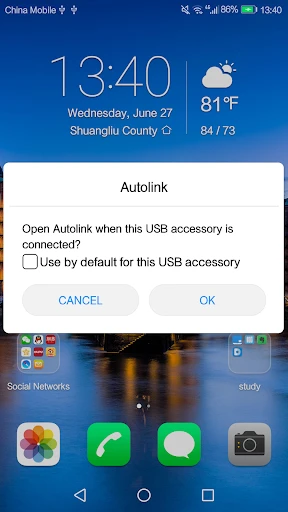
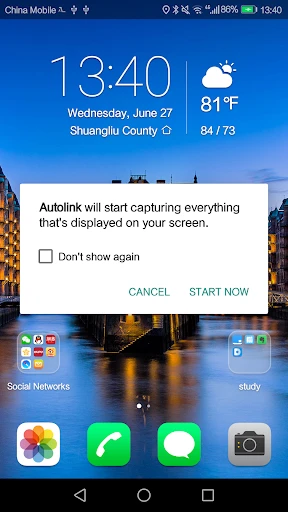
Description
About Autolink Feature – Seamless Integration for Your Smart Car
Autolink is a dedicated smartphone application designed to bridge the gap between drivers and their modern vehicles. It serves as a centralized command center, facilitating a seamless connection with a car's onboard systems via Bluetooth, Wi-Fi, or OBD-II adapters. The app transforms a standard mobile device into a powerful dashboard, providing real-time diagnostics, advanced vehicle control, and insightful analytics. By prioritizing intuitive design and robust functionality, Autolink enhances the driving experience, offering users greater awareness, convenience, and control over their automotive data and functions, all through a streamlined interface on their personal phone or tablet.
Chapter 1: Function
Autolink's core functionality revolves around establishing a stable and comprehensive data link with the user's vehicle. Upon successful pairing, the app retrieves and interprets a wide array of real-time information from the car's internal network. Key functions include reading and clearing diagnostic trouble codes (DTCs) to inform users of potential mechanical issues. It displays live sensor data such as engine RPM, coolant temperature, vehicle speed, and fuel level. Furthermore, Autolink can monitor battery voltage, track fuel efficiency over time, and log trip data including distance and duration. For compatible vehicles, it may offer additional features like checking door lock status, controlling windows, or customizing certain vehicle settings, effectively turning the smartphone into a multi-functional automotive tool.
Chapter 2: Value
The primary value proposition of Autolink lies in its empowerment of the driver through transparency and proactive vehicle management. It demystifies car diagnostics, saving users time and money by providing immediate insights that might otherwise require a mechanic's scan tool. This promotes preventative maintenance, potentially averting costly repairs. A key advantage is the detailed tracking of driving behavior and vehicle performance, which encourages fuel-efficient habits and provides a clear history for resale or personal records. The app's ability to consolidate disparate vehicle information into a single, user-friendly interface offers unparalleled convenience. For tech-savvy car enthusiasts, it provides a window into their vehicle's performance metrics. For everyday drivers, it offers peace of mind through constant health monitoring. Unlike generic OBD readers with basic apps, Autolink is often tailored for better compatibility and a more polished user experience, with structured data presentation and reliable connectivity. Its value extends beyond mere diagnostics to become an integral part of smart, connected driving.
Chapter 3: Scenarios
Autolink is ideally suited for a diverse range of car owners. The primary user group includes DIY enthusiasts and hobbyists who perform their own vehicle maintenance and wish to understand their car's condition in depth. It is equally valuable for daily commuters and fleet managers interested in monitoring fuel economy, optimizing routes, and ensuring their vehicles are operating efficiently. Parents of young drivers may use it to review driving patterns for safety. The app finds practical use in everyday scenarios such as diagnosing a sudden check engine light before deciding on a garage visit, preparing for a long road trip by verifying all systems are nominal, or simply tracking monthly fuel expenses accurately. It is also useful for used car buyers who want to verify a vehicle's condition, or for owners of performance cars who like to log data during drives. In essence, any driver seeking a smarter, more informed, and connected relationship with their vehicle will find Autolink a practical and powerful companion.
Uninstall Instructions
For step-by-step guidance on how to safely remove this application from your device, please refer to our 《Uninstall Instructions》 document.
Pros
- one-tap connection for car's OBD-II port
- real-time vehicle health reports via smartphone
- tracks fuel efficiency and driving habits precisely
- clears engine fault codes without a mechanic
- minimal setup with low-profile hardware design
Cons
- requires a compatible OBD-II port (pre-1996 cars excluded)
- premium diagnostics locked behind subscription paywall
- physical dongle occupies the vehicle's diagnostic port
- real-time GPS tracking drains phone battery quickly
- limited advanced features for non-standard car models
Frequently Asked Questions
What is Autolink and what does it do?
Autolink is a smartphone application designed for automotive connectivity. Its core function is to mirror your phone's interface onto your vehicle's infotainment screen, typically using technologies like Android Auto or Apple CarPlay. This allows for hands-free access to navigation, music, calls, and messaging apps while driving. It positions itself as a bridge to enhance in-car entertainment and safety by integrating your phone's ecosystem with the car's display.
Is Autolink free to use or does it require payment?
The Autolink app itself is generally free to download and install. However, full functionality may require a compatible vehicle head unit or an additional adapter dongle for wireless connection, which involves a separate hardware purchase. The app does not typically involve subscription fees, but please check the official listing for any potential in-app purchases for premium features.
What are the device and system requirements for Autolink?
Autolink requires a smartphone running a supported operating system (e.g., Android or iOS) and a compatible vehicle infotainment system. For wired connection, a USB cable is needed. For wireless functionality, both your phone and car stereo must support wireless projection protocols like wireless Android Auto or Apple CarPlay. Specific version requirements should be verified in the app's official documentation.
How do I troubleshoot a failed connection in Autolink?
First, ensure your phone's Bluetooth and the required permissions for Autolink are enabled. Try using a high-quality, data-syncing USB cable if connecting wired. Restart both your phone and your car's head unit. Check for updates to the Autolink app, your phone's OS, and your vehicle's firmware. For persistent issues, consult your vehicle's manual for compatibility or the app developer's support channel.
Does Autolink work with all car models and music apps?
No, Autolink is not universal. Compatibility depends on your car's make, model, and year, specifically whether its factory or aftermarket stereo supports phone projection standards. It primarily mirrors approved apps from your phone; thus, most major navigation, music, and podcast apps that work on Android Auto or CarPlay will function. Some niche or unsupported apps on your phone may not appear on the car display.
App Info
Technical Info
Recommended For You

La Biblia en Español
Books & Reference

DMV Practice Test Pro 2024
Auto & Vehicles

Sideline: 2nd Phone Line App
Communication

Shiftsmart - Find Work
Business

Xcel Energy
Business

СL Theme Line
Auto & Vehicles

Spirit Fanfiction and Stories
Books & Reference

WebNovel
Books & Reference

iVerify Basic
Business

Fable: Books & TV
Books & Reference

Typology Paris - Skincare
Beauty

Messenger: Text Messages, SMS
Communication

Realtime Charts for Torque Pro
Auto & Vehicles

InstaFeet
Beauty

ArtCanvas: Learn how to draw
Art & Design

Draw Cartoons 2 PRO
Art & Design

Anime tv - Anime Tv Online HD
Comics

Magic Cross Stitch: Pixel Art
Art & Design

Handy Art Reference Tool
Comics

Glassdoor | Jobs & Community
Business