
AI Drawing : Trace & Sketch
Screenshots
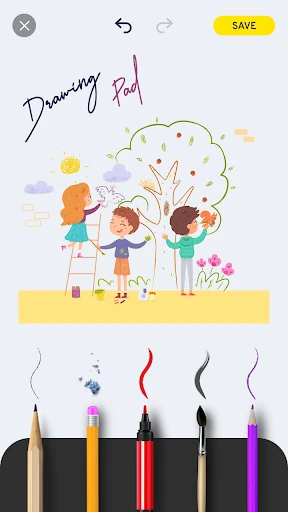
Description
About AI Drawing : Trace & Sketch Features – From Tracing to Creation
AI Drawing : Trace & Sketch is a mobile application designed to lower the barrier to artistic creation, seamlessly blending traditional tracing techniques with AI-powered assistance. It caters to beginners and enthusiasts who wish to learn drawing, practice sketching, or transform photos into artistic outlines. The app provides a suite of intuitive tools that guide users from simple tracing exercises to generating and refining their own sketches, making the process of drawing both educational and enjoyable.
Chapter 1: Function
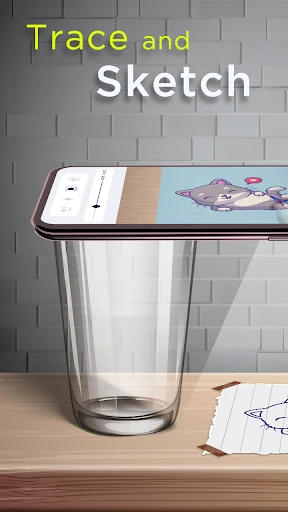
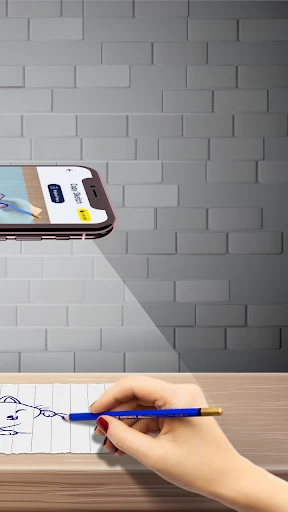
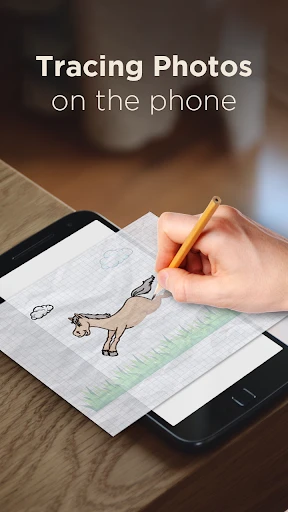
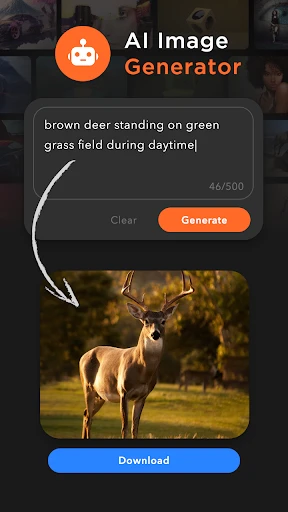
The core functionality of AI Drawing : Trace & Sketch revolves around its dual approach: tracing and AI generation. Users can import any photo from their gallery, and the app will instantly generate a clear, traceable line art outline. A unique transparency overlay feature allows users to place this outline on a digital canvas and trace it directly with various digital brushes, pencils, or pens, mimicking the experience of tracing on paper. Beyond tracing, the app includes a robust sketchpad with layers, multiple brush types, adjustable opacity, and color palettes for freehand drawing. The AI component can also generate new sketch ideas or stylized outlines based on text prompts or simple doodles, serving as a creative spark. Furthermore, it offers step-by-step drawing guides for common subjects, functioning as a structured learning tool.
Chapter 2: Value
The primary value proposition of AI Drawing : Trace & Sketch lies in its ability to demystify the drawing process and build user confidence. For absolute beginners, the immediate success of creating a recognizable drawing through tracing provides positive reinforcement and reduces the initial intimidation of a blank canvas. The app’s key advantage is its educational pathway; it doesn’t just offer a tracing tool but uses it as a stepping stone. By repeatedly tracing different images, users subconsciously learn proportions, line flow, and shapes, effectively training their hand-eye coordination and muscle memory. The integrated AI sketch generator acts as a limitless source of practice material and inspiration, eliminating the struggle of deciding what to draw. Compared to complex professional software, its interface is streamlined and focused, removing unnecessary clutter. It delivers tangible progress, turning a smartphone or tablet into a portable art tutor. This combination of assisted creation and skill development offers exceptional value for anyone looking to cultivate drawing as a hobby or foundational skill in a stress-free, accessible manner.
Chapter 3: Scenarios
The app primarily targets drawing novices, hobbyists, and individuals seeking a relaxing creative outlet. A typical user might be a teenager interested in art but unsure where to start, who uses the app’s tracing features to practice anime characters or popular icons. Parents may utilize the app with children, using the simple tracing and guided lessons for a fun, educational activity that develops fine motor skills. Adult beginners, perhaps inspired to learn sketching for journaling or personal enjoyment, find value in the low-pressure environment to build skills at their own pace. Additionally, it serves users needing quick sketches or outlines for craft projects, brainstorming sessions, or simple illustration ideas. Everyday use cases include relaxing after work by tracing a scenic photo, using the AI to generate a unique sketch for a personal greeting card, or following a step-by-step guide to draw a pet portrait. It transforms idle moments into productive practice sessions, making art creation feasible anytime, anywhere, without the need for physical paper or art supplies.
Uninstall Instructions
For step-by-step guidance on how to safely remove this application from your device, please refer to our 《Uninstall Instructions》 document.
Pros
- transforms photos into line art sketches instantly
- offers guided tracing layers for skill practice
- one-tap style transfer for multiple art genres
- works offline without requiring an account
- provides step-by-step tutorials for beginners
Cons
- limited output resolution for free version exports
- advanced brush controls require in-app purchase
- ai recognition struggles with complex backgrounds
- livesync tracing can lag on older devices
- no collaborative or social sharing features
Frequently Asked Questions
What is AI Drawing: Trace & Sketch?
AI Drawing: Trace & Sketch is a mobile application designed for digital art creation and learning. Its core function is to assist users in drawing by allowing them to trace over reference images. It utilizes AI to help generate sketches or outlines, making it easier for beginners to practice and create artwork. The app is positioned as a tool for hobbyists and those looking to improve their drawing skills through guided tracing and sketching exercises.
Is the app free to use or does it have in-app purchases?
The app typically follows a freemium model. It is free to download and use with basic features. However, it includes in-app purchases to unlock advanced tools, remove advertisements, or access premium content like additional image libraries or enhanced AI features. There is no information suggesting a requirement for additional physical equipment. Always check the current listing on your app store for the latest pricing and subscription details.
What devices and systems is this app compatible with?
AI Drawing: Trace & Sketch is primarily developed for mobile devices. It is available on both Android and iOS platforms. The specific minimum version requirements for each operating system are not provided here. For optimal performance, ensure your device meets the specifications listed on the official app store page. The app is generally adapted for use by individuals interested in drawing, from beginners to intermediate users.
How does the AI tracing feature work?
The AI feature analyzes a reference photo you provide from your gallery or the app's library. It then automatically generates a simplified sketch or outline based on the image's key elements. You can place this outline on your digital canvas and trace over it. This helps in understanding proportions and shapes. The technical characteristics involve on-device or cloud-based image processing algorithms to detect edges and create drawable lines.
Can I export my drawings and what formats are supported?
Yes, a core function of the app is to export your completed artwork. It typically supports saving your drawings to your device's gallery in common image formats like JPEG or PNG. This allows for easy sharing on social media or further editing in other software. The app itself focuses on creation and tracing; for complex editing, you would need to use a dedicated image editing application after export.
App Info
Technical Info
Recommended For You

Diamond Painting by Number
Art & Design
AI Drawing : Trace & Sketch
Art & Design

Pentacomix
Comics

Literie-Endless Stories Await
Books & Reference

Bitcoin Miner Cloud
Business

Biblia Católica en español
Books & Reference

PixAI: AI Anime Art Generator
Art & Design

2ndLine - Second Phone Number
Communication

Perfect Viewer Donation 2
Comics

Pixilart - Make Pixel Art
Art & Design

DaVinci - AI Image Generator
Art & Design

hoopla Digital
Books & Reference

Google Chrome
Communication

Sunoco: Pay fast & save
Auto & Vehicles

NKJV Bible offline app
Books & Reference

ParkMobile: Park. Pay. Go.
Auto & Vehicles

Freepik: Design & edit with AI
Art & Design

NDI HX Camera: Easy Streaming
Communication

Learn how to draw - ArtWorkout
Art & Design

Car Launcher Pro
Auto & Vehicles