
Discord - Talk, Play, Hang Out
Screenshots

Description
About Discord - Talk, Play, Hang Out Feature
Discord is a comprehensive communication platform initially popularized by gamers but now widely adopted by diverse communities for real-time interaction. It seamlessly blends voice, video, and text chat functionalities within a server-based organizational structure. Users can create or join servers dedicated to specific topics, interests, or groups, partitioning them into text and voice channels for organized discussions. Beyond basic communication, Discord integrates features like screen sharing, live streaming, and bot support, enabling a rich, customizable social experience. Its cross-platform availability on Windows, macOS, Linux, iOS, and Android ensures users stay connected regardless of device. Discord has evolved from a gaming-centric tool into a versatile hub for friends, study groups, hobbyist communities, and professional teams to gather, collaborate, and socialize.
Chapter 1: Function
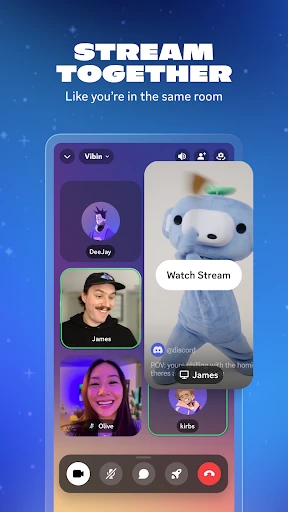
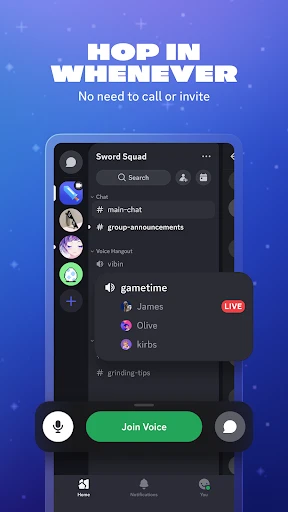
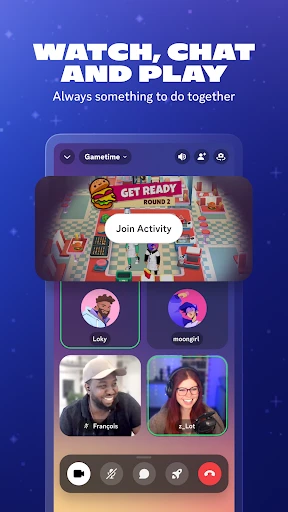
Discord's core functionality revolves around organized, multi-modal communication within servers. At its heart are servers, which act as dedicated community spaces. Within each server, administrators can create both text and voice channels. Text channels facilitate asynchronous discussions, file sharing, and image posting, while voice channels enable real-time voice communication with optional video and screen sharing. Key features include low-latency voice chat crucial for gaming coordination, direct messaging for private conversations, and robust role and permission systems to manage member access. The platform supports live streaming via Go Live feature, allowing users to broadcast gameplay or applications to a limited audience within a server. Furthermore, Discord supports bot integrations, which automate tasks, play music, moderate content, or add games, significantly extending the app's native capabilities. This structured yet flexible channel system allows countless distinct conversations to coexist without clutter.
Chapter 2: Value
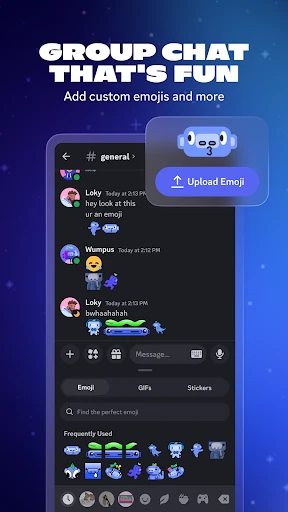
Discord's primary value lies in its ability to create persistent, organized, and immersive social spaces that transcend simple messaging. Unlike transient group chats, Discord servers provide a stable digital home for communities, fostering sustained engagement and a sense of belonging. Its key advantage is the seamless integration of communication forms—text, voice, and video—within a single, highly customizable interface, eliminating the need to switch between multiple apps. The granular permission system empowers community leaders to manage large member bases effectively, ensuring order and safety. For gamers, the value is unmatched: crystal-clear, low-latency voice chat, in-game overlay, and rich presence features enhance cooperative play. Beyond gaming, Discord offers immense value for study groups through screen sharing and dedicated topic channels, for hobby clubs via organized discussion threads, and for remote teams as an informal collaboration hub. Its commitment to being free for core features, coupled with a optional Nitro subscription for enhanced perks like higher quality streams and custom emojis, makes it accessible. The open API for bots allows communities to tailor functionality to their specific needs, making each server a unique ecosystem. This blend of robust infrastructure, flexibility, and user-centric design positions Discord not just as a tool, but as a platform for building and nurturing digital communities.
Chapter 3: Scenarios
Discord serves a broad spectrum of users across everyday scenarios. Primarily, it remains the go-to platform for gamers, who use voice channels to coordinate in multiplayer titles like Valorant or Minecraft, share gameplay clips, and join large community servers for news and tips. Student groups and classmates form private servers to collaborate on projects, share notes in text channels, and study together via voice chat or screen sharing. Hobbyist communities, from coding clubs and art collectives to book lovers and music fans, utilize servers as their main gathering point for discussions, events, and resource sharing. Friends and social circles create private servers as a persistent digital hangout, replacing group texts for planning outings, sharing memes, or simply video calling. Content creators and streamers engage with their audiences through dedicated community servers, offering exclusive updates and direct interaction. Even professional settings see use, with small remote teams or freelance collaborators using Discord for quick, informal meetings and file exchange. Its versatility makes it ideal for any group seeking a structured, real-time, and feature-rich environment to connect and interact around shared interests or goals.
Uninstall Instructions
For step-by-step guidance on how to safely remove this application from your device, please refer to our 《Uninstall Instructions》 document.
Pros
- low-latency voice chat optimized for gaming scenarios
- granular server permissions and role management system
- integrates text
- voice
- and video in persistent chat rooms
- lightweight on system resources during background operation
- supports community building with custom bots and webhooks
Cons
- steep learning curve for new server administrators
- default noise suppression can distort music and certain sounds
- mobile app lacks some desktop moderation features
- persistent always-on connections drain mobile battery faster
- server discovery and search functions remain relatively basic
Frequently Asked Questions
What is Discord and what are its core functions?
Discord is a free communication platform primarily designed for communities and gamers. Its core functions include voice, video, and text chat in private or public servers. It allows users to create or join communities (servers) organized into topic-based channels. Key features are low-latency voice chat for gaming, screen sharing, and integration with games and other services like Spotify. It positions itself as a place to talk and hang out with friends and communities in real-time.
Is Discord free to use, and are there in-app purchases?
Yes, Discord's core features are completely free. This includes unlimited text, voice, and video chat, server creation, and basic screen sharing. It offers a subscription service called Discord Nitro, which is an in-app purchase. Nitro provides perks like higher quality video, larger file uploads, custom emojis, and server boosting. The app itself has no ads, and the free tier is fully functional for most users.
What devices and systems does Discord support?
Discord is widely available across multiple platforms. It supports Windows, macOS, Linux, iOS, and Android through native apps. It can also be accessed via modern web browsers. There is no need for additional specialized hardware. The app is designed for general users, with a strong focus on gamers, hobbyist communities, and study groups. It requires standard permissions like microphone and camera access for its core features.
How does Discord's server and channel system work?
Discord is organized around servers, which are dedicated spaces for communities. Within each server, administrators can create multiple text and voice channels for different topics or activities. This keeps conversations organized. For example, a gaming server might have separate channels for general chat, game strategies, and voice chat for co-op play. Users can join multiple servers and easily switch between them. Roles and permissions can be set to manage member access.
Can I use Discord for screen sharing and how is call quality?
Yes, Discord supports screen sharing in both one-on-one calls and server voice channels. The free tier offers standard quality sharing. Discord Nitro subscribers get HD (1080p) screen sharing. Call quality is generally reliable with low latency, optimized for real-time communication during activities like gaming. Quality can depend on your internet connection. Common issues like echo or connectivity can often be resolved by checking audio settings or server region selection.
App Info
Technical Info
Recommended For You

Wikipedia
Books & Reference

FotoFusion - Editor Photo
Beauty

Forex Trading for Beginners
Books & Reference

Sky Map
Books & Reference

Mirror Plus - HD Mirror app
Beauty

Phone Mirror app - True Mirror
Beauty

Spellai - AI Art Maker
Art & Design

BimmerCode for BMW and MINI
Auto & Vehicles

Torque Pro (OBD 2 & Car)
Communication

True Talk - Global Wifi Calls
Communication

One Block for Minecraft Maps
Books & Reference

Filtre for Selfie
Beauty

Comicle Manga: Manhwa & Manga
Comics

Blend Photo Editor & Effect
Art & Design

Tappytoon Manhwa & Novels
Comics

MySubaru
Auto & Vehicles

GettingOut Visits
Communication

Trace Drawing-Sketch and Paint
Art & Design

Cast Phone to TV, Chromecast
Business

Member Tools
Books & Reference