
Public Storage
Screenshots
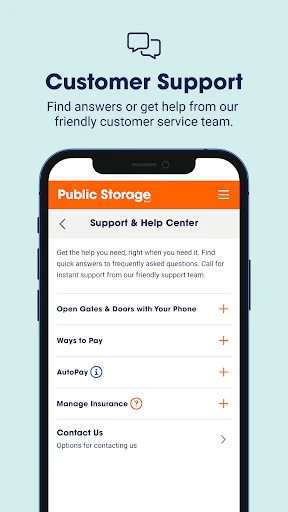
Description
About Public Storage App Features – Digital Key to Your Storage Unit
The Public Storage app is the official mobile companion to the leading self-storage provider in North America. It transforms the traditional storage rental process into a seamless digital experience, allowing customers to manage their storage units entirely from their smartphones. From initial search and rental to secure access and bill management, the app consolidates all essential services into one intuitive platform, offering unprecedented convenience and control over personal and business storage needs.
Chapter 1: Function
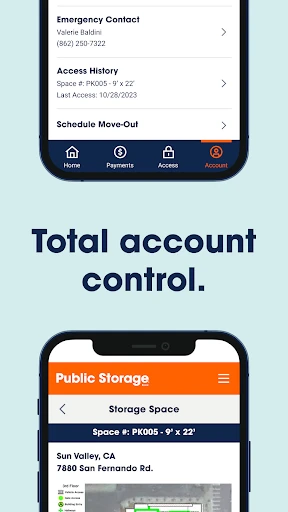
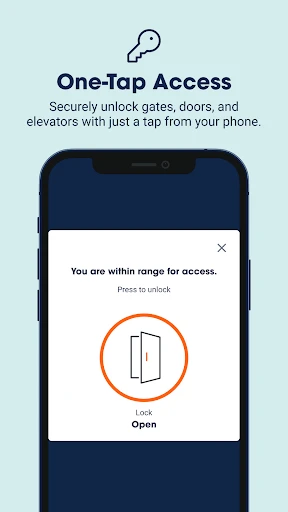
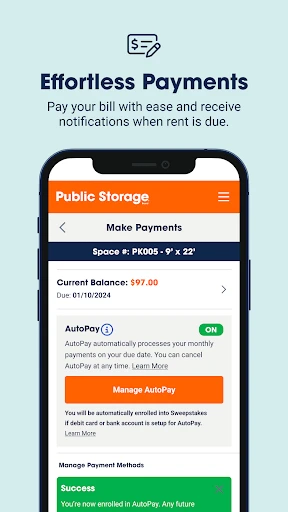
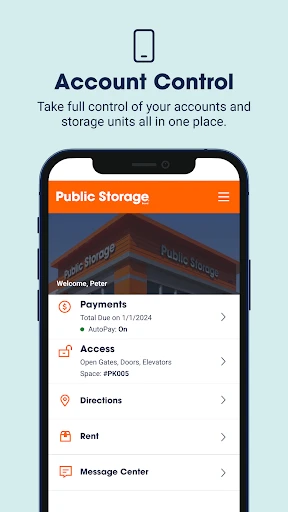
The Public Storage app serves as a comprehensive management tool for storage unit customers. Its core functions begin with enabling users to search for nearby facilities, check real-time availability of various unit sizes, and complete the entire rental process digitally, including signing the lease and making the first payment. Once a customer, the app's most notable feature is its ability to function as a digital key, allowing users to unlock facility gates and their specific unit doors directly from their phone via Bluetooth, eliminating the need for a physical lock or key. Furthermore, the app provides centralized account management where users can view and pay their monthly bills, update payment methods, and access important account documents like rental agreements. It also offers customer support access and facility information, such as operating hours and contact details.
Chapter 2: Value
The primary value proposition of the Public Storage app lies in its empowerment of customers through convenience, security, and efficiency. It dramatically simplifies the storage journey by digitizing traditionally manual processes. The most significant advantage is the keyless entry system, which provides not just ultimate convenience—no more fumbling with locks or worrying about lost keys—but also enhanced security through encrypted digital access logs. This technology offers peace of mind, as entry is granted only to the authorized user via their registered device. From a financial and administrative perspective, the app delivers clear value by automating payments and providing instant access to billing history and receipts, helping users avoid late fees and maintain better financial records. It also saves considerable time, turning tasks like renting a unit or extending a lease into matters of minutes rather than requiring phone calls or in-person visits. By consolidating all storage-related interactions into a single, user-friendly interface, the app reduces friction and builds a more reliable, modern relationship between the customer and the Public Storage brand, setting a new standard for service in the self-storage industry.
Chapter 3: Scenarios
The Public Storage app is designed for a wide range of users who require flexible and accessible storage solutions. A primary user group includes individuals and families during transitional life events, such as moving to a new home, downsizing, or renovating. For them, the app makes it easy to secure a unit on short notice and access belongings as needed without hassle. Another key demographic is small business owners, entrepreneurs, and online retailers who use storage units for inventory, equipment, or archival documents. The app's efficiency and 24/7 digital access capability are invaluable for managing stock and retrieving items outside of traditional business hours. Students, military personnel, and frequent travelers who need seasonal or temporary storage also benefit greatly from the app's flexible and remote management features. Furthermore, the app is ideal for anyone seeking to declutter their home, storing seasonal items like holiday decorations or sporting equipment. In everyday use, a customer might quickly pay their monthly bill during a commute, grant one-time access to a family member to retrieve an item, or locate and rent a unit in a different city for an upcoming move, all through a few taps on their phone.
Uninstall Instructions
For step-by-step guidance on how to safely remove this application from your device, please refer to our 《Uninstall Instructions》 document.
Pros
- offers real-time unit availability with photos
- climate-controlled units accessible 24/7
- online account manages rentals and payments
- wide network simplifies moves between cities
- truck rental integrates with storage booking
Cons
- pricing varies significantly by location and unit
- mandatory insurance adds to the monthly cost
- gate access codes change periodically for security
- limited contactless options for in-person moves
- no peer-to-peer marketplace for cheaper options
Frequently Asked Questions
What is Public Storage and what does it do?
Public Storage is a self-storage rental app. Its core function is to allow users to find, reserve, rent, and manage storage units remotely. You can browse available unit sizes, view prices, check facility details, and make payments. It positions itself as a digital tool for convenient storage space management.
Is Public Storage free to use or are there in-app purchases?
The Public Storage app is free to download and install. However, it is a service companion app for renting physical storage units. All charges are for the actual storage unit rentals, insurance, and related services, not for the app itself. Payments for rentals are processed within the app.
What devices and systems are compatible with the Public Storage app?
The Public Storage app is available for both iOS and Android devices. It can be downloaded from the Apple App Store and Google Play Store. It is designed to work on smartphones and tablets. Specific version requirements can be found on the respective app store listings.
How do I manage my storage unit rental through the app?
You can manage your rental by logging into your account. Core features include viewing your current unit and lease details, making monthly payments, updating payment methods, setting up autopay, and accessing your digital gate code for facility entry. You can also contact customer service.
What should I do if I encounter issues with app access or payments?
For login troubles, use the 'Forgot Password' feature. For payment issues, verify your payment method details or contact your bank. For other technical problems, ensure your app is updated. For unresolved account or service issues, use the in-app support or call Public Storage customer service directly.
App Info
Technical Info
Recommended For You

Drawing Desk: Learn to Draw
Art & Design

Our Daily Bread
Books & Reference

2nd Phone Number - Call & Text
Communication

Maru - ComicViewer/TextReader
Comics

Sketch Pro: Draw & Create Art
Art & Design

Smart Watch app - BT Notifier
Communication

Perfectme: AI Photo Enhancer
Beauty

Birthday Invitation Card Maker
Art & Design

OBD Fusion (Car Diagnostics)
Communication

Vaporwave PRO Wallpapers
Art & Design

Standup Wireless
Communication

Microsoft Power BI
Business

MyHeritage: Family Tree & DNA
Books & Reference

AR Drawing: Paint & Sketch Art
Art & Design

clickworker
Business

AI Art Generator: AI Picture
Art & Design

aiMail - Al Email Accounts
Communication

Session - Private Messenger
Communication

Moonstories
Books & Reference

Dual App - Web Scanner App
Communication