
Dual App - Web Scanner App
Screenshots
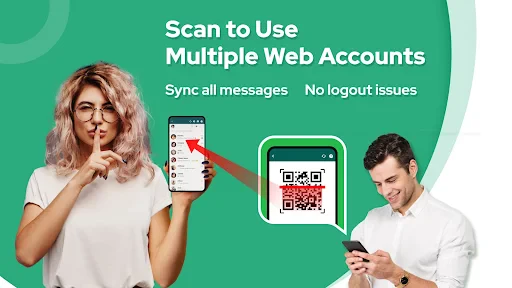


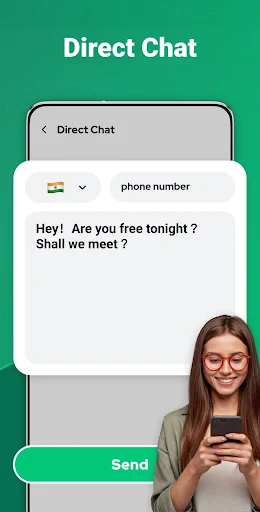
Description
About Dual App - Web Scanner App Feature
Dual App - Web Scanner App is a mobile application designed to enhance user convenience by creating a duplicate, or 'dual', instance of itself on the same device. This core functionality allows users to operate two independent accounts for the same web scanning service simultaneously. Primarily functioning as a QR code and barcode scanner, it extends its utility beyond simple scanning to include features like generating codes, sharing information, and managing scan history. By integrating the dual-space technology, the app solves a common modern dilemma: managing separate personal and work accounts for various online services without the need to constantly log in and out. It presents a streamlined, efficient solution for multitasking and account management within a single, secure interface, making it a practical tool for organized digital navigation.
Chapter 1: Function
The core function of Dual App - Web Scanner App is two-fold. First, it serves as a comprehensive web scanner. Users can quickly scan QR codes and barcodes using their device's camera to access embedded links, view product information, connect to Wi-Fi networks, and more. The app typically includes code generation tools, allowing users to create custom QR codes for URLs, contact details, or plain text. A history log keeps track of all scans for easy reference. The second, and defining, function is its built-in dual-space capability. This feature clones the app itself, creating a second, fully independent icon on the home screen. Each instance operates in complete isolation, with separate data storage, settings, and login sessions. This means a user can be logged into a work-related account in one instance and a personal account in the other, enabling seamless switching between the two identities without any data crossover or repeated authentication steps.
Chapter 2: Value
The primary value proposition of Dual App - Web Scanner App lies in its unique fusion of essential scanning utilities with powerful account management technology. Its key advantage is the unparalleled convenience it offers for users who need to maintain multiple digital identities. For professionals, this eliminates the friction of managing work and personal social media, messaging, or payment app accounts that are often accessed via QR codes. The app provides a secure and contained environment for each account instance, enhancing privacy by preventing accidental data leaks between profiles. Beyond the dual-space feature, the app delivers significant value as a robust and reliable scanner. It saves time by providing instant access to information encoded in QR and barcode formats, streamlining activities like online payments, website logins, and product comparisons. The ability to generate codes also adds creative utility for personal or business use. By consolidating these functions, the app reduces the need for multiple standalone applications, saving device storage and simplifying the user's toolkit. Its straightforward interface ensures that both the scanning and account separation features are accessible to users of all technical levels, making advanced smartphone functionality available to a broad audience.
Chapter 3: Scenarios
The primary target users for Dual App - Web Scanner App are individuals who navigate multiple online accounts in their daily lives. This prominently includes professionals and business owners who separate work and personal communications and transactions. For instance, a marketing manager might use one app instance to scan a QR code for a corporate event check-in with their work account, and another to scan a payment code at a cafe with their personal wallet. Social media managers handling several brand accounts also benefit greatly, using different cloned instances to access platform-specific QR codes for login or page linking. Students are another key group, often managing separate accounts for university portals, library access, and personal services. In everyday use, a user might employ the first instance to scan a QR code on a product to read reviews and the second to scan a code for a separate loyalty program. The app is equally valuable in scenarios requiring quick switching between accounts on services like PayPal, WhatsApp Web, or Discord, where logging in via QR code is common. It effectively caters to anyone seeking an organized, efficient, and private method to handle the growing demand for multiple digital identities without compromising on the fundamental utility of a fast and accurate code scanner.
Uninstall Instructions
For step-by-step guidance on how to safely remove this application from your device, please refer to our 《Uninstall Instructions》 document.
Pros
- scans documents directly within any web browser view
- creates separate
- secure vaults for personal and work scans
- one-tap conversion of web pages into clean PDF documents
- no need to save images before using document scanner
- organizes scans from web and camera in a unified library
Cons
- requires granting screen recording permission for web capture
- advanced PDF editing locked behind a subscription paywall
- scan quality depends on the source webpage's resolution
- dual vaults feature is redundant for single-profile users
- processing large web pages can drain battery quickly
Frequently Asked Questions
What is Dual App - Web Scanner App?
Dual App - Web Scanner App is a utility tool designed to scan QR codes and barcodes directly from your device's screen. Its core function is to capture and decode codes displayed on websites, social media, or other apps without needing a physical camera scan. It operates by taking a screenshot to analyze on-screen codes. The app positions itself as a convenient solution for quickly accessing links or information embedded in digital content.
Is Dual App - Web Scanner App free to use?
If scanning fails, ensure the QR code or barcode is clearly visible and fully displayed on your screen without glare or distortion. Check your device's screen brightness. The app requires permission to capture screen content; verify this is enabled in your device settings. For persistent issues, standard troubleshooting includes restarting the app or your device. No specific after-sales maintenance or dedicated support channel information is provided within the app's core attributes.
What devices and systems does this app support?
The app is free to download and use for basic scanning functions. It may include optional in-app purchases, such as removing advertisements or unlocking advanced features like batch scanning or history export. No additional physical equipment is required beyond a compatible smartphone. The app may request permissions for screen capture and storage to function properly.
How does the on-screen scanning feature work?
Dual App - Web Scanner App is developed for Android devices. Specific compatibility details regarding minimum Android version and device models are not provided in the available information. It is generally adapted for smartphones and may not be optimized for tablets or other systems like iOS. Users should check the Google Play Store listing for the most current requirements.
What should I do if the app fails to scan a code?
The app's unique on-screen scanning works by allowing you to capture a screenshot of your current display. It then analyzes the screenshot image to detect and decode any visible QR codes or barcodes. This process eliminates the need to point a camera at another screen, making it useful for capturing codes from videos, locked screen content, or within other applications where direct camera access is inconvenient.
App Info
Technical Info
Recommended For You

Webfic - Fantastic Reading
Books & Reference

ZoiPer Pro - SIP Softphone
Communication

Flowt Wear
Auto & Vehicles

Perfect Viewer Donation 2
Comics

Arch - AI Home Design
Art & Design

Libby, the Library App
Books & Reference

CL theme V1
Auto & Vehicles

AutoScout24: Buy & sell cars
Auto & Vehicles

Filtre for Selfie
Beauty

Freed Audiobooks
Books & Reference

GetCode - Virtual Number SMS
Business

Smarty Men Jacket Photo Editor
Beauty

EVgo - Fast EV Charging
Auto & Vehicles

GettingOut Visits
Communication

PERFUMIST Perfumes Advisor
Beauty

Dictionary - Merriam-Webster
Books & Reference

Monster Job Search
Business

Enphase Enlighten
Business

Watch Sync App - BT Notifier
Communication

Phone Dialer - Call Recorder
Communication