
QuickBooks Online Accounting
Screenshots
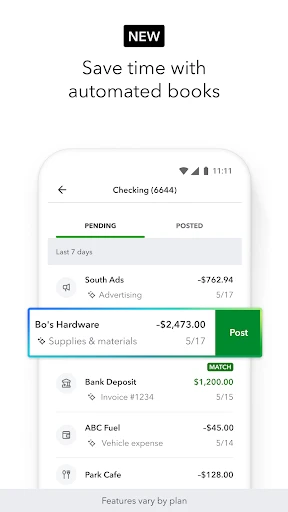
Description
About QuickBooks Online Accounting Feature – Streamlining Financial Management for Modern Businesses
QuickBooks Online Accounting is a comprehensive cloud-based financial management platform designed primarily for small to medium-sized businesses, freelancers, and accountants. It automates and centralizes core accounting tasks such as invoicing, expense tracking, payroll management, and financial reporting. By providing real-time access to financial data from any device with an internet connection, QuickBooks Online eliminates traditional bookkeeping complexities, enhances accuracy, and supports informed business decision-making. Its integration with numerous business applications and user-friendly interface make it a leading solution in the digital accounting software market.
Chapter 1: Function
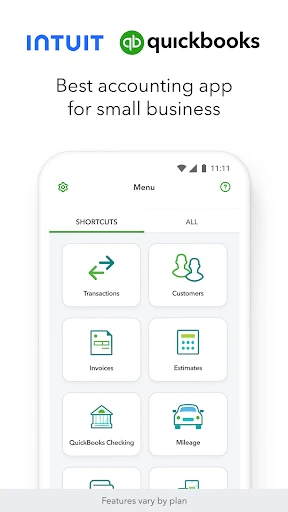
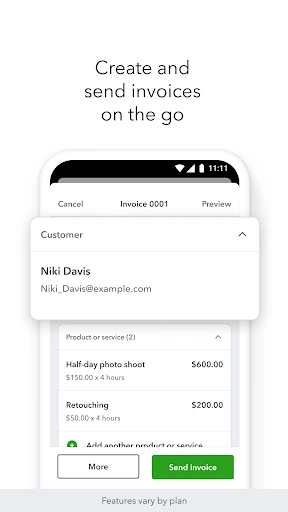
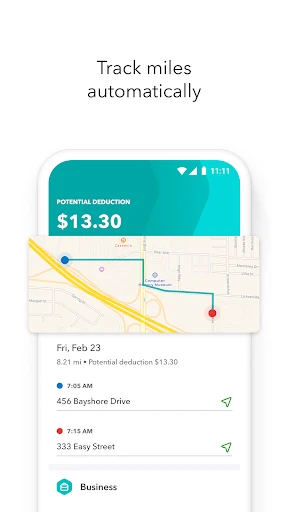
QuickBooks Online Accounting delivers a robust suite of core functions to manage business finances efficiently. Users can create and send customized professional invoices, accept online payments, and track payment statuses to improve cash flow. The app automatically imports and categorizes bank and credit card transactions, simplifying expense tracking and reconciliation. It facilitates comprehensive payroll processing, including tax calculations and direct deposits. Detailed financial reports—such as profit and loss statements, balance sheets, and cash flow forecasts—are generated instantly. Additionally, features like mileage tracking, inventory management, and 1099 contractor handling provide further operational support. All data is securely synchronized in the cloud, ensuring it is always current and accessible.
Chapter 2: Value
The primary value of QuickBooks Online Accounting lies in its ability to save time, reduce errors, and provide deep financial insight, thereby empowering business growth. Its key advantage is automation; by automating repetitive tasks like data entry and bank reconciliation, it minimizes manual effort and significantly lowers the risk of human error. The cloud-based architecture offers unparalleled accessibility and collaboration, allowing business owners, their teams, and accountants to work on the same real-time data from anywhere, fostering better financial oversight and teamwork. The platform's extensive ecosystem of third-party integrations connects with payment processors, CRM systems, and e-commerce platforms, creating a centralized hub for business operations. From a strategic standpoint, its advanced reporting and dashboard tools transform raw data into actionable intelligence, helping users monitor profitability, manage taxes efficiently, and make data-driven decisions. Furthermore, its scalable plans cater to businesses at different stages, from solopreneurs to growing companies with complex needs. This combination of efficiency, accessibility, and intelligence delivers a strong return on investment by streamlining financial administration and providing a clear, accurate picture of financial health.
Chapter 3: Scenarios
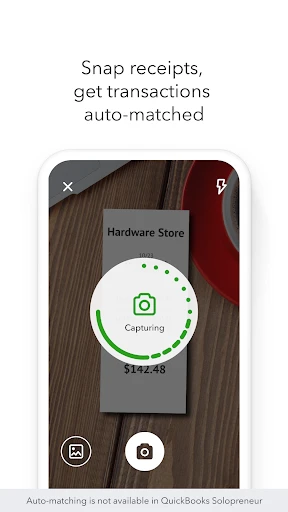
QuickBooks Online Accounting is ideally suited for several key user groups and daily scenarios. Small business owners and startups benefit immensely, using it daily to invoice clients, track expenses against bank feeds, and monitor their cash flow position to ensure operational stability. Freelancers and independent contractors utilize it to manage project-based billing, track deductible expenses, and simplify quarterly tax preparations. Accounting professionals and bookkeepers rely on the platform to manage multiple client books efficiently, using features like secure client access and batch transactions to enhance their service delivery. Common use cases include a retail shop owner using the inventory tracking feature to manage stock levels, a consulting firm generating and sending progress invoices to clients, and a restaurant manager processing staff payroll and tips at the end of a pay period. The mobile app extends these scenarios on the go, allowing a contractor to photograph a receipt for instant expense logging or a salesperson to check outstanding invoices while visiting a client.
Uninstall Instructions
For step-by-step guidance on how to safely remove this application from your device, please refer to our 《Uninstall Instructions》 document.
Pros
- automates bank transaction imports and categorization
- generates real-time profit and loss dashboards
- integrates payroll and sales tax filing workflows
- allows multi-user access with customizable permissions
- supports cloud-based collaboration with accountants
Cons
- requires stable internet for all core functions
- per-user monthly fees increase operational costs
- advanced inventory features need higher-tier plans
- initial setup demands thorough chart of accounts configuration
- report customization has a steeper learning curve
Frequently Asked Questions
What is QuickBooks Online Accounting?
QuickBooks Online is a cloud-based accounting software designed primarily for small to medium-sized businesses, freelancers, and self-employed individuals. Its core functions include invoicing, expense tracking, income and sales management, financial reporting, and payroll processing. It positions itself as an all-in-one financial management tool to help users manage their business finances from anywhere.
Is QuickBooks Online free to use?
QuickBooks Online is not a free application. It operates on a subscription-based model with several tiered plans (e.g., Simple Start, Essentials, Plus). Each plan offers different features, with pricing varying monthly or annually. There is typically a free trial period for new users. The software may also have integrations with paid services like payment processing or advanced payroll.
What devices and systems does QuickBooks Online support?
QuickBooks Online is a web-based application accessible through modern browsers like Chrome, Safari, Firefox, and Edge on Windows and macOS computers. It also offers dedicated mobile apps for iOS (iPhone/iPad) and Android devices, allowing for on-the-go access. As a cloud service, it requires a consistent internet connection for full functionality and data synchronization across all devices.
How does QuickBooks Online handle bank transaction imports?
QuickBooks Online can automatically import and categorize bank and credit card transactions through secure, direct connections to thousands of financial institutions. Users must link their accounts and grant necessary permissions. The software uses rules and machine learning to suggest categorizations, but manual review and adjustment are often required for accuracy. This feature is a core technical characteristic aimed at reducing manual data entry.
Can I get customer support if I encounter problems?
Yes, QuickBooks Online provides multiple customer support channels, including extensive online help articles, community forums, video tutorials, and live chat. Phone support is available, though access may depend on your subscription plan. For critical issues like data integrity, their support team can assist. It is recommended to consult the official help resources first for common usage problems.
App Info
Technical Info
Recommended For You

SketchPad - Doodle On The Go
Art & Design

TMOLector: Manga and Stories
Comics

Marco Polo - Video Messenger
Communication

World History Atlas
Books & Reference

CarParts.com
Auto & Vehicles

N5_Theme for Car Launcher app
Auto & Vehicles

Messages - SMS Texting App
Communication

Filter for Selfie
Beauty

Holy Bible Time-Verses&Audio
Books & Reference

Vehicleinfo - RTO Information
Auto & Vehicles

Skincare and Face Care Routine
Beauty

PCGS CoinFacts - U.S. Coin Val
Books & Reference

Whova - Event & Conference App
Business

АЗС Татнефть
Auto & Vehicles

iSharing: GPS Location Tracker
Communication

Pocket Toons
Comics

Tayasui Sketches
Art & Design

Learn how to draw - ArtWorkout
Art & Design

Contacts
Communication

Messages - SMS, Chat Messaging
Communication