
Texture Maker for Minecraft PE
Screenshots
Description
About Texture Maker for Minecraft PE Feature
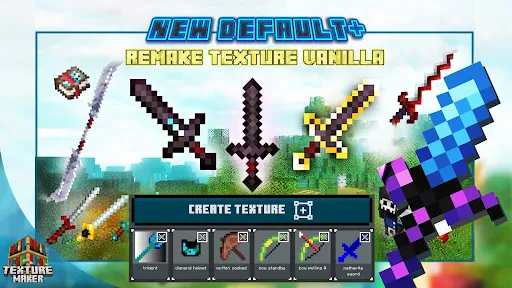
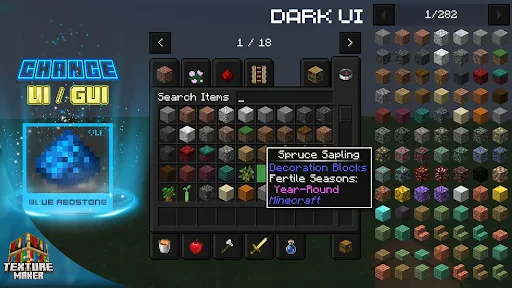
Texture Maker for Minecraft PE is a specialized mobile application designed for Minecraft Pocket Edition players who wish to customize their gaming experience. It serves as a comprehensive tool for creating, editing, and applying custom texture packs, skins, and HD graphics directly within the Minecraft PE environment. The app democratizes game personalization, offering an intuitive interface that transforms complex texture creation into an accessible process. By bridging the gap between professional-grade design and casual creativity, it empowers users to redefine block types, items, and character appearances, thereby fostering a more personalized and visually unique Minecraft world on mobile devices.
Chapter 1: Function
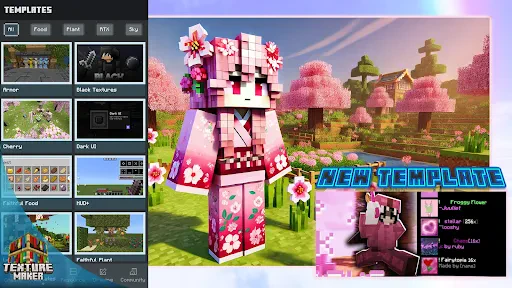
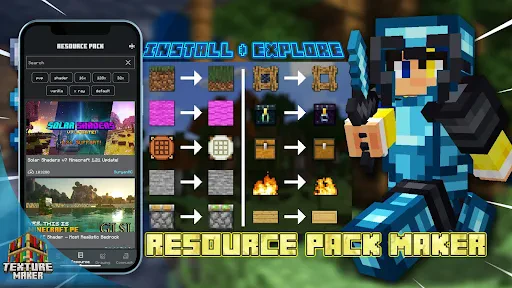
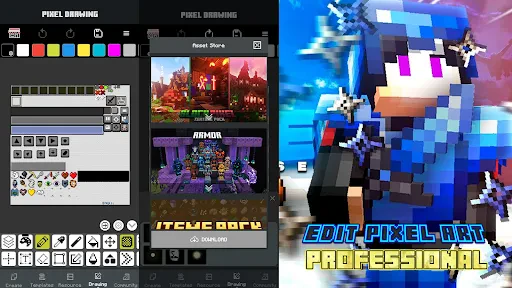
Texture Maker for Minecraft PE provides a suite of dedicated functions centered on customization. Its core capability is a robust texture pack editor, allowing users to import base textures and modify them pixel-by-pixel or apply broad stylistic changes. The app includes a skin creator for designing unique player avatars from scratch or editing existing templates. It features a user-friendly interface with drawing tools, color palettes, and preview functions to visualize changes in real-time. Furthermore, the app facilitates the direct management and application of these custom creations to Minecraft PE, handling the necessary file formatting and installation steps. This seamless integration simplifies the process of replacing default game assets with user-generated content, enabling full visual overhaul without requiring advanced technical knowledge.
Chapter 2: Value
The primary value of Texture Maker for Minecraft PE lies in its empowerment of player creativity and the enhancement of gameplay longevity. It provides significant advantages by lowering the technical barrier to game modification. Unlike manual file editing, the app offers a guided, all-in-one environment that makes professional-level customization accessible to a broad audience, including younger players. Its key advantage is the direct integration with Minecraft PE, ensuring compatibility and simplifying the installation process to a few taps, which eliminates common pain points associated with sideloading mods. The app also serves as an educational tool, introducing basic concepts of digital art and design through a familiar and engaging context. By enabling users to personalize their world profoundly, it increases engagement and ownership over the gaming experience. The ability to share and import creations within the community further amplifies its value, fostering a collaborative ecosystem of user-generated content. This transforms the game from a static experience into a dynamic platform for artistic expression, thereby significantly extending its replay value and personal relevance for each user.
Chapter 3: Scenarios
The primary target users for Texture Maker for Minecraft PE are Minecraft PE enthusiasts ranging from casual players to dedicated builders and young creators. A key user group includes players who feel limited by the default game aesthetics and seek to infuse their worlds with a unique personal or thematic style, such as medieval, futuristic, or cartoonish textures. It is equally valuable for community members and small server owners who wish to establish a distinct visual identity for their shared realms. In everyday use, a player might utilize the app to create a custom texture pack that gives blocks a more realistic look for an immersive survival build. A parent might use it alongside a child to design a family-themed skin, turning gameplay into a creative bonding activity. In educational scenarios, teachers could employ the app in digital literacy or art projects, allowing students to learn design principles by recolorizing game assets. The app is also practical for quick edits, such as modifying a skin for a special in-game event or adjusting the brightness of a texture pack for better visibility in specific biomes, making it a versatile tool for daily creative tweaks.
Uninstall Instructions
For step-by-step guidance on how to safely remove this application from your device, please refer to our 《Uninstall Instructions》 document.
Pros
- generates seamless textures from real-world photos
- one-tap export directly to Minecraft PE resource packs
- local processing ensures no network dependency for creation
- offers pixel-perfect control for retro-style texture design
- batch processing converts entire photo libraries quickly
Cons
- requires high-resolution photos for optimal texture quality
- advanced layering tools limited compared to desktop editors
- no direct community marketplace for sharing creations
- real-time preview in-game requires manual pack reloading
- large batch operations can strain device memory resources
Frequently Asked Questions
What is Texture Maker for Minecraft PE?
Texture Maker for Minecraft PE is a mobile application designed for Minecraft: Pocket Edition players. Its core function is to allow users to create, edit, and apply custom texture packs (resource packs) directly on their mobile devices. It provides tools for designing block, item, and entity textures, positioning itself as an on-the-go creative suite for personalizing the Minecraft PE visual experience without needing a PC.
Is Texture Maker for Minecraft PE free to use?
Yes, the app often includes community features allowing users to share their custom texture packs within the app's gallery or platform. You can typically browse, download, and import packs created by other users for inspiration or direct use. However, functionality for sharing packs externally (e.g., via third-party websites) depends on the app's export and file management capabilities.
Can I share or download texture packs made by others?
The app typically operates on a freemium model. It is free to download and offers basic texture editing features. However, advanced tools, export options, or the removal of watermarks often require a one-time purchase or a subscription. The app may contain ads. Always check the latest in-app purchase details on your platform's store page for current pricing.
What devices and systems does this app support?
Texture Maker for Minecraft PE is primarily developed for Android and iOS mobile devices. It is optimized for smartphones and tablets running recent versions of these operating systems. The app is specifically tailored for Minecraft: Pocket Edition (now part of Minecraft Bedrock Edition). It is not designed for the Java Edition of Minecraft or for use on desktop computers.
How do I apply my created texture pack in Minecraft?
After creating a texture pack in the app, you export it as a .mcpack file. Open your device's file manager, locate this file, and tap on it. This should automatically import the pack into Minecraft PE. Then, launch Minecraft, go to Settings > Global Resources, and activate your new pack. Ensure your Minecraft version is compatible with the pack format generated by the app.
App Info
Technical Info
Recommended For You

iDraw
Art & Design

NovelBar-Your Reading Haven
Books & Reference

Color Analysis - Dressika
Beauty

My Firestone
Auto & Vehicles

MERO - Programări Online
Beauty

Al Quran Kareem: القران الكريم
Books & Reference

Toonsutra: Webtoon & Comics
Comics

RateByFresh
Beauty

Tinker DIY
Auto & Vehicles

MessengerX App
Books & Reference
SelfComic: Sasuke Ninja Photo
Comics

Paint
Art & Design

Learn To Draw Step By Step
Art & Design

The Bible in pictures
Comics

Knots 3D
Books & Reference

Pixilart - Make Pixel Art
Art & Design

TeamViewer Remote Control
Business

Sunoco: Pay fast & save
Auto & Vehicles

FoxFi Key (supports PdaNet)
Communication

AutoZone Auto Parts & Repair
Auto & Vehicles