
FaceSwap: Aging & Cartoon Me
Screenshots
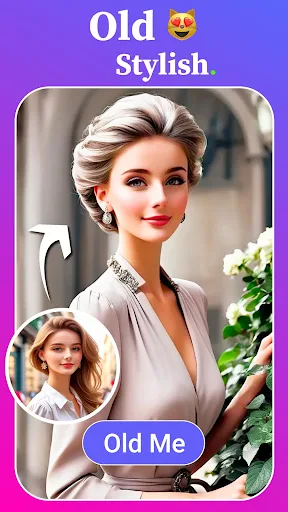


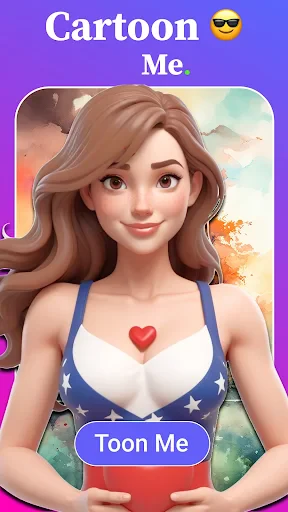
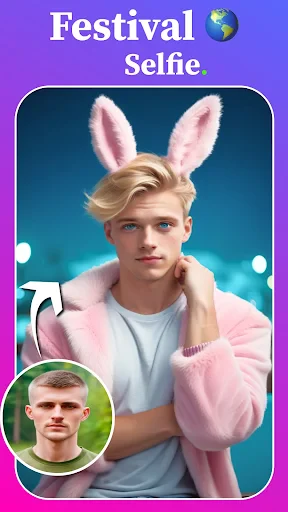
Description
About FaceSwap: Aging & Cartoon Me Feature
FaceSwap: Aging & Cartoon Me is an innovative and entertaining mobile application that leverages advanced facial recognition and image processing technologies. It allows users to upload their photos and seamlessly swap faces with friends, family, or celebrities, or transform their own portraits into various creative versions. The app's standout features include simulating future aged appearances and converting photos into charming cartoon or artistic styles. Designed with an intuitive interface, it offers a fun, accessible, and highly shareable experience for users looking to explore their image in imaginative new ways.
Chapter 1: Function
The core functionality of FaceSwap: Aging & Cartoon Me centers on three primary image manipulation features. First, the face swap tool enables users to select two photos and accurately interchange the faces, producing humorous or surprising composite images. Second, the aging filter applies realistic aging effects to a portrait, showing how one might look decades into the future with detailed wrinkles, gray hair, and other age-related characteristics. Third, the cartoonizer converts a standard photo into a range of cartoon or illustrated styles, from anime and comics to watercolor paintings. The app processes these transformations quickly, typically requiring just a few taps. It also includes a gallery to save creations and direct sharing options to social media platforms.
Chapter 2: Value
The primary value proposition of FaceSwap: Aging & Cartoon Me lies in its ability to deliver instant, high-quality entertainment and creative expression at no cost. It democratizes sophisticated AI-driven photo editing, making it easy for anyone without technical skills to engage in playful digital identity exploration. A key advantage is the quality and realism of its transformations, particularly the aging effect, which often yields surprisingly plausible results, sparking curiosity and conversation. The cartoon filters are diverse and vibrant, appealing to users seeking a unique profile picture or a piece of digital art. Furthermore, the app fosters social connection by generating shareable content that amuses friends and followers online. Its lightweight design ensures smooth operation on most devices without excessive storage demands. By focusing on specific, fun transformations rather than complex professional editing, it carves a distinct niche in the crowded photo app market, providing reliable amusement and a quick creative outlet that encourages repeated use and viral sharing.
Chapter 3: Scenarios
The app primarily targets casual users seeking entertainment and social media enthusiasts looking for engaging content. Key user groups include teenagers and young adults who enjoy sharing humorous face swaps with peers or creating trendy cartoon avatars for their online profiles. Families and friends at gatherings use it for ice-breaking fun, swapping faces among group photos to create memorable keepsakes. Another significant scenario involves individuals curious about their future appearance, using the aging filter for a blend of amusement and introspection. Content creators and social media influencers may utilize the app to generate unique, eye-catching visuals for their posts and stories. In everyday use, a person might quickly transform a selfie into a cartoon version during a break, share an aged photo with a caption about future plans, or swap faces with a famous movie character for a laugh, all within a minute, making it a perfect tool for spontaneous digital fun.
Uninstall Instructions
For step-by-step guidance on how to safely remove this application from your device, please refer to our 《Uninstall Instructions》 document.
Pros
- real-time aging simulation with high skin texture detail
- cartoon filter library tailored for portrait transformation
- one-tap face swap across multiple media formats
- offline processing ensures private data security
- optimized for low-mid range mobile gpu performance
Cons
- requires consistent front-facing lighting for best results
- limited to single-face swaps in group photos
- aging effects lack intermediate age progression stages
- cartoon styles may oversimplify facial features
- high-resolution exports require in-app purchases
Frequently Asked Questions
What is FaceSwap: Aging & Cartoon Me?
FaceSwap: Aging & Cartoon Me is a photo-editing application focused on facial transformation. Its core functions allow users to swap faces between photos, simulate aging effects, and convert portraits into cartoon-style avatars. It utilizes AI technology to automatically map and blend facial features, offering a quick and entertaining way to create humorous or imaginative images from personal photos.
Is the app free to use, and are there in-app purchases?
The app processes photos locally on your device or on its servers to perform face swaps and transformations. Its privacy policy should detail data usage, but typically, photos are temporarily uploaded for processing and not stored permanently. It requires camera and gallery permissions. For safety, avoid using highly sensitive photos and review the app's privacy policy for specific data retention and sharing practices.
What devices and systems is this app compatible with?
The app is typically free to download and use for basic features. However, it includes in-app purchases to unlock premium content such as higher-quality results, additional filters, cartoon styles, aging effects, and the removal of watermarks or ads. Subscription plans or one-time purchases may be offered for full access to all unique features and templates.
How does the app handle user photos and privacy?
FaceSwap: Aging & Cartoon Me is primarily designed for modern smartphones. It is available for both iOS and Android operating systems. Specific version requirements, such as iOS 13.0+ or Android 8.0+, apply. For optimal performance, a device with a capable processor and a good-quality front/rear camera is recommended to handle the AI-powered image processing effectively.
Why is my face swap result blurry or misaligned?
Blurry or misaligned results often occur due to low-quality input photos, poor lighting, or significant differences in head angle and size between the source faces. For best results, use clear, front-facing, well-lit photos with similar poses. The app's AI may also struggle with accessories like glasses or extreme facial expressions. Trying different photos or manually adjusting the face position can improve the outcome.
App Info
Technical Info
Recommended For You

Email - Fast and Smart Mail
Communication

Metro
Communication

Video AI - AI Hug & Kiss Maker
Art & Design

Homebase: Employee Scheduling
Business

Legion Workforce Engagement
Business

TrueCar Used Cars and New Cars
Auto & Vehicles

Driver Pulse by Tenstreet
Business

Filtre for Selfie
Beauty

Switch Natural
Beauty

My Verizon For Business
Business

Paint
Art & Design

ComEd
Business

Enphase Enlighten
Business

Boat Trader
Auto & Vehicles

Fuelio: gas log & gas prices
Auto & Vehicles

Bookshelf-Your virtual library
Books & Reference

Tattoo Maker - Tattoo Design
Art & Design

Smart Watch app - BT Notifier
Communication

Firefox Fast & Private Browser
Communication

Messages: SMS Messaging
Communication