Krita
Screenshots


Description
About Krita Feature – A Professional-Grade Digital Painting Studio
Krita is a free, open-source digital painting application designed primarily for illustrators, concept artists, comic book creators, and matte painters. Developed by artists for artists, it offers a comprehensive suite of tools that rival commercial software, making professional-grade digital art creation accessible to everyone. Its core philosophy centers on providing a robust, customizable, and intuitive workspace tailored to the creative workflow. Available across Windows, macOS, and Linux platforms, Krita has evolved through community collaboration into a powerful tool trusted by hobbyists and professionals worldwide for sketching, painting, and image editing.
Chapter 1: Function
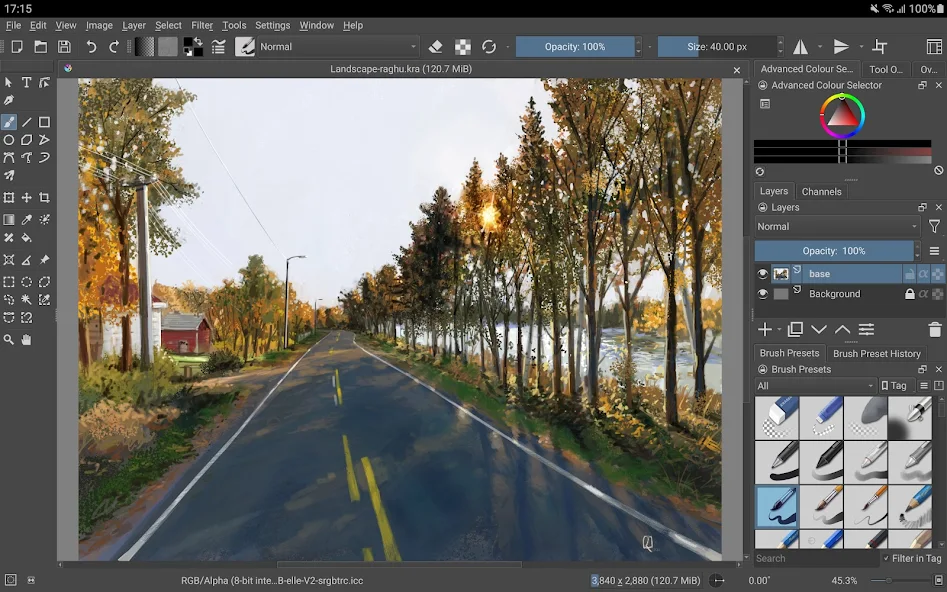
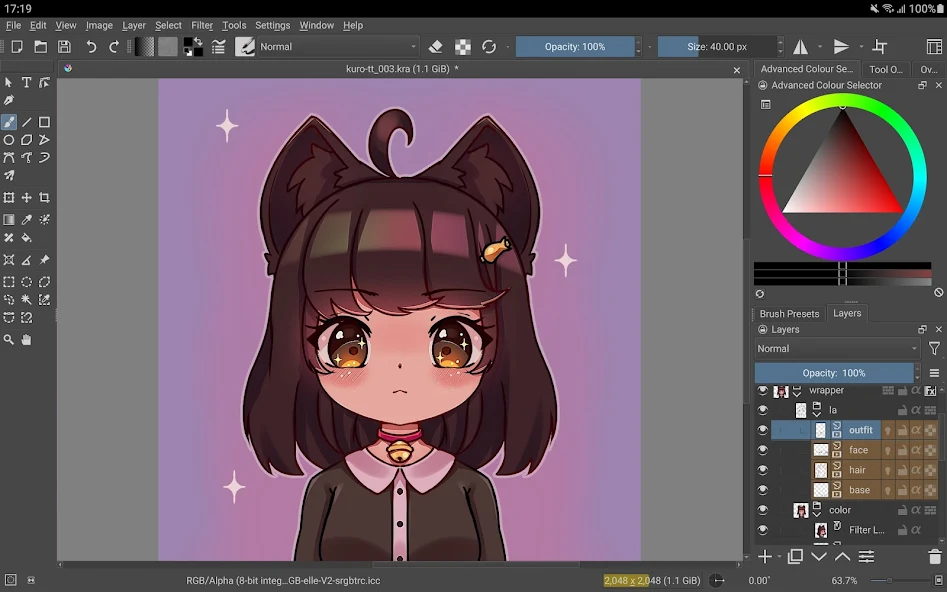
Krita's functionality is built around a powerful brush engine, which is the heart of its painting capabilities. It features over a hundred professionally crafted brushes, including pencils, inks, charcoals, and various textured paintbrushes, all highly customizable. The app supports advanced layer management with blend modes, non-destructive filter layers, and vector layers for scalable text and shapes. Key tools include the Wrap-around mode for creating seamless textures, the Pop-up Palette for quick brush selection, and the Stabilizer for smooth line drawing. It also provides full support for graphic tablets, including pressure sensitivity, tilt, and rotation. For animation, Krita includes a built-in timeline editor for creating frame-by-frame animations. Its resource manager allows users to import and share brush packs, gradients, and patterns, continuously expanding its creative potential.
Chapter 2: Value
Krita's primary value proposition lies in delivering professional-level features completely free of charge, eliminating the financial barrier to entry for digital art. Its open-source nature ensures transparency, continuous community-driven improvement, and freedom from vendor lock-in. Compared to many paid alternatives, Krita excels in its specialized focus on painting and drawing, offering a brush engine and workflow optimizations that are highly regarded by digital painters. Key advantages include exceptional brush customization, allowing artists to tailor tools to their exact needs, and superior stabilizer functions for achieving incredibly smooth lines. The software is lightweight, stable, and respectful of user privacy, collecting no data. Furthermore, its active global community provides extensive tutorials, documentation, and free resource packs, creating a supportive ecosystem for learning and growth. This combination of high-end capability, zero cost, and ethical development makes Krita an invaluable and empowering tool in the digital art landscape.
Chapter 3: Scenarios
Krita is ideally suited for a diverse range of digital artists and specific use cases. The primary user groups include aspiring artists and students learning digital painting without the budget for expensive software, freelance illustrators and concept artists who require reliable tools for client work, and comic book creators who benefit from its powerful inking tools and panel management features. Everyday scenarios involve creating detailed digital paintings and illustrations from scratch, designing characters and environments for games or films, sketching and inking comic pages, and producing textures for 3D models. It is also widely used for creating digital watercolor or oil painting simulations, crafting concept art, and producing short 2D animations. From hobbyists sketching in their spare time to professionals delivering commercial projects, Krita provides a versatile and capable studio environment for bringing creative visions to life.
Uninstall Instructions
For step-by-step guidance on how to safely remove this application from your device, please refer to our 《Uninstall Instructions》 document.
Pros
- offers desktop-grade brush engine on mobile
- supports high-bit-depth color and HDR painting
- open-source with no subscription fees or ads
- compatible with PSD files and animation workflows
- provides extensive layer and filter options
Cons
- steep learning curve for non-professional users
- high resource consumption on older devices
- mobile UI can feel cluttered compared to rivals
- limited cloud sync compared to subscription apps
- some advanced features require manual configuration
Frequently Asked Questions
What is Krita and what is it used for?
Krita is a free, open-source digital painting application primarily designed for illustrators, concept artists, and comic creators. Its core functions focus on professional-grade raster-based painting, offering a full suite of brushes, layer management, and advanced color handling. It is not a general-purpose photo editor like Photoshop, but is specifically optimized for creating original artwork from scratch, supporting workflows from sketching to final rendering.
Is Krita completely free to use?
Yes, Krita is completely free to download and use without any subscriptions, in-app purchases, or trial limitations. It is funded through donations and the development of paid training resources. The application itself does not contain ads or require any payment for its core professional features, brush packs, or updates. This makes it a cost-effective alternative to commercial digital painting software.
What systems and devices does Krita support?
Krita is available for desktop operating systems including Windows (7 and later), macOS (10.12 and later), and Linux (via various distributions). It also has an unofficial, early-access version for Android on the Google Play Store, optimized for devices with stylus support like Chromebooks and tablets. However, there is no version for iOS or iPadOS. It is designed for use with a stylus and graphics tablet for the best experience.
How does Krita handle pressure sensitivity and brushes?
Krita has robust support for pressure-sensitive graphics tablets (Wacom, Huion, etc.), translating stylus pressure into brush size, opacity, or other settings. It features a highly customizable brush engine with over 100 default brushes, including unique brush types like the Wrap-around mode for creating seamless textures and the Dynamic Brush tool for animating brush strokes. Users can also create, import, and share their own brush presets.
Can Krita be used for animation?
Yes, Krita includes a built-in animation workspace with tools for frame-by-frame raster animation. It supports onion skinning, audio import for timing, and exporting animations in common formats like MP4, GIF, and image sequences. While it is powerful for creating short animations, storyboards, or sprite sheets, it is not a dedicated vector or 3D animation suite and focuses primarily on hand-drawn, 2D animation workflows.
App Info
Technical Info
Recommended For You

Barber Chop
Beauty

Texture Maker for Minecraft PE
Art & Design

Blink Beauty Cam: Photo Makeup
Beauty

FantacyStory: novels, fictions
Books & Reference

Merlin Bird ID by Cornell Lab
Books & Reference

True Talk - Global Wifi Calls
Communication

Workvivo
Business

myQQ – Quick Quack
Auto & Vehicles

ComiQuest - Comic Reader
Comics
Clay Box
Art & Design

imo video calls and chat HD
Communication

AI Art Generator: AI Picture
Art & Design

10-4 by WEX
Auto & Vehicles

DMV Practice Test Permit Genie
Auto & Vehicles

RhymeZone Rhyming Dictionary
Books & Reference

Haircare app for women
Beauty

GIF Sticker & WAsticker
Communication

Session - Private Messenger
Communication
FPS Shooting Gun Games Offline
Comics
Mango: Lector de Manga Español
Comics