
AniDraw: 2D Draw Animation
Screenshots
Description
About AniDraw: 2D Draw Animation Feature
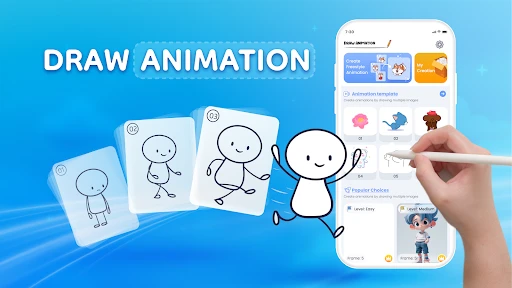
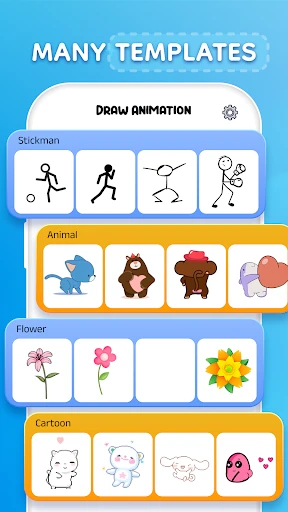
AniDraw: 2D Draw Animation is a professional-grade mobile application designed for creating traditional hand-drawn frame-by-frame animations. It transforms tablets and smartphones into portable animation studios, empowering artists, animators, and enthusiasts to bring their illustrations to life directly on their devices. The app emphasizes a streamlined, intuitive workflow that mirrors the classical animation process, from sketching and line art to coloring and sequencing. With a focus on simplicity and powerful core features, AniDraw lowers the technical barrier to 2D animation while providing the essential tools needed for producing smooth, expressive animations suitable for personal projects, social media content, and professional storyboarding.
Chapter 1: Function
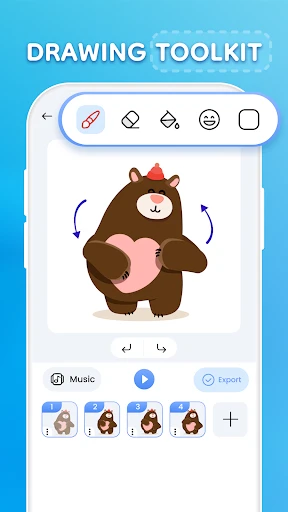
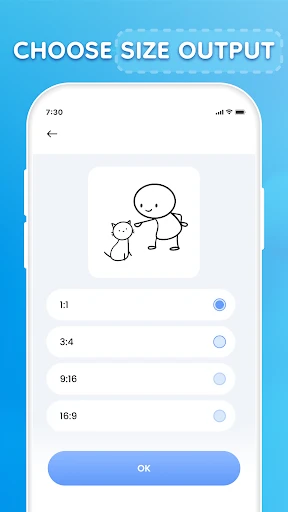
AniDraw: 2D Draw Animation centers its functionality on a classic, frame-by-frame animation workflow. At its core is the timeline and onion skinning feature, which allows users to see previous and subsequent frames as semi-transparent overlays, ensuring precise control over movement and consistency. The app provides a comprehensive set of digital drawing tools, including customizable brushes, pencils, and erasers, alongside layers for organizing artwork. Users can manage their animation through a frame manager, easily duplicating, deleting, or reordering frames. Key functions also include adjustable playback speed for testing animations, the ability to import images as backgrounds or references, and export options in popular formats like GIF and video. The interface is designed to be unobtrusive, maximizing the canvas space for drawing while keeping essential controls within easy reach.
Chapter 2: Value
The primary value of AniDraw lies in its dedicated focus and accessibility. Unlike generic drawing apps with animation as an add-on, AniDraw is built from the ground up for animation, offering a purpose-built environment that simplifies a complex art form. Its key advantage is the professional-grade onion skinning and timeline control, which are crucial for creating fluid motion and are implemented with remarkable clarity and responsiveness on a mobile device. This makes high-quality frame-by-frame animation truly portable. Furthermore, the app strikes an excellent balance between capability and usability. It avoids overwhelming users with excessive bells and whistles, instead providing robust, reliable tools that work seamlessly together. This thoughtful design reduces friction in the creative process, allowing artists to focus on the art of animation itself rather than software navigation. The export functionality ensures creators can easily share their work across platforms, from social media to video editing suites. For its price point, AniDraw delivers exceptional value by demystifying 2D animation and placing a potent, studio-like tool directly into the hands of anyone with a creative idea, fostering learning and artistic expression without a significant financial investment in desktop software or hardware.
Chapter 3: Scenarios
AniDraw: 2D Draw Animation serves a diverse range of users across various creative scenarios. Its primary target groups include animation students and hobbyists who are learning the principles of movement and timing; the app serves as an ideal digital sketchbook for practice and experimentation. Independent digital artists and illustrators can use it to add simple, engaging animations to their character designs or comic panels, enhancing their online portfolios and social media presence with eye-catching motion content. Furthermore, educators and storyboard artists find it valuable for creating quick, clear sequential visuals to explain concepts or plan out scenes. In everyday use, an artist might use AniDraw to animate a waving character for a personal sticker pack, a student might create a short looping walk cycle as a homework assignment, or a content creator could produce an animated title sequence for a YouTube video. Its portability means these animations can be sketched and refined anywhere—during a commute, in a coffee shop, or while away from a desktop setup—making it a perfect companion for capturing spontaneous creative ideas and turning them into moving art.
Uninstall Instructions
For step-by-step guidance on how to safely remove this application from your device, please refer to our 《Uninstall Instructions》 document.
Pros
- creates smooth animations with simple vector stroke drawing
- real-time onion skinning for precise frame-by-frame control
- exports lightweight SVG/APNG formats maintaining scalability
- minimalist timeline interface reduces beginner learning curve
- frame tagging system enables non-linear animation editing
Cons
- vector-based workflow limits textured brush effects
- no bone rigging tools for character animation automation
- svg export requires separate software for video conversion
- performance degrades with 100+ complex vector layers
- cloud sync exclusive to paid subscription tier
Frequently Asked Questions
What is AniDraw and what can I create with it?
AniDraw is a mobile application designed for creating 2D frame-by-frame animations. Its core function is to provide a streamlined, touch-optimized workspace for drawing individual frames and playing them back as smooth animations. It is positioned as an accessible tool for hobbyists, storyboard artists, and beginners to bring simple characters, stickers, or short animated loops to life directly on their devices.
Is AniDraw free to use, or does it have in-app purchases?
The process uses traditional onion skinning techniques. You draw a frame, and the app shows semi-transparent ghost images of the previous and next frames as a reference for your current drawing. This allows for precise control over motion and timing. You can add, delete, duplicate, and reorder frames on a timeline, and preview the animation in real-time to adjust the flow.
Can I export and share my animations from AniDraw?
AniDraw operates on a freemium model. The app can be downloaded and used for basic animation creation at no initial cost. However, it offers in-app purchases to unlock advanced features such as additional layers, higher frame rate exports, premium brushes, or the removal of watermarks from saved videos. Specific pricing and package details are available within the app's store section.
What devices and systems are compatible with AniDraw?
AniDraw is primarily developed for iOS and Android mobile devices. It is optimized for smartphones and tablets with touchscreens and stylus support (like Apple Pencil or S-Pen). For precise system version requirements (e.g., iOS 14.0+ or Android 8.0+), users should check the current listing on the official App Store or Google Play Store, as these specifications may be updated.
How does the frame-by-frame animation process work in AniDraw?
Yes, AniDraw allows you to export your finished animations. Typical export formats include video files (like MP4) or GIFs, which can be saved to your device's gallery or shared directly to social media platforms and messaging apps. Export resolution and frame rate may depend on the app version and your device's capabilities. Some advanced export options might require a premium upgrade.
App Info
Technical Info
Recommended For You

Grubhub for Drivers
Business

Draw Anime: AR Drawing Sketch
Art & Design

Messages - SMS Texting App
Communication

Carvana: Buy/Sell Used Cars
Auto & Vehicles

Car Launcher Pro
Auto & Vehicles

Quran Majeed – القران الكريم
Books & Reference
Tor OBD2 Diagnostics
Auto & Vehicles

Switch Natural
Beauty

Mangamello - مانجاميلو
Comics

LinkedIn: Jobs & Business News
Business

Carista OBD2
Auto & Vehicles

Standup Wireless
Communication

Discord - Talk, Play, Hang Out
Communication

Bookmory - reading tracker
Books & Reference

Crafto
Art & Design

مانجا للصغار
Comics

DAT One
Business

Glam AI
Beauty

2nd Line - Second Phone Number
Communication

Skincare Routine
Beauty