
Invoice Maker - Invoice Fly
Screenshots
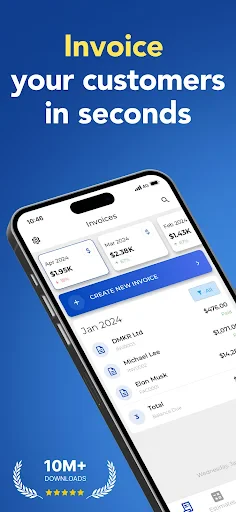
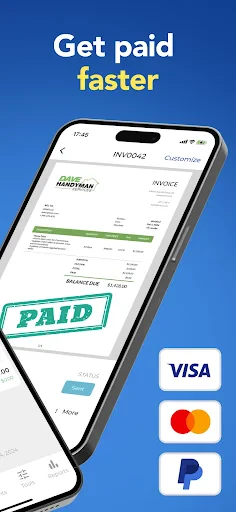
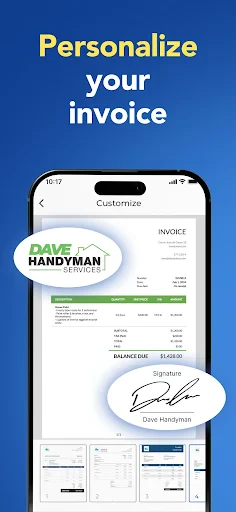


Description
About Invoice Maker - Invoice Fly Features
Invoice Maker - Invoice Fly is a professional and user-friendly mobile application designed for freelancers, small business owners, and service providers to create, manage, and send invoices directly from their smartphones. It streamlines the billing process by offering a suite of tools that transform complex financial documentation into a simple, quick task. The app stands out for its intuitive interface, allowing users to generate polished invoices in minutes, track payments, and manage client information efficiently. By digitizing and automating the invoicing workflow, Invoice Fly empowers professionals to focus more on their core work and less on administrative paperwork, making it an essential tool for modern, on-the-go entrepreneurship.
Chapter 1: Function
Invoice Maker - Invoice Fly provides a comprehensive set of core functions centered on creating and managing financial documents. Users can generate customized invoices by adding their business logo, contact details, and tax information. The app allows for the detailed listing of services or products, including descriptions, quantities, rates, and applicable taxes, with automatic calculation of totals and subtotals. It supports the creation of estimates, which can later be converted into invoices with a single tap. Furthermore, the app enables users to maintain a client database, track the status of sent invoices (paid, unpaid, overdue), and send invoices directly to clients via email or messaging apps as PDF attachments. Basic expense tracking and financial reporting features are also included, offering a consolidated view of business income.
Chapter 2: Value
The primary value proposition of Invoice Maker - Invoice Fly lies in its ability to deliver professional-grade invoicing capabilities with remarkable simplicity and affordability. Its key advantage is the significant time savings it offers; users can create and send a detailed invoice in under two minutes, eliminating the need for complex accounting software or manual spreadsheet calculations. The app enhances professionalism by providing access to a variety of customizable invoice templates, ensuring that every document sent to clients reflects a polished and credible business image. Another critical value is improved cash flow management. Features like payment status tracking, overdue reminders, and easy payment record-keeping help users monitor outstanding payments proactively, reducing delays in revenue collection. The app operates offline, allowing for invoice creation anytime, anywhere, with data syncing once connectivity is restored. This mobility is crucial for field service technicians, contractors, and consultants who work on-site. Compared to subscription-based services, Invoice Fly often adopts a one-time purchase or freemium model, presenting exceptional cost-effectiveness for small businesses and solo entrepreneurs. By consolidating invoicing, estimates, client management, and basic reporting into a single, accessible platform, it removes administrative friction and contributes directly to operational efficiency and business growth.
Chapter 3: Scenarios
Invoice Maker - Invoice Fly primarily targets freelancers, independent contractors, and small to medium-sized business owners across various industries. Key user groups include consultants, photographers, designers, writers, repair technicians, tutors, and retail vendors. For a freelance graphic designer, the app is used after project completion to quickly generate a detailed invoice listing design hours and deliverables, sending it instantly to the client via email. A self-employed plumber can use it on-site to create an estimate for a repair job, convert it to an invoice once the work is approved and completed, and accept a record of payment immediately. Small online shop owners utilize the app to manage orders, issue receipts, and track monthly sales from multiple customers. In everyday use, the app is ideal for scenarios requiring prompt billing after service delivery, during client meetings to provide instant quotes, or while traveling without reliable internet access. It serves as a digital financial assistant for anyone needing to streamline their billing cycle, maintain organized records for tax purposes, and present a consistently professional image to their clientele without investing in expensive accounting infrastructure.
Uninstall Instructions
For step-by-step guidance on how to safely remove this application from your device, please refer to our 《Uninstall Instructions》 document.
Pros
- generates professional invoices in under a minute
- offers extensive template customization for various industries
- stores client and item details for rapid reuse
- exports directly to pdf for email or print
- calculates tax and totals automatically with each entry
Cons
- requires in-app purchase for unlimited invoice creation
- advanced reporting features need a subscription
- cloud sync limited to single device on free tier
- template editor has a steep learning curve initially
- locks some branding options behind paywall
Frequently Asked Questions
What is Invoice Maker - Invoice Fly?
Invoice Maker - Invoice Fly is a mobile application designed for freelancers, small business owners, and contractors to create, send, and manage professional invoices and estimates directly from their smartphones or tablets. It falls under the business and productivity category. Its core positioning is to simplify billing and bookkeeping for mobile-first users.
Is Invoice Maker - Invoice Fly free to use?
The app typically operates on a freemium model. You can download it for free and access basic invoice creation features. However, advanced functionalities like sending unlimited invoices, removing watermarks, using custom templates, or accessing detailed reports usually require a subscription or one-time in-app purchase. The app itself does not require additional hardware.
What devices and systems is the app compatible with?
Invoice Maker - Invoice Fly is primarily available for iOS and Android mobile devices. It is optimized for smartphones but may also be used on tablets. The app requires a stable internet connection for certain functions like sending invoices via email or cloud sync. Specific version requirements can be found on its official App Store or Google Play listing.
How does the app handle data security and backup?
The app stores data locally on your device. For backup and sync across devices, it may offer integration with cloud storage services like Google Drive, Dropbox, or iCloud, often as part of its premium features. Users are responsible for maintaining their own backups. The app requests permissions necessary for its functions, such as storage for saving PDFs.
Can I customize invoice templates and accept payments?
Yes, the app provides various professional templates that can be customized with your logo, colors, and business details. Regarding payments, it can generate invoices with payment terms and links. However, it does not process payments directly. You can add your PayPal, Stripe, or other payment gateway details for clients to use, but transaction processing occurs on those external platforms.
App Info
Technical Info
Recommended For You

Taximeter
Auto & Vehicles

Staffmark WorkNOW
Business

Cookie Cutters
Beauty

HomeWAV
Communication

Salesforce
Business

Cast Phone to TV, Chromecast
Business

Threema. The Secure Messenger
Communication

Esports Logo Maker
Art & Design

طاقچه؛ کتاب الکترونیکی و صوتی
Books & Reference

Kelley Blue Book: We Know Cars
Auto & Vehicles

Virtual Dyno PRO
Auto & Vehicles

AI Photo Editor: BG Remover
Art & Design

Xcel Energy
Business

Invoice Simple: Invoice Maker
Business

BookFunnel
Books & Reference

OBD2 Car Scanner - ELM Torque
Auto & Vehicles

Beauty Camera: Sweet Camera
Beauty

Bible Hub
Books & Reference

Al Quran Sharif for Muslim
Books & Reference

AlfaOBD
Auto & Vehicles