
Photoleap: AI Photo Generator
Screenshots

Description
About Photoleap: AI Photo Generator Features
Photoleap: AI Photo Generator is a powerful mobile application that leverages advanced artificial intelligence to transform photo editing and creation. Developed by Lightricks, it empowers users to go beyond traditional editing, enabling them to generate, manipulate, and enhance images with sophisticated AI-driven tools. The app merges professional-grade features with an intuitive interface, making complex creative processes accessible to both amateurs and professionals. At its core, Photoleap utilizes generative AI models to produce stunning visuals from text descriptions, seamlessly remove or alter elements, and apply artistic effects, positioning itself as a comprehensive creative suite for the modern digital artist.
Chapter 1: Function
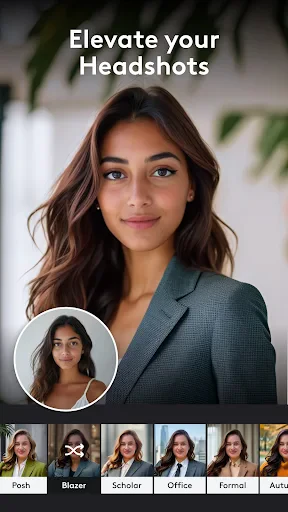
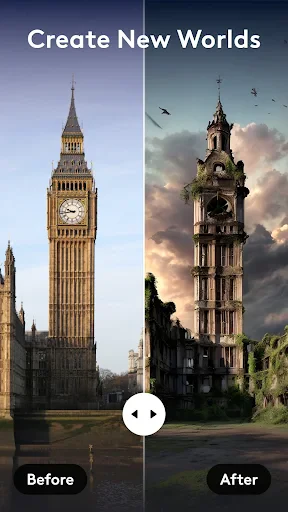
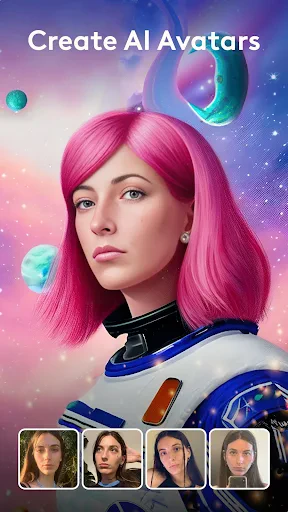
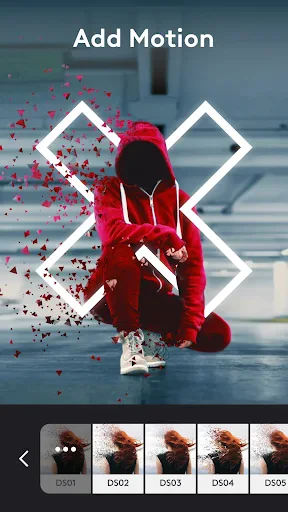
Photoleap's core functionality revolves around AI-powered image generation and manipulation. Its flagship feature is the AI Image Generator, which creates unique, high-quality images from textual prompts, allowing users to visualize any concept. Beyond generation, the app offers robust editing tools like the AI Background Remover, which instantly isolates subjects, and the AI Brush for precise, smart selections and edits. Users can blend multiple images seamlessly, apply intricate layer-based compositions, and utilize a vast library of artistic filters and effects. Features such as AI Style Transfer transform photos into artworks mimicking famous styles, while AI Enhance automatically improves image quality. These tools are integrated into a layer-based workspace, providing granular control over every element of the composition, from adjustment layers to blending modes.
Chapter 2: Value
The primary value of Photoleap lies in its democratization of high-end photo manipulation and generative art. It significantly reduces the technical barrier and time investment traditionally required for such tasks. For creative professionals, it offers a portable, powerful tool for brainstorming, prototyping, and executing complex visual ideas without needing desktop software. Its AI generation capability provides immense value by turning abstract ideas into tangible visuals instantly, fueling inspiration and content creation. The app's non-destructive, layer-based editing preserves workflow flexibility, akin to professional software. Key advantages include its output quality, which rivals many desktop applications; the speed and accuracy of its AI tools like background removal; and the continuous introduction of cutting-edge AI features. Furthermore, it consolidates multiple tools—a generator, editor, and artistic lab—into one platform, eliminating the need to switch between apps. This all-in-one approach, combined with regular updates that incorporate the latest AI advancements, ensures users have a future-proof toolkit at their fingertips, making it a cost-effective and versatile solution for diverse visual projects.
Chapter 3: Scenarios
Photoleap primarily serves digital content creators, social media marketers, graphic design enthusiasts, and artists seeking innovative expression. For social media influencers and marketers, it is ideal for crafting eye-catching posts, stories, and advertisements, using AI generation to produce original imagery and quick editing to tailor content for different platforms. Graphic designers and illustrators can use it for rapid concept sketching, creating composite images, or applying unique textures and effects to their work. Hobbyist photographers benefit from its enhancement tools to perfect shots and explore artistic reinterpretations of their photos. In everyday use, a user might generate a fantasy landscape for a book cover, remove a distracting object from a vacation photo, design a logo by blending elements, or create a digital painting from a simple portrait. Students and educators in visual arts can utilize it as a practical tool for learning design principles and AI art techniques. Essentially, any scenario requiring quick visual ideation, professional-grade editing on the go, or the transformation of ordinary images into extraordinary artworks represents a perfect use case for Photoleap.
Uninstall Instructions
For step-by-step guidance on how to safely remove this application from your device, please refer to our 《Uninstall Instructions》 document.
Pros
- generates complex AI images from simple text prompts
- offers in-app layer editing for AI-generated graphics
- one-tap background removal powered by neural networks
- integrates AI art creation with professional compositing tools
- runs advanced diffusion models locally on device
Cons
- requires in-app purchases for full-resolution exports
- high-fidelity generation consumes significant battery
- advanced features need learning for non-designer users
- offline mode limits model variety and style options
- realistic human face generation can show artifacts
Frequently Asked Questions
What is Photoleap and what are its core functions?
Photoleap is a mobile photo editing application that utilizes artificial intelligence. Its core functions include AI-powered object removal and background replacement, professional layer-based editing tools, artistic style transfer, and AI image generation from text prompts. It positions itself as a versatile tool for both quick AI-enhanced edits and complex, multi-layer graphic design projects directly on a smartphone.
Is Photoleap free to use or does it require payment?
Photoleap operates on a freemium model. The app can be downloaded and used for free with access to basic tools and a limited number of AI generations. A subscription, typically billed annually or monthly, is required to unlock all premium features, including unlimited AI generations, high-resolution exports, and the full library of advanced editing tools and effects. In-app purchases for specific asset packs may also be available.
What devices and systems is Photoleap compatible with?
Photoleap is primarily designed for iOS and Android mobile devices. It is available for download on the Apple App Store for iPhones and iPads and on Google Play for Android phones and tablets. The app is optimized for touch interfaces and mobile workflows. There is no dedicated desktop version, but edited projects are saved within the app's ecosystem on the device where it is installed.
How does the AI image generation feature work?
The AI image generator in Photoleap creates new images based on text descriptions (prompts) you provide. You enter a detailed text prompt describing the desired scene, style, and elements. The AI model then interprets this text and generates a unique visual. Users can typically adjust aspects like style intensity or select from different AI models. Generated images can be further edited using the app's other tools like layers and filters.
Can I edit existing photos with AI tools in Photoleap?
Yes, Photoleap offers several AI tools for editing existing photos. Key features include the AI Background Remover to isolate subjects, AI Object Remover to erase unwanted elements from scenes, and AI Style Transfer to apply the artistic technique of one image to your photo. These tools analyze your uploaded image and perform complex edits automatically, which can then be fine-tuned manually using the standard editing suite.
App Info
Technical Info
Recommended For You

CreArt - AI Image Generator
Art & Design

Билеты ПДД 2025 и Экзамен ПДД
Auto & Vehicles

Package Tracker - pkge Mobile
Business

Knots 3D
Books & Reference

Superhero Flying speedster
Comics

Sky Tonight - Star Gazer Guide
Books & Reference

Booktime
Books & Reference

Temp Mail - Temporary Email
Communication

Textify- Art Font Photo Editor
Art & Design

NuFACE
Beauty

Nail Art Design : Nails Polish
Beauty

Daily Bible Devotion & Prayer
Books & Reference

StoryGraph
Books & Reference

InnoCaption Live Call Captions
Communication

BOMTOON - 正版授權網漫
Comics

AT&T Visual Voicemail
Communication

Watch Sync App - BT Notifier
Communication
AR Tracer: Trace Drawing
Art & Design

Phone Dialer - Call Recorder
Communication

Nail Art Design Ideas
Beauty