
Vault - Hide Pics, App Lock
Screenshots




Description
About Vault - Hide Pics, App Lock Feature
Vault - Hide Pics, App Lock is a comprehensive privacy protection application designed for mobile devices. It functions as a secure digital locker, allowing users to conceal private photos, videos, and other sensitive files behind a secure passcode or biometric authentication. Beyond media vaulting, its core offering extends to application locking, enabling users to restrict access to any installed app, thereby creating a private and secure zone on their device. The app presents itself with a discreet icon and employs advanced encryption to safeguard user data, making it a popular choice for individuals seeking to enhance their personal digital privacy.
Chapter 1: Function
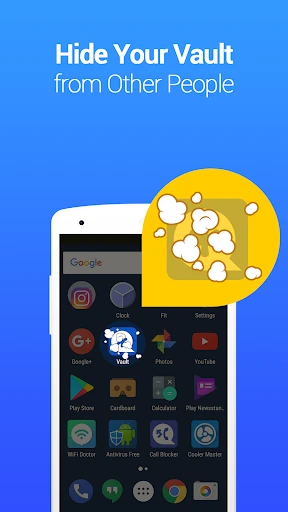
Vault - Hide Pics, App Lock operates on two primary functional pillars. First, it serves as an invisible gallery and vault. Users can import photos and videos from their public device gallery into the app's secure, password-protected space. Once inside the vault, these files are encrypted and removed from the system's standard gallery, becoming invisible to other apps and prying eyes. The second core function is application locking. Users can select any application, such as messaging apps, social media, or banking apps, and protect them with a PIN, pattern, or fingerprint lock. The app also includes auxiliary features like a break-in alert that captures photos of anyone entering an incorrect password, a decoy mode with a fake crash screen, and cloud backup options for secured files, ensuring both accessibility and security.
Chapter 2: Value
The primary value proposition of Vault - Hide Pics, App Lock lies in its empowerment of user privacy and control in an increasingly transparent digital world. Its key advantage is the provision of a simple yet powerful tool to create a personal, secure compartment on a shared or personal device. By employing strong encryption standards for hidden files, it offers peace of mind that sensitive memories or documents are protected from unauthorized access, even if the device is lost or borrowed. The app locking feature adds a crucial second layer of security beyond the device's main lock, specifically guarding sensitive applications containing personal communications and financial data. This is particularly valuable for parents wishing to restrict children's access to certain apps or for professionals preventing casual browsing of work-related applications. Furthermore, its intuitive and user-friendly interface lowers the barrier for non-technical users to implement robust privacy measures. The combination of media concealment, app locking, and clever security alerts like the intruder selfie camera delivers a holistic and proactive privacy solution, distinguishing it from simpler file-hiding tools and making digital privacy management both comprehensive and convenient.
Chapter 3: Scenarios
Vault - Hide Pics, App Lock caters to a wide range of user groups with distinct privacy needs. A primary target audience includes individuals who share their devices with family members, friends, or colleagues and wish to keep specific photos, messages, or apps private. For instance, parents may use it to lock social media or banking apps to prevent accidental or unauthorized use by children. Professionals can safeguard work-related documents and communication apps on a personal device. Another significant user group comprises privacy-conscious individuals who seek to protect sensitive personal media, such as identification documents, financial records, or private photos, from potential exposure if their phone is lost or stolen. The app is also highly relevant in environments where device security is paramount but physical supervision is not always possible. Everyday use cases involve quickly hiding newly taken photos, locking messaging apps like WhatsApp or Telegram before handing the phone to a friend, or using the decoy vault feature to present a plausible alternative under pressure. It effectively serves anyone who desires discrete, app-level control over their digital footprint without requiring complex technical knowledge.
Uninstall Instructions
For step-by-step guidance on how to safely remove this application from your device, please refer to our 《Uninstall Instructions》 document.
Pros
- effectively hides photos behind a calculator facade
- intruder selfie feature captures unauthorized access attempts
- operates as a fully offline app for enhanced privacy
- includes a decoy vault option for plausible deniability
- locks specific apps using a secure overlay mechanism
Cons
- free version limits video storage and app lock features
- calculator disguise may not bypass advanced device inspections
- offline operation complicates recovery if password is forgotten
- app lock overlay can occasionally conflict with system gestures
- basic interface lacks the polish of mainstream gallery apps
Frequently Asked Questions
What is Vault - Hide Pics, App Lock?
Vault is a privacy-focused utility app for Android and iOS. Its core function is to securely hide private photos, videos, and lock other apps behind a password, PIN, or fingerprint. It positions itself as a personal vault, moving sensitive content from your public gallery into an encrypted, disguised space. Basic usage involves setting a master password and then selecting media to hide or apps to lock within the Vault interface.
Is Vault free to use or does it have in-app purchases?
Vault operates on a freemium model. The core hiding and locking functions are free. However, advanced features typically require a premium upgrade via in-app purchase. These may include cloud backup, decoy passwords, stealth mode (hiding the Vault icon), or enhanced file management. The app may display ads in the free version. Specific pricing tiers are set by the developer and can be viewed within the app's settings or store page.
How does Vault protect my hidden photos and videos?
Vault uses on-device encryption for stored files. Content moved into Vault is removed from your public gallery and stored in the app's private, password-protected space. It does not upload your media to its servers by default for basic hiding. Some advanced cloud backup features, if subscribed to, would involve secure transmission. The app also offers break-in alerts, fake crash screens, and can be disguised as a calculator or other utility to avoid detection.
Can I use Vault to lock social media and banking apps?
Yes, the App Lock feature allows you to lock any application installed on your device, including social media (WhatsApp, Instagram), banking, email, or gallery apps. When you try to open a locked app, Vault will prompt for your master password, PIN, or biometric authentication. This function requires the 'Usage Access' permission on Android to monitor app launches. Note that locking system-critical apps may cause unexpected behavior and is not recommended.
What happens to my hidden files if I uninstall the app?
Uninstalling Vault without first restoring your hidden files to the public gallery will likely result in permanent data loss. The encrypted vault storage is tied to the app installation. It is crucial to use the app's built-in export or restore function to move files back to your device storage before uninstallation. For premium users with cloud backup, a reinstall may allow data recovery by logging into the linked account, but this is not guaranteed. Always back up your vault data independently.
App Info
Technical Info
Recommended For You

PERFUMIST Perfumes Advisor
Beauty

NIV Bible
Books & Reference

KJV Daily Bible - Verse+Audio
Books & Reference

Veryable: Work. Next Day Pay
Business

Metro
Communication

Trace Drawing-Sketch and Paint
Art & Design

Carly — OBD2 car scanner
Auto & Vehicles

Shopify - Your Ecommerce Store
Business

Paylocity
Business

OBD2 Car Scanner - ELM Torque
Auto & Vehicles

Ulta Beauty: Makeup & Skincare
Beauty

AI Face Swap Video App-Swapme
Art & Design

inCarDoc Pro | OBD2
Auto & Vehicles

League of Comic Geeks
Comics

Discount Tire
Auto & Vehicles

Hair Color Changer: Change you
Beauty

Fragrantica Perfumes
Beauty

QuickBooks Online Accounting
Business

Girls Hairstyle Step By Step
Beauty

Meta Ads Manager
Business