
FolderSync Pro
Screenshots


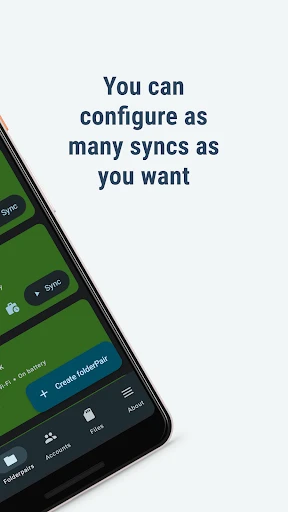


Description
About FolderSync Pro Feature – Seamless Cross-Platform File Synchronization
FolderSync Pro is a powerful and versatile Android application designed for robust file synchronization and backup between mobile devices and various cloud storage or network services. It transcends the basic functionality of simple file managers by offering automated, scheduled, and rule-based transfers, ensuring that critical data is consistently up-to-date across all connected platforms. By supporting a wide array of protocols including WebDAV, FTP, SFTP, SMB, and major cloud services like Google Drive, Dropbox, OneDrive, and many others, it acts as a central hub for data management. The app is tailored for users who demand reliability, granular control over their data flows, and the ability to maintain a unified file ecosystem across personal and professional digital spaces, all from the convenience of their Android device.
Chapter 1: Function
FolderSync Pro's core functionality revolves around creating and managing synchronized folder pairs. A user defines a local folder on their Android device and pairs it with a remote folder on a supported cloud or network storage service. The app then performs the synchronization based on user-defined rules and schedules. Key operational functions include bidirectional sync, where changes in either location are mirrored to the other; one-way upload for backup purposes; and one-way download for accessing cloud files locally. Users can configure connection settings for each account, set filters to include or exclude specific file types, and choose conflict resolution strategies. Synchronization can be triggered manually, on a schedule (e.g., hourly, daily), or in response to events like device charging or Wi-Fi connectivity, ensuring efficient and intelligent data transfer without constant manual intervention.
Chapter 2: Value
The primary value proposition of FolderSync Pro lies in its unparalleled reliability, extensive compatibility, and deep customization, positioning it as an essential tool for proactive data management. Unlike many first-party cloud apps that operate in silos, FolderSync Pro breaks down barriers between services, enabling seamless data flow across disparate platforms, which is invaluable for users leveraging multiple cloud ecosystems. Its key advantages include robust automation; once configured, sync tasks run reliably in the background, freeing users from repetitive manual uploads or downloads. The support for a vast range of protocols, from common clouds to private servers, offers exceptional flexibility for both personal and enterprise environments. Advanced features like file versioning, sync logging for troubleshooting, and the ability to sync only over specific networks (like Wi-Fi) to conserve mobile data provide granular control and peace of mind. The 'Pro' version removes ads and unlocks all features, including two-way sync for all account types and priority support, ensuring a professional-grade, uninterrupted experience. For a one-time purchase, it delivers enduring value by safeguarding data integrity and streamlining digital workflows far more effectively than free, limited alternatives.
Chapter 3: Scenarios
FolderSync Pro is ideally suited for several distinct user groups who prioritize data consistency and accessibility. Professionals and freelancers who work across multiple devices and need to keep project files, documents, and backups synchronized between their phone, tablet, and various cloud storages will find it indispensable. Photographers and content creators can use it to automatically upload photos and videos from their device to a cloud backup or a personal NAS immediately after capture, serving as a critical disaster recovery step. Students and researchers can maintain an updated library of papers and notes across their devices and cloud accounts. System administrators and tech-savvy users benefit from its ability to sync with FTP/SFTP and SMB servers for managing website files or network resources. Everyday use cases include automatically backing up device photos to Google Drive, syncing a music folder from a home server to the phone, keeping a work document folder mirrored between OneDrive and the device, or downloading important files from a cloud account to the local storage for offline access. It transforms the Android device into a dynamic and secure node in a user's broader data infrastructure.
Uninstall Instructions
For step-by-step guidance on how to safely remove this application from your device, please refer to our 《Uninstall Instructions》 document.
Pros
- supports two-way sync across 30+ cloud and local protocols
- scheduled sync tasks run reliably in the background
- detailed sync logs and conflict resolution options
- advanced filters for including/excluding specific file types
- local network sync without internet using SMB/WebDAV
Cons
- steep learning curve for non-technical users
- requires persistent notification for background tasks
- no built-in file preview or editor
- initial setup for advanced rules can be time-consuming
- material design update lags behind stock android
Frequently Asked Questions
What is FolderSync Pro and what does it do?
FolderSync Pro is a file synchronization and backup application for Android. Its core function is to automatically sync files and folders between your mobile device and various cloud storage services (like Google Drive, Dropbox) or remote servers (via SFTP, WebDAV). It performs scheduled, real-time, or manual backups and transfers, positioning itself as a powerful tool for managing data across platforms.
Is FolderSync Pro free to use or does it have in-app purchases?
FolderSync Pro is a paid application with a one-time purchase cost. There is no free version under this name; the 'Pro' designation indicates it's the full, premium product. The purchase grants access to all features without subscriptions or recurring fees. It does not contain in-app purchases or ads after the initial buy.
What devices, systems, or groups is FolderSync Pro adapted for?
FolderSync Pro is designed exclusively for Android devices. It supports a wide range of Android versions, though the specific minimum requirement may vary per release. It is not available for iOS, Windows, or macOS. The app is suitable for both individual users and professionals needing robust cross-cloud file management on the Android ecosystem.
How does FolderSync Pro handle real-time sync and scheduling?
FolderSync Pro offers multiple sync triggers. You can set up scheduled syncs at intervals (hourly, daily, etc.) or use real-time syncing based on file system changes (requires a background service). It also supports manual sync initiation. The app provides detailed technical options like sync direction (two-way, upload, download), conflict resolution rules, and filters for file types/sizes.
Can FolderSync Pro sync files directly between two cloud services?
No, FolderSync Pro cannot sync directly between two remote cloud services. It operates as a hub between your Android device's local storage and one remote service per sync pair. To move files between clouds, you would typically sync one cloud to a local folder, then sync that folder to the second cloud service, requiring two separate sync jobs.
App Info
Technical Info
Recommended For You

Beauty Camera Selfie Makeup
Beauty

eHub
Business

Dual App - Web Scanner App
Communication

Stitch Photos: Long Screenshot
Art & Design

Mister Car Wash
Auto & Vehicles

Mangamo Manga & Comics
Comics

Vivaldi Browser - Fast & Safe
Communication

InnoCaption Live Call Captions
Communication

AnyDesk Remote Desktop
Business

scan my tesla
Auto & Vehicles

Messages - SMS, Chat Messaging
Communication

Marco Polo - Video Messenger
Communication

Weargram
Communication

TeamSpeak 3 - Voice Chat
Communication

CarParts.com
Auto & Vehicles

Google Chrome
Communication

Garmin Drive™
Auto & Vehicles

Fonto - story font for IG
Art & Design

GlossGenius
Beauty

BOSS Revolution: Call & Top up
Communication