
Boost Mobile
Screenshots


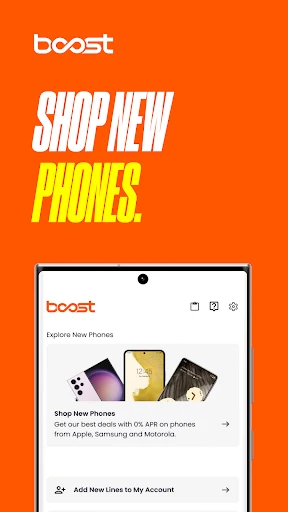

Description
About Boost Mobile App Features – Seamless Wireless Management
The Boost Mobile app is the official companion application for Boost Mobile customers, a prominent prepaid wireless service provider in the United States. Designed to empower users with full control over their mobile plans and accounts, the app delivers a convenient, self-service digital experience. It consolidates essential account management, payment, and support functions into a single, user-friendly interface accessible from any smartphone. By bridging the gap between the customer and their wireless service, the Boost Mobile app simplifies the traditionally complex tasks of plan management, making it an indispensable tool for subscribers seeking efficiency and transparency in their mobile communications.
Chapter 1: Function
The Boost Mobile app provides a comprehensive suite of tools for managing your prepaid wireless account. Its core functions center on account oversight and transactional ease. Users can view their current plan details, including data usage, remaining high-speed data balance, and plan expiration date. The app facilitates seamless bill payments through integrated secure payment options, allowing customers to add funds using credit/debit cards or retail payment barcodes. It enables plan management, such as switching between available prepaid plans or adding extra data boosts as needed. Furthermore, the app offers direct access to customer support, including live chat and troubleshooting guides, and allows users to manage their device settings, such as reviewing or purchasing add-ons like international calling credits. Essentially, it puts the full functionality of a Boost Mobile store directly into the customer's pocket.
Chapter 2: Value
The primary value proposition of the Boost Mobile app lies in its empowerment of customers through convenience, cost control, and enhanced transparency. It eliminates the need for physical store visits or lengthy phone calls for routine tasks, saving users significant time and effort. The app's real-time usage tracking is a key advantage, providing clear, up-to-date insights into data, talk, and text consumption. This transparency helps users avoid unexpected overage charges and manage their prepaid budgets more effectively. Financially, the app often features exclusive app-only promotions and discounts on plans or add-ons, delivering direct monetary value. Its user interface is designed for simplicity, ensuring that both tech-savvy individuals and those less familiar with digital tools can navigate their account with ease. By consolidating payments, plan changes, and support into a single, reliable platform, the app reduces friction in the customer experience, fostering a sense of autonomy and control. This digital-first approach aligns with modern consumer expectations for immediate, on-demand service, strengthening customer loyalty by making the Boost Mobile service more accessible and manageable than ever before.
Chapter 3: Scenarios
The Boost Mobile app primarily serves Boost Mobile's prepaid wireless subscribers across diverse demographics. A key target group is budget-conscious individuals and families who prioritize predictable monthly expenses and seek to avoid long-term contracts. For them, the app is a daily or weekly tool to check data balances before streaming videos or using navigation services. Young adults and students, often digitally native, appreciate the instant self-service for topping up their plans or resolving issues without interrupting their daily routines. Frequent travelers or gig economy workers who rely heavily on mobile data for work use the app to promptly purchase data add-ons when nearing their limit to maintain productivity. Additionally, individuals managing accounts for family members, such as parents overseeing their children's phone lines, find immense value in the app's centralized management and usage monitoring capabilities. Everyday scenarios include quickly paying a bill while commuting, switching to a higher-data plan before a trip directly from the phone, using the in-app chat for immediate technical support, or scanning a payment barcode at a retail store to reload the account. The app seamlessly integrates into the daily life of any user who values straightforward, on-the-go control over their wireless service.
Uninstall Instructions
For step-by-step guidance on how to safely remove this application from your device, please refer to our 《Uninstall Instructions》 document.
Pros
- no annual contracts or credit checks required
- unlimited data plans with flexible monthly pricing
- includes mobile hotspot data in most plans
- nationwide coverage using multiple major networks
- easy self-service activation via app or online
Cons
- network priority may be lower than postpaid users
- limited high-speed data on some budget plans
- device selection is mostly limited to mid-range models
- physical store support varies by location
- international roaming features are minimal
Frequently Asked Questions
What is Boost Mobile and what does it do?
Boost Mobile is a mobile virtual network operator (MVNO) app. Its core function is to manage your prepaid wireless phone service. Through the app, you can check your data usage, pay your bill, add money to your account, recharge your plan, and manage account details. It serves as a primary self-service portal for customers, eliminating the need to visit a store or call customer service for common account tasks.
Is the Boost Mobile app free to use?
Yes, the Boost Mobile application is free to download and use. However, it is a service management tool for Boost Mobile customers. To use its core features like payment and plan management, you must have an active, paid Boost Mobile prepaid service plan. The app itself does not charge any subscription or usage fees.
What devices and systems is the Boost Mobile app compatible with?
The Boost Mobile app is designed for smartphones. It is available for download on both iOS and Android operating systems. You can get it from the Apple App Store for iPhones (typically requiring iOS 12 or later) and from the Google Play Store for Android devices (typically requiring Android 8.0 or later). It is not designed for tablets or desktop computers as a primary platform.
How do I pay my bill or add money in the Boost Mobile app?
Within the app, navigate to the 'Pay Bill' or 'Add Money' section after logging into your account. You can securely pay using a saved or new credit/debit card, PayPal, or other digital payment methods supported by the platform. The app also allows you to enable Auto Recharge for automatic payments before your service cycle ends. Payments are processed immediately to your account balance.
What should I do if I can't log in to the Boost Mobile app?
First, ensure you are using the correct phone number and account PIN. If forgotten, use the 'Forgot PIN' feature on the login screen to reset it via SMS. Also, check your internet connection and ensure you have the latest app version installed from your device's official app store. If issues persist, you must contact Boost Mobile Customer Support directly, as the app does not provide in-app live chat or ticket support for login failures.
App Info
Technical Info
Recommended For You

مانجا بلاير - Manga Player
Comics

Men's Hair Cuts & Hairstyles
Beauty

Bolt for Tesla - Tasker Plugin
Auto & Vehicles

Arvin® - AI Logo Maker
Art & Design

AMarkets: Trade & Invest
Business

IPSY: Personalized Beauty
Beauty

ESV Bible
Books & Reference

Proton Mail: Encrypted Email
Communication

CaptionCall
Communication

Virtual Dyno PRO
Auto & Vehicles

YouVersion Bible App + Audio
Books & Reference

DScanner - Camera Scanner
Business

AlfaOBD
Auto & Vehicles

AI Image Generator - Dali
Art & Design

The General® Auto Insurance
Business

Gmail
Communication

MangaToon: Comic & Manga
Comics

Messenger - SMS Messages
Communication

Carmin
Auto & Vehicles

SelfComic: Sasuke Ninja Photo
Comics