
Messages: SMS Messaging
Screenshots


Description
About Messages: SMS Messaging Feature
Messages: SMS Messaging is the default messaging application pre-installed on most Android devices, designed to handle traditional SMS and MMS communication. It serves as a central hub for text-based conversations, providing a clean and intuitive interface for sending and receiving messages with contacts. While fundamentally built for standard carrier messaging, many versions of the app now integrate modern chat features like RCS (Rich Communication Services) where supported, enabling enhanced messaging experiences similar to popular internet-based apps. It remains an essential, system-level tool for direct and universal communication, requiring no additional account setup beyond a working phone number.
Chapter 1: Function
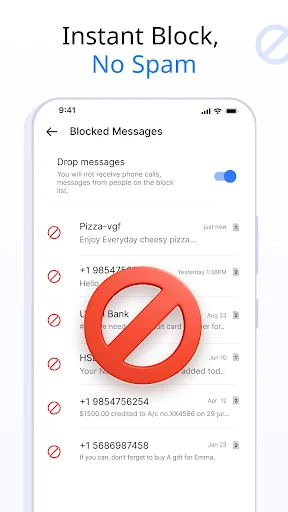
The core function of the Messages app is to facilitate text-based communication via SMS and MMS. It allows users to send and receive individual or group text messages, share high-quality photos and videos through MMS, and view sent and received statuses. The app manages contact integration, displaying conversations in a threaded chat interface for easy history tracking. Key operational features include message drafting, delivery reports, and blocking capabilities for unwanted contacts. In its advanced iterations, the app supports RCS, offering typing indicators, read receipts, and higher-quality media sharing over Wi-Fi or data, all within the familiar SMS messaging framework. It also typically provides organization tools like message archiving, search functionality, and spam protection.
Chapter 2: Value
The primary value of Messages: SMS Messaging lies in its universality, reliability, and deep integration with the Android ecosystem. As a default application, it requires no downloads or separate accounts for basic use, making it instantly accessible. Its most significant advantage is the guaranteed delivery to any mobile number worldwide, irrespective of the recipient's device or internet connection, a critical fallback where data services are unavailable. For users with RCS-enabled carriers and contacts, the app elevates the experience to rival feature-rich messaging platforms, offering encrypted chats, larger file sharing, and better group management without abandoning the standard SMS backbone. This duality ensures seamless communication across all contact types. Furthermore, its system-level integration allows for functionalities like message pop-ups, default handling for verification codes, and potential synergy with other device features like Google Assistant. The app's design prioritizes simplicity and speed, reducing friction in everyday communication. By combining the widespread reach of SMS with the enhanced capabilities of RCS, it presents a powerful, unified messaging solution that balances backward compatibility with modern expectations for a connected chat experience.
Chapter 3: Scenarios
The Messages app is indispensable for any Android user who relies on their phone number for primary communication. Its core user group includes individuals who need a straightforward, reliable method to stay in touch with friends, family, and colleagues, especially those who may not use the same third-party messaging apps. It is particularly valuable in professional settings for receiving appointment reminders, delivery notifications, and two-factor authentication codes from businesses. Everyday use cases span from coordinating weekend plans with a group via SMS/MMS, sharing a quick photo from an event with a contact who lacks a smartphone, to having extended, feature-rich RCS conversations with friends on supported networks. It is also crucial in areas with poor or expensive mobile data, where SMS remains the most cost-effective and dependable option. For the broader population, it serves as the universal communication layer that works with every mobile phone, ensuring no contact is ever out of reach.
Uninstall Instructions
For step-by-step guidance on how to safely remove this application from your device, please refer to our 《Uninstall Instructions》 document.
Pros
- integrates all messaging channels into one unified inbox
- smart categorization automatically separates personal and promotional texts
- offers one-tap quick replies from the notification shade
- built-in search function finds specific texts and media swiftly
- scheduled messaging feature for sending texts at optimal times
Cons
- advanced features like auto-reply require a paid subscription
- initial setup for multi-app aggregation can be time-consuming
- scheduled messages may fail without stable background app refresh
- rich media previews can occasionally load slowly
- smart categorization sometimes mislabels important business messages
Frequently Asked Questions
What is Messages: SMS Messaging?
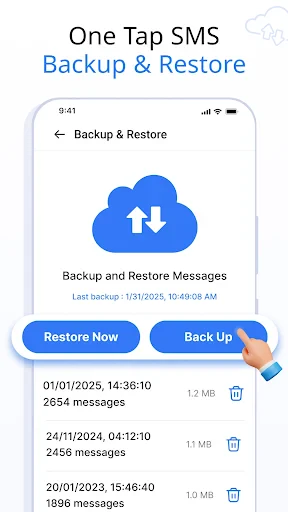
Messages: SMS Messaging is a free mobile application for Android that serves as an alternative SMS and MMS messaging client. Its core function is to send and receive text messages, group chats, and multimedia messages. It positions itself as a lightweight, customizable messaging app with a focus on user privacy, offering features like message scheduling, backup, and a clean interface. It does not support advanced messaging protocols like RCS and operates using standard cellular networks.
Is the app completely free to use?
The Messages: SMS Messaging app is free to download and use for core SMS/MMS functionality. It may contain optional in-app purchases for premium features such as advanced customization themes, enhanced backup options, or ad removal. The app does not require any subscription for basic texting. It displays advertisements in its free version. No additional hardware is needed beyond a standard Android phone with cellular service.
What devices and systems does this app support?
Messages: SMS Messaging is designed exclusively for Android devices. It is not available for iOS, Windows, or other operating systems. It typically supports a wide range of Android versions, commonly from Android 5.0 (Lollipop) and above, but specific version requirements may vary with updates. The app requires standard permissions like access to your SMS/MMS, contacts, storage for media, and phone state to function as your default messaging application.
How does it protect my privacy compared to other apps?
The app emphasizes local privacy by processing your messages on your device. It states that it does not collect or store your personal messages, conversations, or contact lists on its own servers. Core messaging data remains on your phone. Some privacy-focused features may include app lock functionality and local backup options. For definitive details on data collection for app functionality or ads, users should review the developer's privacy policy linked in the app store listing.
Can I schedule text messages with this app?
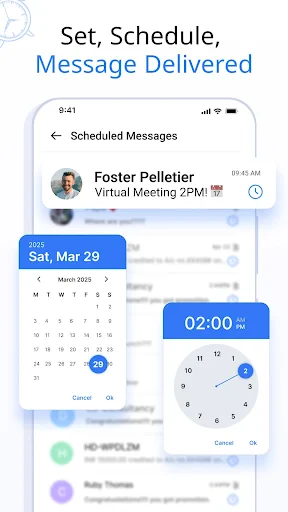
Yes, one of the highlighted features of Messages: SMS Messaging is the ability to schedule SMS and MMS messages for future delivery. You can compose a message and set a specific date and time for it to be sent automatically. This function operates locally on your device. Please ensure the app is installed, has necessary permissions, and is not force-stopped by the system at the scheduled time for reliable delivery.
App Info
Technical Info
Recommended For You

AR Draw Sketch & Paint
Art & Design

Chat Cloner Secretly View Chat
Communication

ArcStory - AI Comic generator
Comics

Video Call
Communication

Snapchat
Communication

BitBible (Lockscreen, English)
Books & Reference

OBD Fusion (Car Diagnostics)
Communication

Al QURAN - القرآن الكريم
Books & Reference

Opera Mini: Fast Web Browser
Communication

AI Image Generator: ImagineArt
Art & Design

Beauty Camera -AI Photo Editor
Beauty

Burner: Second Phone Number
Communication

Mangamo Manga & Comics
Comics

АЗС Татнефть
Auto & Vehicles

Rebtel: Recharges And Calls
Communication

Luvme Hair
Beauty

AI Clothes Try-On: DressTry
Beauty

Sweet Beauty Camera Fillter
Beauty

Truecaller: Caller ID Blocker
Communication

Holy Bible, KJV Bible + Audio
Books & Reference