
AnyDesk Remote Desktop
Screenshots


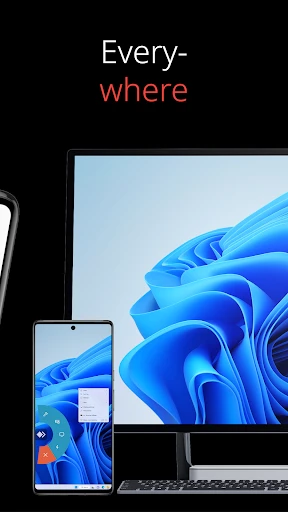
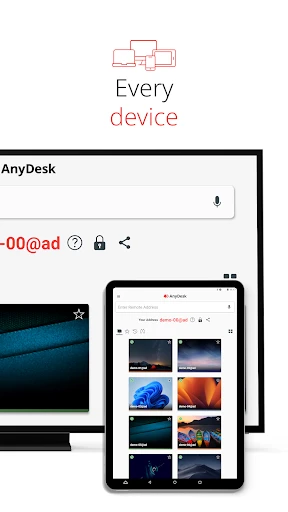
Description
About AnyDesk Remote Desktop Feature – Seamless Control Across Distances
AnyDesk Remote Desktop is a powerful and secure remote access software solution that enables users to connect to and control computers or devices from anywhere in the world. Renowned for its high-speed performance and low latency, thanks to the proprietary DeskRT video codec, AnyDesk facilitates smooth and responsive remote sessions. It caters to a wide audience, from IT professionals and support teams to individuals needing personal remote access. With a strong emphasis on security through TLS 1.2 encryption and RSA 2048 asymmetric key exchange, alongside a clean, user-friendly interface, AnyDesk stands as a versatile tool for remote work, technical support, and collaborative projects.
Chapter 1: Function
AnyDesk's core functionality revolves around establishing fast and reliable remote desktop connections. Users can remotely control another computer's desktop environment in real-time, viewing its screen and operating its mouse and keyboard as if sitting in front of it. It supports file transfer between the local and remote machines, allowing for seamless exchange of documents and data. The app features a clipboard synchronization function, enabling copy-paste operations across devices. For professional use, it includes tools for remote printing, session recording, and restarting the remote machine in safe mode. Connections are initiated using a unique AnyDesk address, and the software offers both unattended access with password setting and attended access for on-demand support. Its lightweight design ensures quick installation and minimal impact on system resources.
Chapter 2: Value
The primary value proposition of AnyDesk lies in its exceptional combination of speed, security, and simplicity, delivering a superior remote desktop experience. Its key advantage is the blazing-fast connection speed powered by the DeskRT codec, which minimizes lag and provides near-instant response times even for graphic-intensive tasks, a critical factor for productivity and efficient troubleshooting. Security is a foundational pillar; all connections are protected by banking-standard encryption, two-factor authentication, and a whitelist feature for access control, ensuring that remote sessions are safeguarded against unauthorized intrusion. Furthermore, AnyDesk offers remarkable cross-platform compatibility, supporting Windows, macOS, Linux, iOS, Android, and FreeBSD, which breaks down device barriers in heterogeneous environments. For businesses, its scalability through customizable client modules and management consoles adds significant value for IT departments and MSPs (Managed Service Providers). Compared to many alternatives, AnyDesk provides a generous free tier for personal use, making professional-grade remote access technology accessible to all. This blend of performance, robust security, versatility, and cost-effectiveness positions AnyDesk as a highly reliable and valuable tool for any remote access need.
Chapter 3: Scenarios
AnyDesk serves a diverse range of user groups across various everyday scenarios. IT professionals and helpdesk support teams are primary users, employing the software to diagnose and resolve technical issues on employees' computers remotely, drastically reducing downtime and on-site visits. Freelancers and remote workers utilize it to access their powerful office or home computers from lighter devices while traveling, ensuring continuity of work with all necessary applications and files. Educators and students can use it for remote teaching assistance or collaborative project work on shared digital resources. Small business owners can manage multiple office computers or point-of-sale systems from a single location. On a personal level, individuals frequently use AnyDesk to provide tech support to family members, such as helping parents install software or troubleshoot computer problems, or to access their home desktop to retrieve a forgotten file while away. Its mobile app also enables basic control of a computer from a smartphone or tablet for quick checks or presentations. These scenarios highlight AnyDesk's role as an essential utility for maintaining productivity, offering support, and staying connected across digital distances.
Uninstall Instructions
For step-by-step guidance on how to safely remove this application from your device, please refer to our 《Uninstall Instructions》 document.
Pros
- offers near-instant connection with proprietary DeskRT codec
- unattended access with granular
- role-based permissions
- lightweight client requires no installation for on-demand support
- custom alias replaces complex IDs for easier client connections
- high frame rates and low latency for smooth graphic design work
Cons
- free tier restricts access to basic remote control features
- requires manual configuration for LAN wake-on-LAN functionality
- custom client branding is limited to paid enterprise plans
- mobile device control is less comprehensive than desktop support
- occasional connection failures through strict enterprise firewalls
Frequently Asked Questions
What is AnyDesk and what does it do?
AnyDesk is a remote desktop software application that allows users to remotely access and control another computer or device over the internet. Its core function is to provide a secure connection for IT support, remote work, file transfer, and unattended access to personal or office machines. It positions itself as a fast and lightweight solution for professional and personal use.
Is AnyDesk free to use, and what are its pricing plans?
AnyDesk offers a free version for personal, non-commercial use with basic features like remote control and file transfer. For professional or commercial use, paid licenses (Standard, Performance, Power) are required, which offer advanced features like mass deployment, custom client modules, and dedicated support. The app itself is free to download and install, with in-app prompts for license upgrades.
What devices and operating systems does AnyDesk support?
AnyDesk supports a wide range of devices and operating systems. This includes Windows, macOS, Linux, iOS, Android, FreeBSD, and Raspberry Pi. It allows cross-platform connections, meaning you can control a Windows PC from a Mac, or an Android device from a Linux machine. It also supports ChromeOS and offers a web client for limited access.
How does AnyDesk ensure secure remote connections?
AnyDesk uses TLS 1.2 encryption and RSA 2048 asymmetric key exchange to secure all connections. It employs a verified desk address system (Alias) and supports two-factor authentication and whitelisting for access control. Sessions are protected by banking-standard security, and connections are established via direct peer-to-peer or relayed through AnyDesk's secure network.
What are common solutions for connection failures in AnyDesk?
Common fixes for connection failures include ensuring the correct AnyDesk address is used, checking that both devices have internet access, and verifying firewall/antivirus settings to allow AnyDesk traffic. Updating to the latest version, restarting the app, or trying a direct connection via IP address (if configured) can also resolve issues. For persistent problems, consult the official knowledge base.
App Info
Technical Info
Recommended For You

Amazon Flex
Business

Diamond Painting by Number
Art & Design

Quran for Android
Books & Reference

Little Nightmares Comics
Comics

Session - Private Messenger
Communication

Phone Mirror app - True Mirror
Beauty

KJV Bible: Audio+Verse
Books & Reference

네이버 - NAVER
Books & Reference

Librera PRO - Book reader
Books & Reference

Public Storage
Business

Joyread
Books & Reference

GlossGenius
Beauty

The Cepher
Books & Reference

10-4 by WEX
Auto & Vehicles

My Collection: Comic Scanner
Comics

CARFAX Car Care App
Auto & Vehicles

MangaGo - Ultimate Manga App
Comics

Messages: SMS Text Messenger
Communication

FaceSwap: Aging & Cartoon Me
Beauty

Passio GO!
Auto & Vehicles