
WorkJam
Screenshots

Description
About WorkJam Feature - The Frontline Workplace Platform
WorkJam is a comprehensive digital workplace platform designed specifically for the non-desk, frontline workforce. It serves as a unified hub connecting hourly employees, managers, and corporate leadership. The app streamlines scheduling, communication, task management, and training, replacing disparate systems and manual processes. By digitizing frontline operations, WorkJam enhances operational efficiency, improves employee engagement, and ensures consistent execution of business processes across distributed locations such as retail stores, restaurants, hospitality venues, and healthcare facilities. Its mobile-first design caters to the on-the-go nature of frontline work, making essential tools accessible from any smartphone.
Chapter 1: Function
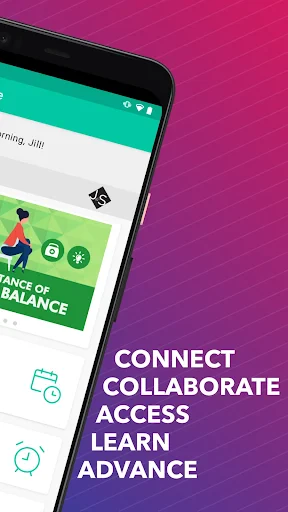
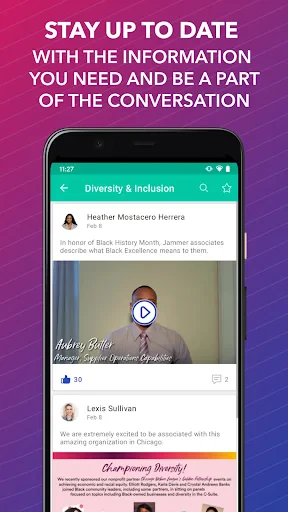
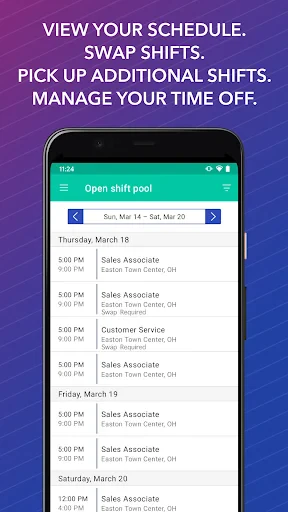
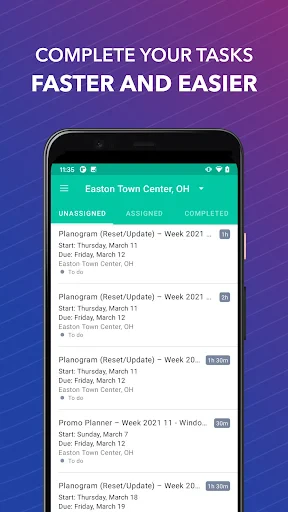
WorkJam's core functionality revolves around four interconnected modules. First, the Smart Scheduling tool allows managers to create and publish schedules digitally, while employees can view shifts, request time off, and swap shifts with peer approval, all within the app. Second, the Task Management module enables managers to assign, track, and verify completion of daily operational tasks through checklists and digital forms, ensuring accountability. Third, the Communication hub provides a secure feed for company-wide announcements, targeted team messages, and peer-to-peer chats, reducing reliance on paper notices and group texts. Finally, the Learning & Training section houses micro-training modules and videos that employees can complete on their own time, helping to upskill the workforce and ensure compliance.
Chapter 2: Value
WorkJam's primary value proposition lies in its ability to unlock the productivity and potential of the frontline workforce, which is often underserved by traditional enterprise software. It creates a single source of truth for workplace operations, eliminating scheduling conflicts, miscommunication, and task ambiguity. For organizations, this translates into significant tangible advantages: reduced labor costs through optimized scheduling, decreased turnover by empowering employees with self-service tools and flexible shift management, and improved operational compliance via auditable digital task records. The platform also delivers rich workforce analytics, giving leaders insights into scheduling patterns, task completion rates, and engagement levels to inform better decision-making. Crucially, WorkJam enhances the employee experience by providing clarity, autonomy, and a direct line of communication with management, fostering a more connected and engaged frontline culture. This holistic approach not only streamlines administrative overhead but also directly contributes to better customer service, brand consistency, and overall business performance.
Chapter 3: Scenarios
WorkJam is ideally suited for large, distributed enterprises with a significant hourly, non-desk workforce. Primary user groups include frontline employees, shift supervisors, store or site managers, and corporate HR or operations directors. In everyday use, a retail associate uses WorkJam to check their weekly schedule, receive a push notification about a new promotional setup task, and complete a short video training on the new product line before their shift. A restaurant manager uses the app to quickly fill a last-minute shift vacancy by sending a blast notification to available staff and then digitally onboarding the covering employee on side-work duties. A district manager in a hospitality chain uses the platform to roll out a new safety protocol checklist to all locations, then monitors real-time completion rates across different properties. These scenarios underscore WorkJam's role in simplifying the complexities of managing dispersed teams, ensuring that every frontline worker is informed, scheduled, and equipped to perform their duties effectively.
Uninstall Instructions
For step-by-step guidance on how to safely remove this application from your device, please refer to our 《Uninstall Instructions》 document.
Pros
- combines shift scheduling
- task management
- and communication in one app
- enables real-time shift swapping and pickup directly among frontline staff
- offers built-in micro-training modules for on-the-job skill updates
- provides granular labor data analytics for managers via desktop dashboard
- functions fully offline
- syncing data once connectivity is restored
Cons
- initial setup and integration require significant administrative configuration
- interface can feel cluttered due to dense
- multifunctional design
- advanced analytics and reporting are limited to the web platform
- in-app training content relies heavily on employer-provided material
- notification settings are complex to manage across different modules
Frequently Asked Questions
What is WorkJam and what does it do?
WorkJam is a frontline workforce management platform designed for hourly workers and their managers. Its core functions include shift scheduling, time and attendance tracking, task management, and team communication. It positions itself as an all-in-one hub to streamline operations, improve compliance, and connect deskless employees with their workplace. The app allows employees to view schedules, swap shifts, clock in/out, receive updates, and complete training modules.
Is WorkJam free to use for employees?
WorkJam is free for employees to download and use. However, it is an enterprise software solution where the employer (organization) purchases and implements the platform. Employees invited by their company to use WorkJam do not pay any fees. The company's subscription covers all features, and there are no in-app purchases or required payments from individual users.
What devices and systems does WorkJam support?
WorkJam supports a wide range of devices and systems to accommodate frontline workers. It offers native mobile apps for both iOS (iPhone/iPad) and Android smartphones and tablets. A web-based version is also available for access via desktop or laptop computers. This cross-platform compatibility ensures that users can access their schedules and tools from most personal or company-provided devices with an internet connection.
How does WorkJam handle shift swaps and time-off requests?
WorkJam automates and manages shift swaps and time-off requests within the app. Employees can request to give away or pick up open shifts, which are then sent for manager approval. Similarly, time-off requests can be submitted directly through the app. Managers receive notifications and can approve or deny requests within the platform, creating a transparent and auditable record. This feature is a core part of its scheduling and workforce management functionality.
What should I do if I have a technical issue with the app?
For technical issues, employees should first contact their company's internal administrator or manager, as the organization manages its WorkJam instance and user accounts. For broader app functionality problems, WorkJam provides standard support channels for the implementing company. Individual end-users typically do not contact WorkJam directly; support is routed through the employer's HR or operations team who have access to dedicated enterprise support.
App Info
Technical Info
Recommended For You

10-4 by WEX
Auto & Vehicles

Vaporwave PRO Wallpapers
Art & Design

TracFone My Account
Communication

Clipboard
Business

Ficbook: Read Fictions Anytime
Comics

AppSheet
Business

Resume Builder - CV Engineer
Business

Message Plus - SMS Messager
Communication

Cast Phone to TV, Chromecast
Business

Firefox Focus: No Fuss Browser
Communication
OpenDocument Reader Pro
Business

СL Theme Line
Auto & Vehicles

PDF Scanner app - TapScanner
Business

Personal stickers StickerMaker
Communication

ArtCanvas: Learn how to draw
Art & Design

Birthday Invitation Card Maker
Art & Design

PayPal Business
Business

Resume Builder - CV Maker
Business

Virtual Dyno PRO
Auto & Vehicles

Heart Camera
Beauty