
Wear OS by Google Smartwatch
Screenshots
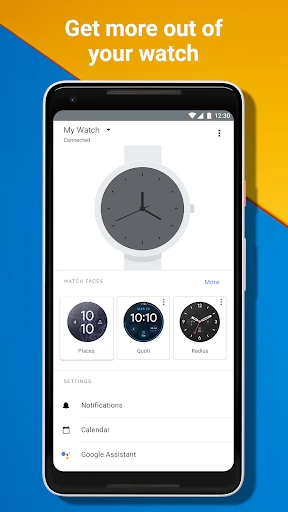
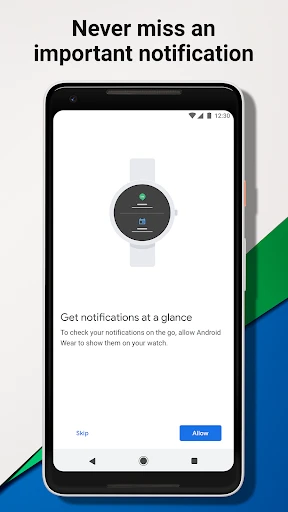
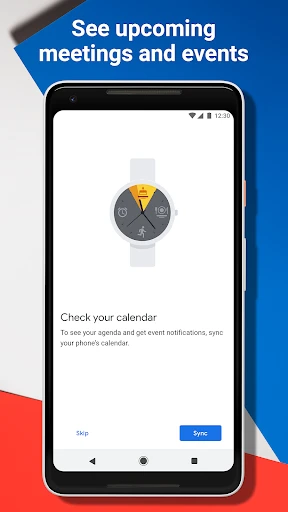
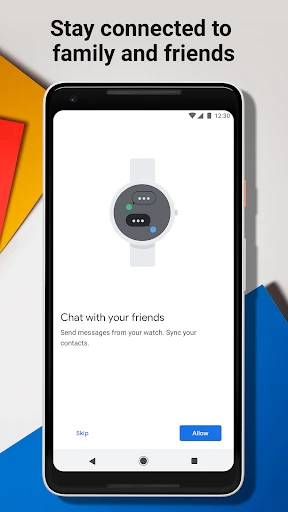

Description
About Wear OS by Google Smartwatch Feature
Wear OS by Google is a versatile smartwatch operating system designed to bring the power of Google and the Android ecosystem to your wrist. It serves as a seamless extension of your smartphone, prioritizing connectivity, health tracking, and personalized assistance. The platform collaborates with a wide range of watch manufacturers, offering users diverse hardware choices while maintaining a cohesive software experience. At its core, Wear OS aims to deliver relevant information quickly, help users stay fit, and manage daily tasks efficiently, all through a compact, wearable interface.
Chapter 1: Function
Wear OS smartwatches are built around core functions that enhance daily productivity and wellness. They deliver comprehensive health and fitness tracking, including continuous heart rate monitoring, sleep analysis, and numerous workout modes with GPS tracking. As a notification hub, they display calls, messages, and alerts from paired smartphones, allowing for quick replies or dismissals. Google Assistant integration enables voice-controlled tasks like setting reminders, checking the weather, or controlling smart home devices. The platform supports a vast library of apps via Google Play, ranging from music streaming and navigation to specialized tools. Additionally, features like Google Wallet for contactless payments, music storage for offline playback, and customizable watch faces for personalization are integral, creating a multifunctional wearable computer.
Chapter 2: Value
The primary value of Wear OS lies in its deep integration with Google services and the broader Android ecosystem, creating a unified and intelligent experience. Its key advantage is the seamless synchronization with your Google Account, providing instant access to Google Calendar, Gmail, Google Maps with turn-by-turn navigation on your wrist, and Google Keep notes. The platform's strength is further amplified by partnerships with leading watchmakers like Samsung, Fossil, and Mobvoi, combining Google's software prowess with high-quality hardware design and durability. Unlike closed ecosystems, Wear OS offers greater flexibility and choice. The recent unification with Samsung's Tizen platform has brought improved performance, longer battery life, and a more robust app ecosystem. It delivers proactive, context-aware help through Google Assistant and Fitbit-powered health insights, making it not just a notification relay but a genuine health and productivity partner. The value proposition is a balanced blend of open-platform freedom, powerful Google intelligence, and a focus on holistic well-being, all designed to save time and keep users connected and informed with minimal effort.
Chapter 3: Scenarios
Wear OS smartwatches cater to a broad spectrum of users, primarily targeting tech-savvy professionals, fitness enthusiasts, and individuals embedded in the Google ecosystem. For the busy professional, it is indispensable for managing a hectic schedule; discreetly checking meeting notifications, calendar alerts, and important emails during meetings without pulling out a phone. Fitness enthusiasts rely on it as a 24/7 health companion, using it to track runs with built-in GPS, monitor heart rate zones during gym sessions, and analyze sleep patterns for recovery. Everyday users appreciate the convenience for mundane tasks: using Google Pay at checkout, setting kitchen timers via voice command, or getting hands-free navigation directions while cycling. It also serves as a remote control for smartphone cameras, music playback, and connected home devices. Ultimately, it is designed for anyone seeking to streamline their digital life, stay motivated towards health goals, and access information and assistance instantly from their wrist, blending seamlessly into both active and professional lifestyles.
Uninstall Instructions
For step-by-step guidance on how to safely remove this application from your device, please refer to our 《Uninstall Instructions》 document.
Pros
- seamless integration with android phone notifications
- google assistant built-in for voice commands
- tile interface for quick app and info access
- wide compatibility with wear os app ecosystem
- continuous heart rate and sleep tracking
Cons
- battery life often lasts less than a day
- performance varies greatly by watch manufacturer
- limited ios functionality compared to android
- some google services require phone connection
- third-party app quality and updates are inconsistent
Frequently Asked Questions
What is Wear OS by Google Smartwatch?
Wear OS by Google Smartwatch is a smartwatch operating system developed by Google in partnership with watchmakers. It is designed to run on compatible wearable devices, providing core functions like notifications, fitness tracking, voice assistance via Google Assistant, and app support. It positions itself as an extension of your Android phone, focusing on connectivity, health, and productivity on your wrist. The system integrates with Google services like Fit, Pay, and Maps.
Is Wear OS free to use?
Wear OS itself is a free operating system licensed to device manufacturers. However, you need to purchase a compatible smartwatch hardware from brands like Samsung, Fossil, or Mobvoi to use it. The watch may come with pre-installed apps, and some third-party apps on the Google Play Store for Wear OS might offer in-app purchases. No subscription is required for the core OS, but certain premium services (e.g., advanced fitness features in some apps) may involve additional costs.
What devices are compatible with Wear OS?
Wear OS runs on specific smartwatches from various manufacturers, not on phones or tablets. It primarily requires a watch with compatible hardware. For full functionality, a paired Android smartphone (Android 6.0+ or later, excluding Go edition) is necessary. Limited features are available when paired with an iPhone. The system is optimized for devices with features like heart rate sensors, GPS, and NFC. Always check the specific watch manufacturer's compatibility list before purchase.
How does health tracking work on Wear OS?
Health tracking on Wear OS utilizes the sensors in your compatible smartwatch (e.g., heart rate monitor, accelerometer, GPS) and Google Fit as a core platform. It can automatically track activities like steps, heart rate, workouts, and sleep. The data syncs to the Google Fit app on your paired phone. Accuracy depends on the specific watch's hardware and sensor quality. Third-party apps like Strava or MyFitnessPal can also integrate for more specialized tracking. It is not a medical device.
Can I reply to messages from my Wear OS watch?
Yes, you can view and reply to notifications like messages directly from a Wear OS watch. You can reply using pre-set quick responses, voice-to-text dictation via Google Assistant, or an on-screen keyboard (if supported by your watch model). This requires the watch to be connected to your phone via Bluetooth. Full messaging app functionality depends on the specific app's Wear OS compatibility. For SMS, it requires your paired Android phone to handle the message relay.
App Info
Technical Info
Recommended For You

Beauty Calculator Pretty Scale
Beauty

Everand: Ebooks and audiobooks
Books & Reference

StyleSeat: Book Hair & Beauty
Beauty

Fart Sounds
Comics

World History Atlas
Books & Reference

Message Plus - SMS Messager
Communication

PCGS CoinFacts - U.S. Coin Val
Books & Reference

Face Beauty Makeup Camera-Self
Beauty

MyNISSAN®
Auto & Vehicles

Advent Magnificat 2024
Books & Reference

Shonen Jump Manga & Comics
Comics

Car Scanner ELM OBD2
Auto & Vehicles

Caller ID Name, Location & SMS
Communication

Photo App - AI Photo Enhancer
Art & Design

Ink AI – Tattoo design maker
Art & Design

Scentbird Monthly Perfume Box
Beauty

Hwahae(Korea’s Beauty APP)
Beauty

Duke Energy
Business

FantacyStory: novels, fictions
Books & Reference

RSA Authenticator (SecurID)
Communication