
All Email Connect
Screenshots



Description
About All Email Connect Feature – Your Unified Inbox Solution
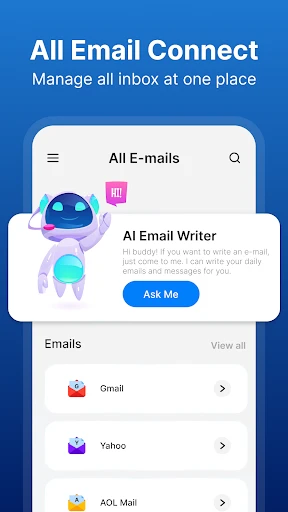
All Email Connect is a comprehensive email management application designed to consolidate multiple email accounts into a single, streamlined interface. It supports a wide range of email providers, including Gmail, Outlook, Yahoo, iCloud, and various IMAP/SMTP services, allowing users to manage all their communications from one centralized platform. The app prioritizes a clean, intuitive user experience while offering robust organizational tools, enhanced security, and customizable notifications. By eliminating the need to switch between different email clients or browser tabs, All Email Connect significantly boosts productivity and ensures that no important message is ever missed, making it an indispensable tool for both personal and professional use.
Chapter 1: Function
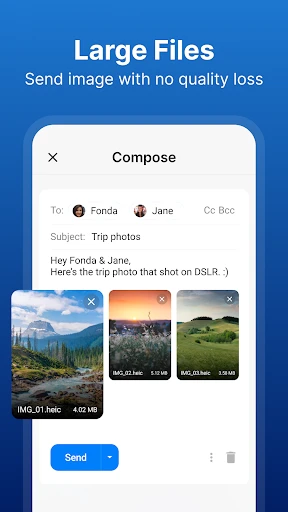
The core functionality of All Email Connect revolves around aggregation and unified management. Upon adding an email account, the app securely synchronizes and displays emails from all connected accounts in a single, cohesive inbox. Users can seamlessly send emails from any of their registered addresses directly within the app. It features powerful email organization through labeling, folder management, and advanced search capabilities that span all accounts. The app also supports real-time push notifications for new messages, customizable swipe gestures for quick actions like archive or delete, and integrated spam filtering. Furthermore, it allows for managing email signatures per account and provides a unified calendar view that pulls events from all connected email accounts, centralizing schedule management alongside communication.
Chapter 2: Value
The primary value proposition of All Email Connect lies in its unparalleled convenience and significant time savings. By centralizing multiple email accounts, it removes the friction and cognitive load associated with juggling several apps or logins, creating a single point of control for all digital correspondence. This consolidation is its key advantage, directly translating to enhanced productivity. Beyond aggregation, the app delivers substantial value through its intelligent organization system. The unified search function is particularly powerful, enabling users to find any email across all accounts instantly using keywords, sender details, or dates, which is far more efficient than searching each account individually. Security is another cornerstone of its value; the app employs robust encryption for data transmission and often uses secure OAuth authentication methods, ensuring user credentials and email data are protected. It also offers a customizable experience, allowing users to tailor notification settings, swipe actions, and the inbox layout to their personal workflow. The integrated calendar is a significant added benefit, providing a holistic view of commitments derived from various email accounts. Ultimately, All Email Connect transforms email from a fragmented, time-consuming task into a streamlined, manageable, and efficient process, freeing up mental space and time for more important activities.
Chapter 3: Scenarios
All Email Connect is ideally suited for several key user groups and daily scenarios. Professionals and freelancers who manage separate email addresses for work, clients, and personal matters are primary beneficiaries. They can efficiently handle all communications without switching contexts, ensuring prompt responses and better organization of project-related emails. Students are another core group, as they often use different emails for university, part-time work, and personal subscriptions; the app helps them stay on top of academic deadlines and communications in one place. Small business owners and entrepreneurs, who may use multiple emails for different aspects of their business such as sales, support, and partnerships, find immense value in having a unified command center. In everyday use, a user might start their day by checking the single All Email Connect inbox to review all new messages from every account simultaneously. During work, they can quickly search across all historical emails to find a specific attachment or conversation thread. When planning their week, the unified calendar view helps them avoid scheduling conflicts by displaying all events from their various accounts. For anyone seeking to declutter their digital life and achieve inbox zero, this app provides the essential tools to categorize, archive, and manage emails from all sources effectively.
Uninstall Instructions
For step-by-step guidance on how to safely remove this application from your device, please refer to our 《Uninstall Instructions》 document.
Pros
- unified inbox for all email providers
- send later scheduling across different accounts
- lightweight with minimal storage footprint
- one-touch unsubscribe from aggregated list
- real-time sync without manual refresh
Cons
- limited advanced filtering vs. desktop clients
- no native integrated calendar or contacts
- push notifications can be delayed occasionally
- attachment handling lacks bulk operations
- custom signature setup per account is cumbersome
Frequently Asked Questions
What is All Email Connect and what does it do?
All Email Connect is an email management app that consolidates multiple email accounts (like Gmail, Outlook, Yahoo) into a single, unified inbox. Its core function is to allow users to send, receive, and organize emails from different providers without switching between apps. It positions itself as a centralized hub for personal and professional email communication, offering a streamlined interface to manage all accounts simultaneously.
Is All Email Connect free to use, or are there in-app purchases?
All Email Connect is typically free to download and use with core email management features. However, it may offer optional in-app purchases or a premium subscription to unlock advanced functionalities. These could include features like removing ads, adding more connected accounts, enhanced security options, or premium support. The specific pricing model should be checked within the app's settings or on its official store page.
What email services and devices does this app support?
All Email Connect supports major email services including Gmail, Outlook (Hotmail), Yahoo Mail, iCloud Mail, and other IMAP/POP3 compatible accounts. The app is generally available for Android and iOS mobile devices. It may also offer a web version or compatibility with tablets. For the most current and specific list of supported providers and system requirements, please refer to the official app description on your device's app store.
How does All Email Connect protect my privacy and email data?
The app uses standard secure connection protocols (like OAuth and SSL/TLS) to link your email accounts, which means it does not store your email passwords on its servers. Your emails are fetched directly from your providers' servers. Data handling practices, such as whether any data is cached locally or transmitted through third-party servers, are detailed in the app's Privacy Policy. It is recommended to review this policy before use to understand the specific security measures in place.
Can I schedule emails or set up automated rules in the app?
Based on its core positioning as a unified inbox, basic functionality focuses on aggregation, sending, and organization. Advanced email client features like scheduled send or automated folder rules are not typically its primary function. For information on whether such specific features are available, please consult the app's official feature list or help section within the app, as capabilities can vary with updates. If not present, the app serves primarily as a consolidated viewer and composer.
App Info
Technical Info
Recommended For You

Kobo | eBooks & Audiobooks
Books & Reference

Pocket Novel
Books & Reference

FoxFi Key (supports PdaNet)
Communication

Fonto - story font for IG
Art & Design

ComEd
Business

PDF Reader: Edit & Convert PDF
Business

Madison Reed App - Hair Color
Beauty

Video Background Changer
Beauty

Livensa: AI Video Maker
Art & Design

GIMP
Art & Design

Carmin
Auto & Vehicles

Perfectme: AI Photo Enhancer
Beauty

Batman Miniature Game
Comics

Filtre for Selfie
Beauty

Little Nightmares Comics
Comics

My Bible - Verse+Audio
Books & Reference

Uber - Driver: Drive & Deliver
Business

CosmoProf Beauty
Beauty

Black Magic
Books & Reference

Amazon A to Z
Business