
AR Drawing: Paint & Sketch App
Screenshots

Description
About AR Drawing: Paint & Sketch App Features
AR Drawing: Paint & Sketch App is an innovative creative tool that merges the physical and digital worlds through augmented reality technology. It transforms any surface into a virtual canvas, allowing users to sketch, paint, and draw in three-dimensional space. The app is designed for both beginners and experienced artists seeking a novel way to express their creativity. By utilizing the device's camera, it projects reference images or guiding lines onto real-world surfaces, enabling users to trace and create art with unprecedented ease and precision. This application represents a significant leap forward in digital art creation, making the process more intuitive, immersive, and accessible to a broad audience.
Chapter 1: Function
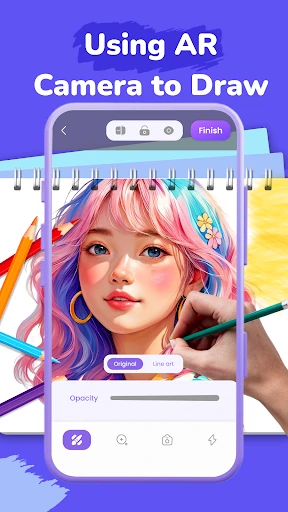
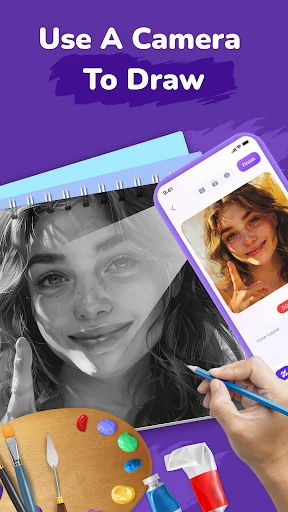
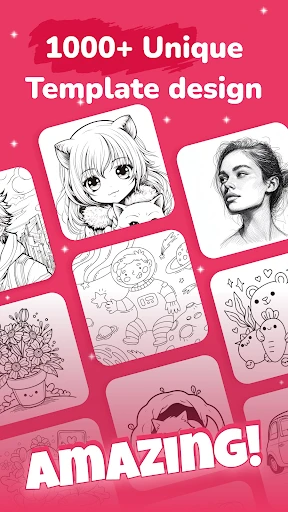
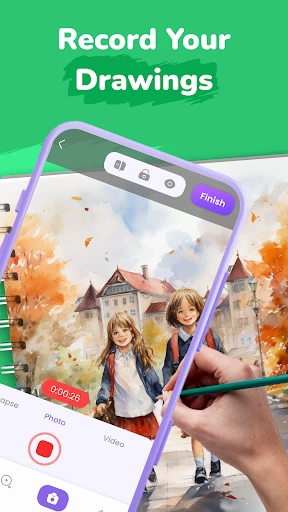
The core function of AR Drawing: Paint & Sketch App is its augmented reality tracing and drawing capability. Users can select any image from their gallery or the app's library, and the app will project it as a semi-transparent overlay through the device's camera view onto a physical surface like paper, canvas, or a wall. This serves as a real-time guide for tracing. The app provides a variety of digital brushes, pencils, and pens with adjustable size and opacity to mimic real art tools. Key features include a color picker with a vast palette, layers for complex compositions, and undo/redo functions. Furthermore, it allows users to record time-lapse videos of their drawing process, share creations directly to social media, and save projects in high resolution. The interface is designed to be minimal and non-intrusive, keeping the focus on the augmented canvas.
Chapter 2: Value
The primary value proposition of AR Drawing: Paint & Sketch App lies in its ability to democratize and revolutionize the art creation process. Its key advantage is drastically lowering the skill barrier for accurate drawing and sketching. Beginners who struggle with proportions and outlines can use the AR tracing feature to build confidence and muscle memory, effectively serving as a powerful learning aid. For seasoned artists, it offers a unique medium to experiment with spatial composition and blend digital art with physical environments, opening new avenues for mixed-media projects. The app saves significant time on preliminary sketches, allowing creators to focus on coloring, shading, and detailing. Unlike traditional drawing apps confined to a flat screen, this app encourages interaction with the real world, enhancing spatial awareness and making drawing a more engaging, hands-on activity. It also provides excellent value as an educational tool for teachers and students, facilitating lessons in perspective, anatomy, and design. The ability to create and share time-lapse videos adds social and educational value, enabling artists to showcase their technique. By bridging the gap between imagination and execution with cutting-edge AR technology, the app delivers a unique, practical, and inspiring creative experience that is not easily replicated by standard digital drawing software.
Chapter 3: Scenarios
The app's primary target users span a wide spectrum. First are art enthusiasts and hobbyists, especially those new to drawing who seek a guided, frustration-free start to develop their skills. They use the app at home to trace and recreate favorite characters, landscapes, or portraits on paper. Second are professional illustrators, designers, and concept artists who utilize the app for brainstorming, creating large-scale murals by projecting sketches onto walls, or planning artworks that interact with specific environments. Third are students and educators in art classes, where the app serves as an interactive teaching tool for demonstrating techniques like perspective drawing or human figure proportions directly onto classroom surfaces. Parents also find it valuable for engaging children in creative, screen-based yet hands-on activities that result in tangible paper drawings. Everyday use cases include preparing custom artwork for gifts, decorating personal spaces with hand-drawn elements guided by digital designs, practicing calligraphy by tracing fonts, and creating detailed craft blueprints. In essence, any scenario requiring the translation of a digital image into a precise physical drawing becomes effortlessly achievable with this application.
Uninstall Instructions
For step-by-step guidance on how to safely remove this application from your device, please refer to our 《Uninstall Instructions》 document.
Pros
- projects 3D drawing guides onto real-world surfaces
- converts 2D sketches into 3D models in real-time
- uses device LiDAR for precise depth-aware painting
- offers perspective lock for stable augmented reality canvases
- exports layered PSD files with environmental lighting data
Cons
- requires LiDAR sensor for full feature set
- high-precision tracking drains battery rapidly
- complex calibration needed for non-planar surfaces
- large 3D model exports slow on older devices
- limited community gallery for AR artwork sharing
Frequently Asked Questions
What is AR Drawing: Paint & Sketch App?
AR Drawing: Paint & Sketch is a mobile application that utilizes augmented reality (AR) technology to assist with drawing and sketching. Its core function is to project a reference image from your device's screen onto a physical surface like paper or canvas, allowing you to trace it accurately. It positions itself as a tool for artists, hobbyists, and learners to improve their drawing skills, transfer designs, or create complex artworks more easily by using a virtual guide.
Is the app free to use or does it have in-app purchases?
The app uses your device's camera to detect a flat plane (like a table). You then select or import an image, which is superimposed onto this real-world surface via the screen. By aligning your physical paper under this projection, you can trace the lines you see. The technology relies on stable surface detection and device calibration; it works best in well-lit environments with a clear, non-reflective surface to ensure the projection remains steady.
Why is the projected image shaky or not aligning properly?
The app typically follows a freemium model. It is free to download and use with basic functionality. However, advanced features such as accessing a full library of reference images, removing watermarks from exports, or using premium drawing tools are usually locked behind one-time purchases or subscription plans. Specific pricing details can be found on the app's official store page.
What devices and systems are compatible with this app?
AR Drawing requires a smartphone or tablet with advanced AR capabilities, specifically supporting ARCore for Android devices or ARKit for iOS devices. This generally means newer mid-range to high-end models. The app is available on both the Google Play Store and Apple App Store. It is not designed for desktop computers or devices without the necessary motion-tracking cameras and sensors.
How does the AR tracing feature work technically?
This is a common technical issue. Shaking or misalignment is often caused by poor lighting, a reflective or patterned surface, or sudden camera movement. Ensure you are in a bright, evenly lit room and place your device on a stable stand or tripod. Calibrate the AR plane carefully on a simple, flat surface. Also, check if your device model fully supports ARCore/ARKit, as performance varies. Restarting the app or recalibrating usually helps.
App Info
Technical Info
Recommended For You

TracFone My Account
Communication

Visual Voicemail
Business

Heart Camera
Beauty

Comicle Manga: Manhwa & Manga
Comics

UKG Dimensions
Business

Artistry Virtual Beauty
Beauty

Google Play Books & Audiobooks
Books & Reference

Ulta Beauty: Makeup & Skincare
Beauty

Joyread
Books & Reference
Trace Drawing-Sketch and Paint
Art & Design
aesthetic background
Art & Design

Asana: Where work connects
Business

Booksy Biz: For Businesses
Beauty

Texture Maker for Minecraft PE
Art & Design

Chevron
Auto & Vehicles

Indeed Job Search
Business

Thrift Savings Plan
Business

King James Bible - KJV Offline
Books & Reference

Buenovela - Webnovel & Stories
Books & Reference

AI Image Generator - Dali
Art & Design