
Logo Maker : Logo Creator
Screenshots

Description
About Logo Maker : Logo Creator Feature – Your Pocket-Sized Branding Studio
Logo Maker : Logo Creator is a comprehensive mobile application designed to empower entrepreneurs, small business owners, and creatives to design professional-looking logos instantly, without requiring prior graphic design experience. It serves as an all-in-one branding toolkit, offering a vast library of templates, icons, fonts, and customization tools. The app simplifies the complex process of logo creation into a few intuitive steps, enabling users to conceptualize and finalize a visual identity for their venture directly from their smartphone or tablet. By democratizing design, it bridges the gap between professional branding needs and accessible, cost-effective solutions, making it a popular choice for startups and individuals looking to establish a strong visual presence quickly.
Chapter 1: Function
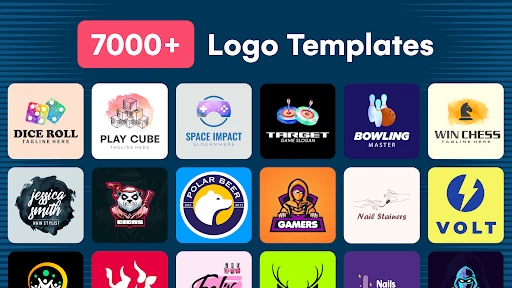
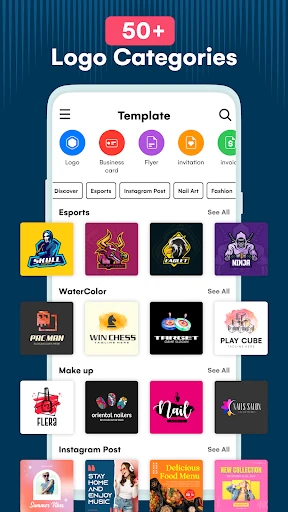
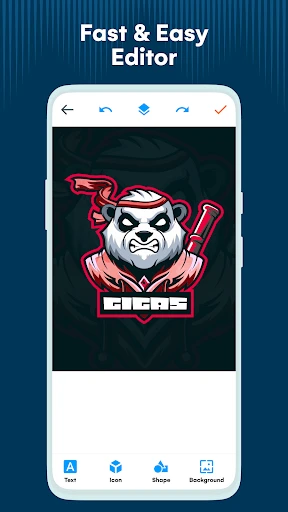
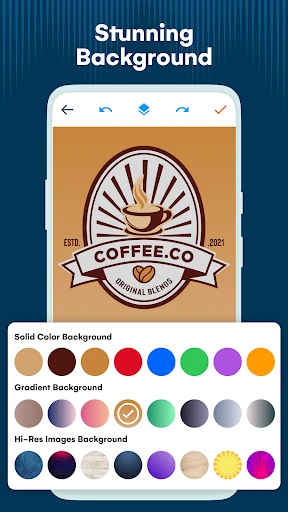
Logo Maker : Logo Creator operates on a user-friendly, template-driven model. Upon launching the app, users are greeted with a vast collection of pre-designed logo templates categorized by industry, style, and theme. The core function involves selecting a suitable template and entering a custom business name and tagline. Users can then deeply customize every element: they can swap out icons from an extensive built-in library, modify colors using hex codes or palettes, and experiment with a wide array of fonts. Advanced editing tools allow for layer management, spacing adjustment, and effects application. Furthermore, the app includes functionality to generate complementary brand assets such as business cards, social media banners, and letterheads, ensuring brand consistency. The final design can be exported in high-resolution PNG or JPEG formats, suitable for both digital and print use, with transparent background options available.
Chapter 2: Value
The primary value proposition of Logo Maker : Logo Creator lies in its ability to deliver professional-grade design outcomes with unprecedented speed, affordability, and simplicity. Its key advantage is the elimination of the traditional barriers to logo creation: high costs of hiring designers, lengthy turnaround times, and the steep learning curve of complex software like Adobe Illustrator. The app provides immense cost savings, often at a one-time purchase or subscription fee far below professional design rates. The value is further amplified by its extensive asset library, which is constantly updated, giving users a wealth of creative options. It empowers users with full creative control and immediate iteration ability, allowing them to tweak designs in real-time until perfect. The integrated branding suite extends value beyond just a logo, helping users build a cohesive visual identity across multiple touchpoints. This consolidation of tools into a single, mobile-friendly platform makes it an exceptionally efficient and practical solution for modern, on-the-go business needs, effectively turning a smartphone into a powerful branding workstation.
Chapter 3: Scenarios
The app primarily targets small business owners, solo entrepreneurs, freelancers, and startup founders who need a credible logo quickly to launch their website, social media profiles, or marketing materials. It is equally valuable for content creators, bloggers, and Etsy shop owners seeking a unique brand identity to stand out in crowded marketplaces. Common use cases include a local cafe owner designing a logo for their new shop front and packaging, a freelance consultant creating a professional logo for their website and business cards, or a student group developing a visual identity for an event or project. The app is also frequently used for personal projects, such as designing logos for community clubs, sports teams, or personal blogs. Its simplicity makes it ideal for scenarios where time and budget are constrained, but quality cannot be compromised. Whether preparing for a product launch, rebranding an existing service, or simply experimenting with visual ideas, users can go from concept to finished logo in a single sitting, making it an indispensable tool for agile brand building in today's fast-paced digital economy.
Uninstall Instructions
For step-by-step guidance on how to safely remove this application from your device, please refer to our 《Uninstall Instructions》 document.
Pros
- generates professional logos in under three minutes
- offers extensive customization for fonts and vector graphics
- provides high-resolution
- print-ready files for download
- includes a relevant
- searchable business name generator
- operates fully offline after initial asset download
Cons
- requires in-app purchases to remove watermark from exports
- premium vector icons and fonts locked behind paywall
- initial download includes only a basic set of design assets
- advanced layering and editing tools are limited compared to desktop software
- brand identity guidelines not included with logo creation
Frequently Asked Questions
What is Logo Maker : Logo Creator?
Logo Maker : Logo Creator is a mobile graphic design application focused on logo creation. Its core function is to enable users, especially small business owners, freelancers, and beginners, to design professional-looking logos without needing prior design expertise. The app provides a library of templates, icons, fonts, and editing tools to customize designs. It positions itself as an all-in-one, user-friendly solution for quick branding needs directly from a smartphone or tablet.
Is Logo Maker free to use, or are there in-app purchases?
null
What devices and systems is the app compatible with?
Logo Maker : Logo Creator is primarily designed for mobile devices. It is available for both Android and iOS systems and can be downloaded from the Google Play Store and Apple App Store. The app is optimized for smartphones and tablets. It does not require specialized hardware, making it accessible to a wide range of users, from individuals to small business teams, as long as they have a compatible mobile device.
How can I export and use the logo I create?
After designing your logo within the app, you can export it. The free version typically allows export in standard resolution, often with an app watermark. To obtain a high-resolution (HD) file without a watermark, a premium upgrade is usually necessary. Exported logos can be saved directly to your device's gallery and then used for social media profiles, business cards, websites, or other marketing materials according to the app's terms of service.
What happens if I encounter a bug or need support?
For technical issues or support requests, users should consult the 'Help' or 'Support' section within the app's settings menu. This typically provides access to a FAQ, contact email for the developer, or a link to an official support channel. The developer is responsible for bug fixes and updates, which are released periodically through the app stores. There is no information about dedicated phone support or in-person service centers.
App Info
Technical Info
Recommended For You

CarParts.com
Auto & Vehicles

DaVinci - AI Image Generator
Art & Design

starryai - AI Art Generator
Art & Design

My Mitsubishi Connect
Auto & Vehicles

Gmail
Communication

Logo Maker And Logo Creator 3D
Art & Design

League of Comic Geeks
Comics

Workforce Tools
Business

Card Maker for PKM (Poke Fan)
Comics

TrueCar Used Cars and New Cars
Auto & Vehicles

Security Camera Mod Minecraft
Books & Reference

Whoosh
Auto & Vehicles

Everand: Ebooks and audiobooks
Books & Reference

Square Point of Sale: Payment
Business

Thrift Savings Plan
Business

Al Quran MP3 Audio Offline App
Books & Reference

scan my tesla
Auto & Vehicles

GIMP
Art & Design

Pray Daily - KJV Bible & Verse
Books & Reference

Eyecon Caller ID & Spam Block
Communication